B2B Payments and Accounts Receivable in Flourish
Learn how Flourish tracks wholesale payments, unapplied cash, credit memos, customer balances, aging, and statements from one accounts receivable workspace.
B2B Payments Workspace
Purpose
The B2B payments workspace helps wholesale teams record customer payments, apply them to one or more orders, manage unapplied cash and credit memos, review accounts receivable (AR), and generate customer statements. Each outbound order generates an invoice, and Flourish tracks the open balance, payments, applications, and credits for each buyer.
Open the Payments Workspace
- In the Flourish web app, go to Outbound > Payments.
The workspace contains these areas:
Area | Use it to |
Payment Log | Review recorded payments, their applied amounts, any remaining unapplied amount, and — when QuickBooks Online sync is enabled — each payment's sync status. |
Unapplied | Find customer payments that still have money available to apply to open orders. |
Credit Memos | Create and review financial credits issued to customers, including their QuickBooks Online sync status when the integration is enabled. |
AR Aging | Review customer balances by due-date aging bucket and open a customer statement. |
QBO Sync | Review QuickBooks Online sync status for payments and resync a payment manually. This is conditionally shown if the QBO integration is turned on. |
How Balances Are Calculated
Flourish separates the customer balance into three parts:
- Gross AR is the total remaining amount on open outbound orders.
- Unapplied cash is money received from the customer that has not been matched to an order.
- Open credit memos are issued credits that have not been fully applied.
The customer's net position is gross AR minus unapplied cash and open credit memos.
AR aging uses each order's due date. Amounts appear as Current, 1–30, 31–60, 61–90, or 90+ days past due.
Payments and Payment Applications
A payment records the cash received from a customer. A payment application records where that cash was used.
One payment can be applied to multiple open orders for the same buyer. If the applied total is less than the payment amount, the difference remains as unapplied cash that can be used later.
Financial changes preserve an audit trail:
- Unapply removes one application from a payment without voiding the entire payment.
- Void reverses the payment and its active applications. A void cannot be undone; record a new payment if needed.
Payments and applications are not hard-deleted.
Credit Memos
A credit memo reduces what a customer owes. Use it for a return allowance, pricing adjustment, goodwill credit, or approved bad-debt write-off.
A credit memo changes the financial balance only. It does not return inventory or create a METRC or BioTrack transaction. Complete any physical product return through the appropriate inventory and compliance workflow.
QuickBooks Online Sync
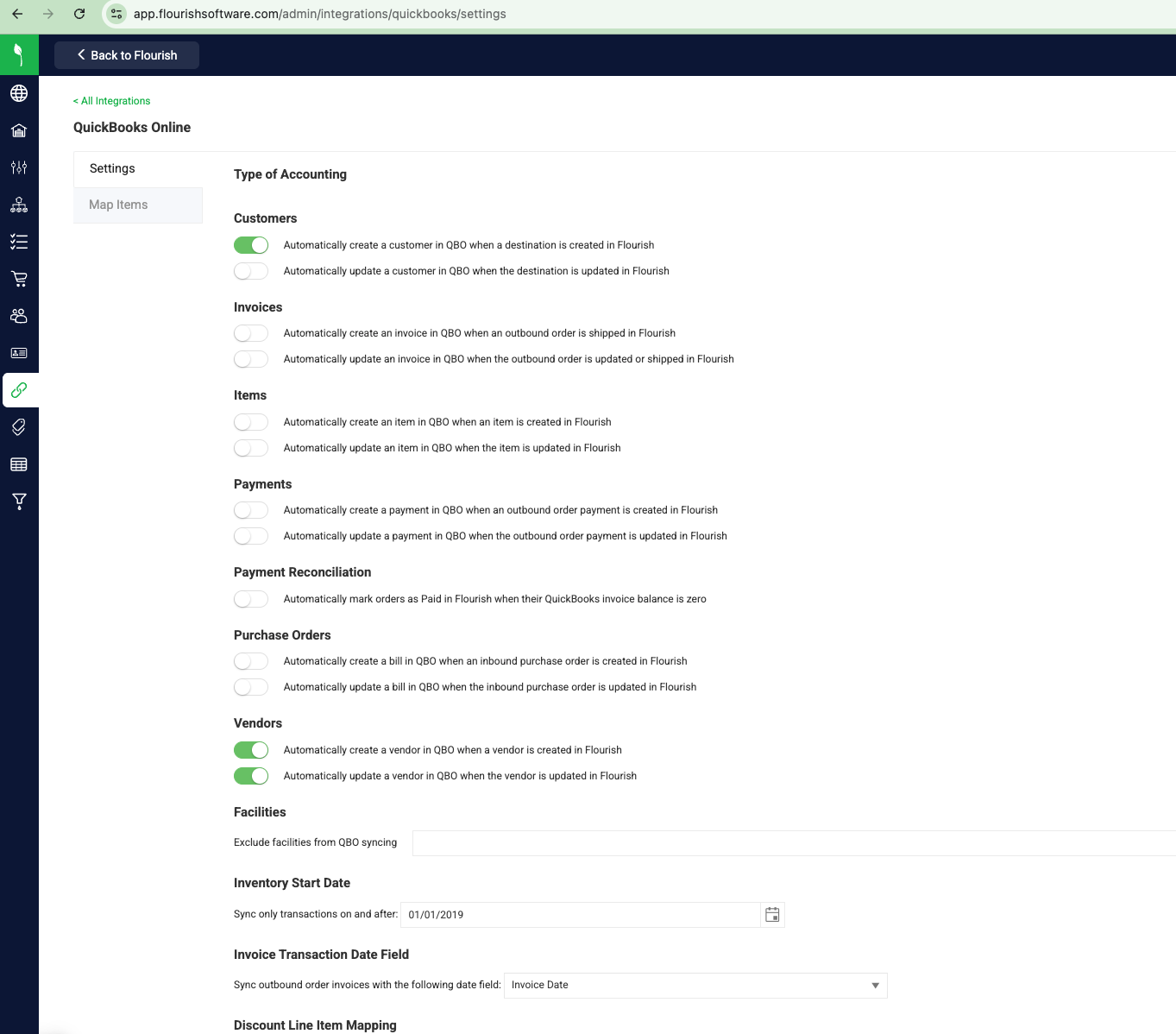
When QuickBooks Online sync is enabled, Flourish is the detailed AR record and QBO is the downstream accounting system. Flourish sends invoices, payments, payment applications, and credit memos to QBO through separate sync paths, and this depends on the Payment sync settings (Create and Update) in your QuickBooks Online sync settings. Setup for those settings is covered in the QuickBooks Online integration article.
Avoid applying or changing the same transaction independently in both systems. Client-side edits in QBO can cause the two records to differ.
Check a Payment's Sync Status
- Go to Outbound > Payments.
- Open the QBO Sync or Payment Log tab, or open a payment's detail.
- Review the status shown for the payment.
- Hover over the status to see the full QuickBooks error, if the sync failed.
Credit memo sync status appears on the Credit Memos tab instead, with the same hover behavior. The QBO Sync tab covers payments only.
Re-sync a Payment to QuickBooks
A payment cannot sync to QuickBooks until its order's invoice has synced. Orders sync automatically when marked Shipped, if your company's sync settings allow it. If a payment's status shows an error like "order is not synced yet," sync the order first:
- Open the outbound order.
- Click Sync to QuickBooks.
This pushes the order's invoice, then any unsynced payments and credit memos for that order, in one action.
To re-sync a single payment on its own:
- Go to Outbound > Payments > QBO Sync (or Payment Log).
- Find the payment.
- Click Re-sync.
A re-sync can take several minutes. Leave the page open — the status updates automatically once QuickBooks responds. You only need to click Re-sync once.
How did we do?
Sales Order Payments
Choose an Outbound Order Allocation Method
