Table of Contents
Set Up Spendr Mobile Payments at Checkout
What is Spendr? Spendr is a mobile payment platform that helps you increase customer visits and revenue with: Cashless payments. Personalized re-engagement. Spendr-funded rewards your community will…
Table of Contents
What is Spendr?
Spendr is a mobile payment platform that helps you increase customer visits and revenue with:
- Cashless payments.
- Personalized re-engagement.
- Spendr-funded rewards your community will love.
Schedule a demo Learn more on Spendr for Business
Set up Spendr as a Payment Method
- Create your Spendr account.
- In Flourish, go to Settings.
- Select Facilities.
- Click the Configure icon to open Facility Settings.
- Select Payment Methods.
- Click Edit.
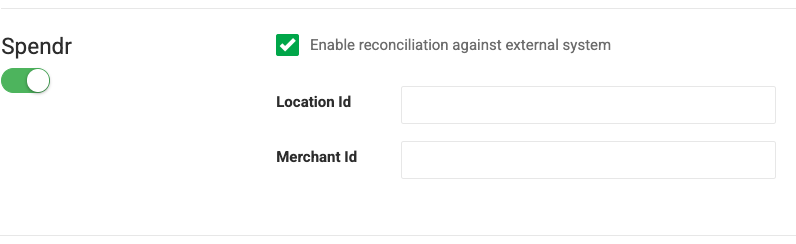
- Toggle Spendr On or Off.
- Keep Enable reconciliation against external system checked.
- Enter the following values:
- Location Id
- Merchant Id
- Click Save.
Check Out with Spendr
- In the POS, navigate to Queue > In-Store > Check Out.
- Locate the order and click Checkout.
- Review the order and click Pay if correct.
- Use the Select a Till dropdown to choose the correct till.
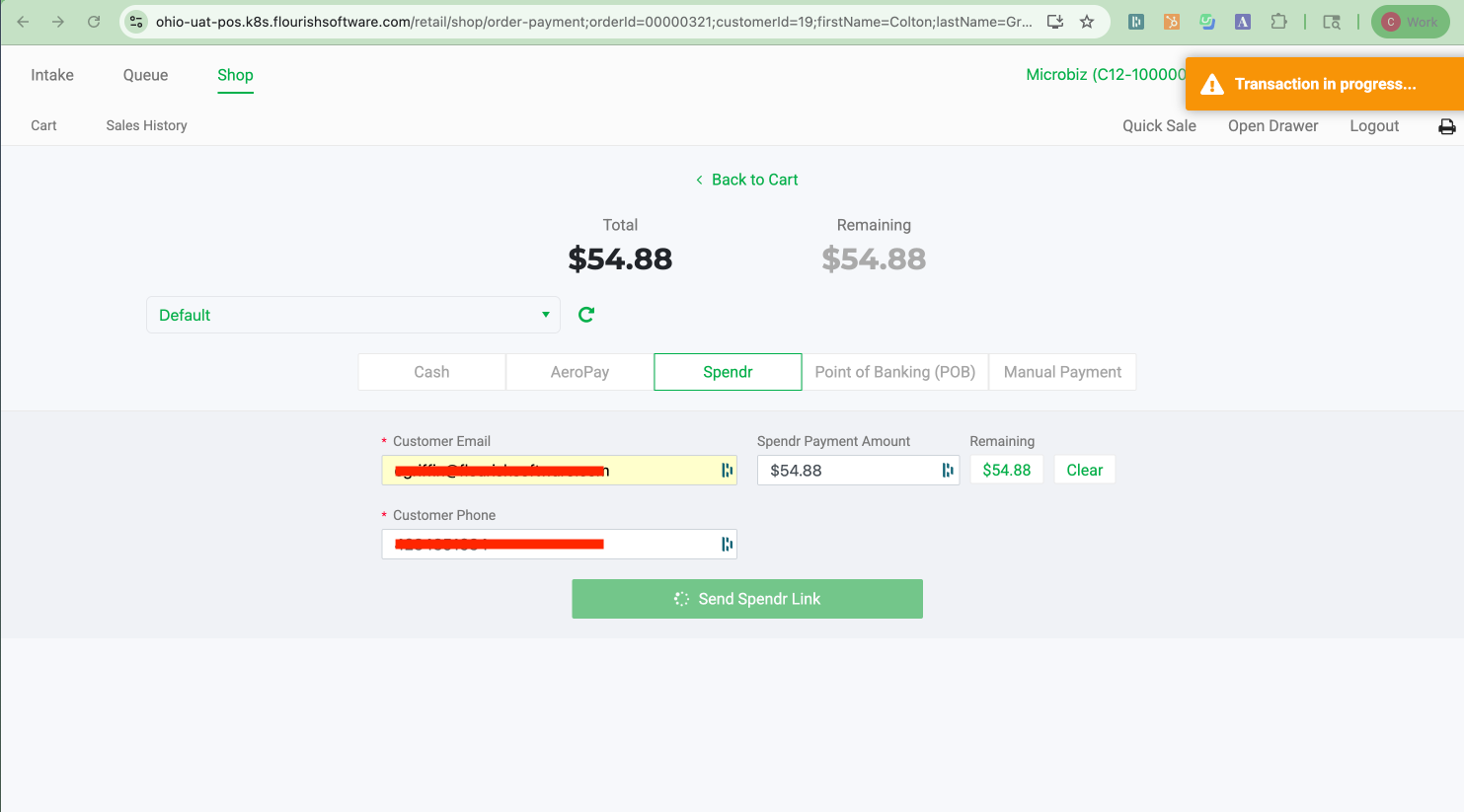
- Select Spendr as the payment method.
- Enter the amount in Spendr Payment Amount.
- Click Send Spendr Link.
- Flourish sends a payment request to the consumer’s registered phone number.
- The customer confirms the transaction on their mobile device.
- Once confirmed, the POS screen displays “Payment Confirmed” via the integration.
The checkout process is also featured here.
How did we do?
