Convert External Items to Internal Items in Flourish
Item Master: External and Internal Items. Purpose. The Item Master lists every item in your Flourish company instance. Most items are created directly in Flourish, but some enter through an integrati…
Item Master: External and Internal Items
Purpose
The Item Master lists every item in your Flourish company instance. Most items are created directly in Flourish, but some enter through an integration. For example, if a METRC customer receives an incoming transfer for an item that doesn't yet exist in Flourish, Flourish automatically creates that item upon receipt in METRC.
These integration-created items are External items, and Flourish limits the actions available on their packages. In some cases, you'll need to create a matching internal item so you can perform actions like splitting packages.
External Item Limitations
Packages of external items support only the following actions:
- Split – Break a package into smaller packages of the same item. For example, split an external "Blue Dream Flower - 1000g" package into smaller packages.
- Combine – Merge packages of the same item into one larger package. For example, combine two "Blue Dream Flower - 500g" packages into one.
- Transfer – Transfer the external item to another license holder.
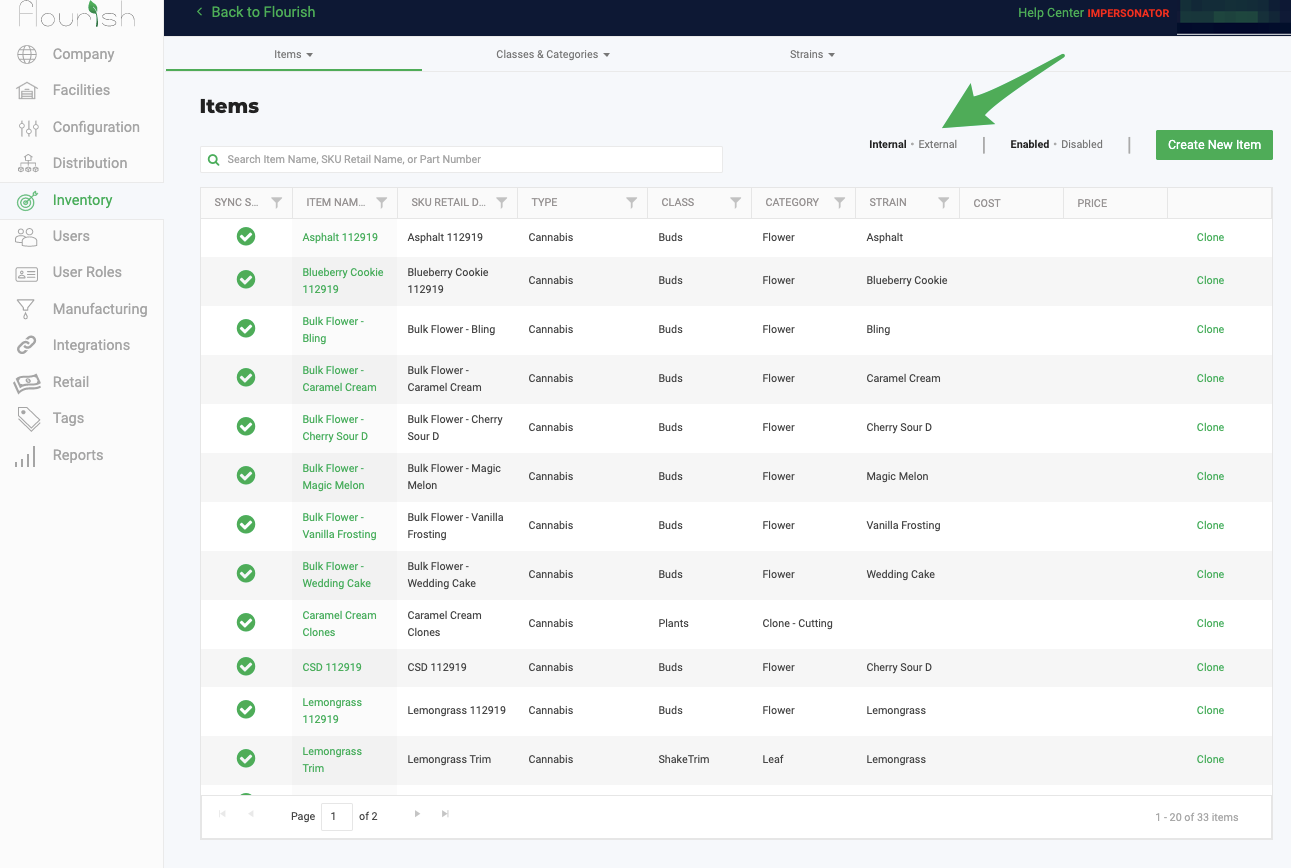
View External and Internal Items
- Click Manage Settings.
- Select Inventory.
- Select Items.
- Toggle between External and Internal to switch between the two item lists.
Convert an External Item to an Internal Item
Best practice is to convert all external items to internal items. This keeps your item data and reporting consistent, and it removes the action limitations that apply to external items.
- Create the corresponding internal item in Flourish.
- Go to the main Inventory grid.
- Locate the external item package you want to retag.
- Click Action.
- Select Retag Package.
- Select the new internal item.
- Click Save.
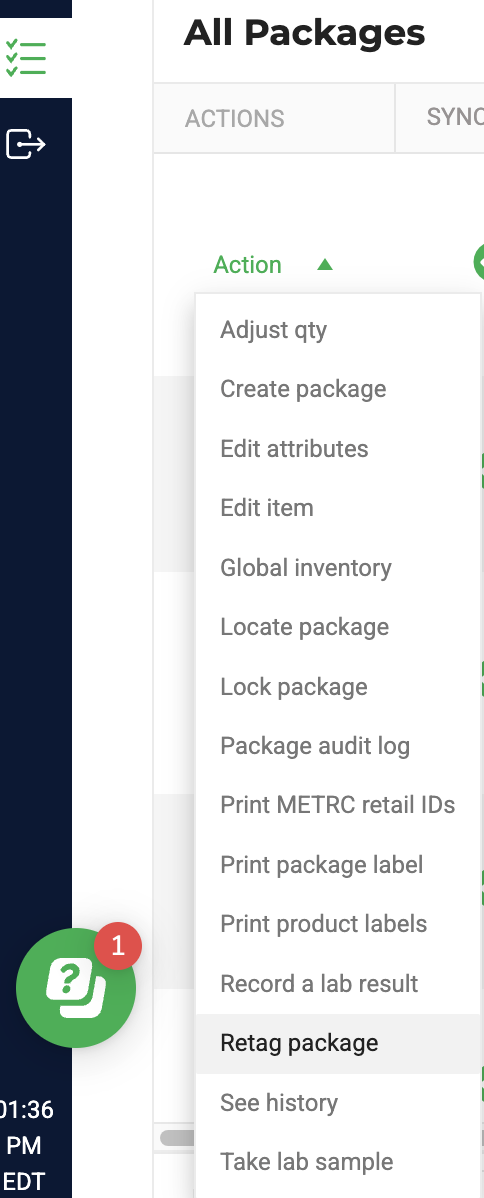
Once the retag is complete, you can perform any action on the package, without the restrictions that apply to external items.
How did we do?
Manage Item Ecommerce Names
Automatically calculate the "Use By Date" for new packages.
