Managing Destination Contact and Job Titles
Destination Contacts: Improvements and Job Titles. Purpose. Destination contacts no longer require a first and last name to save. You can now create a contact with any single piece of identifying inf…
Destination Contacts: Improvements and Job Titles
Purpose
Destination contacts no longer require a first and last name to save. You can now create a contact with any single piece of identifying information — such as an email address, phone number, department, or name. A Job Title field is also available on the contact form to add business context and support reporting.
Minimum Required Fields
To save a destination contact, at least one of the following fields must be populated:
- First Name
- Last Name
- Department
- Phone Number
If none of these fields contain a value, Flourish displays a validation error and the contact will not save.
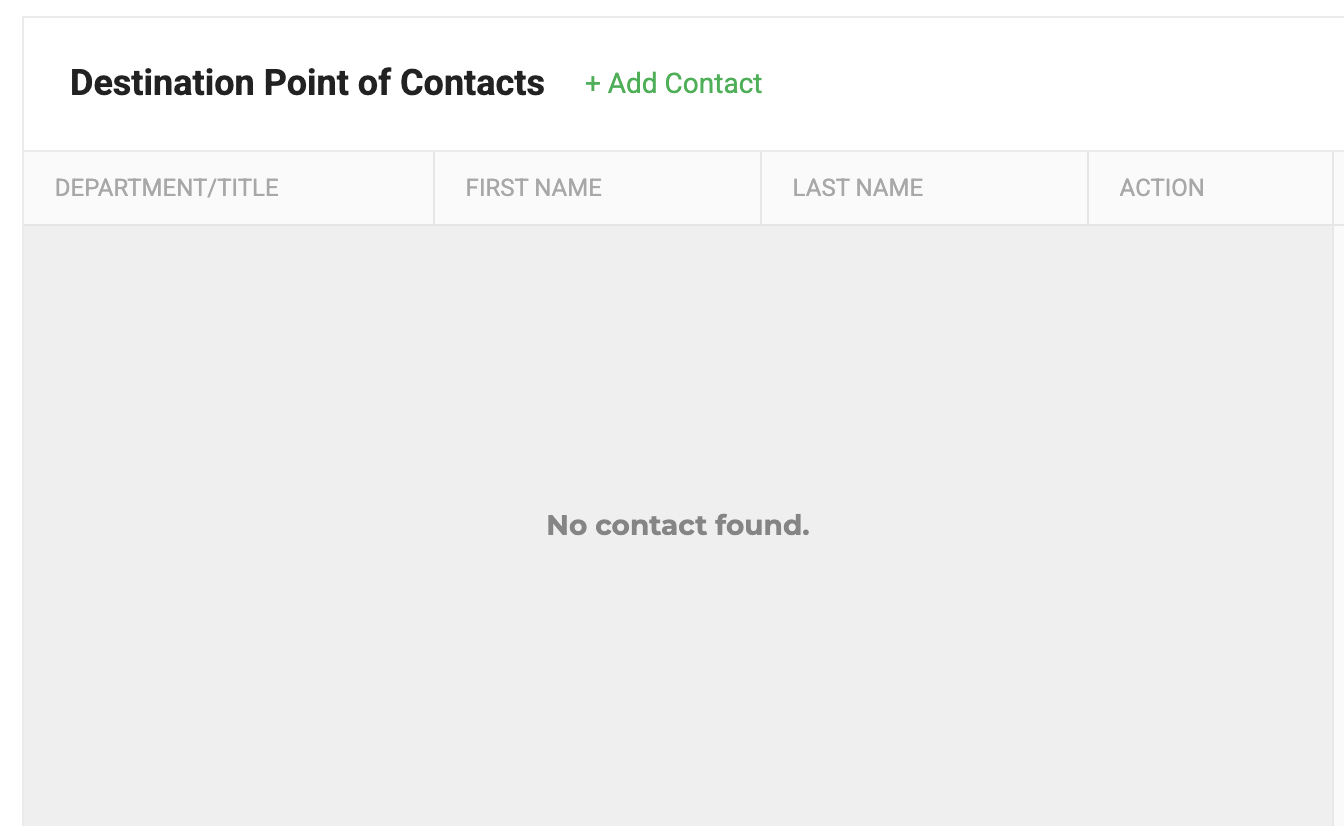
Add a Destination Contact
- Navigate to the destination facility record.
- Open the Contacts section.
- Click Add Contact.
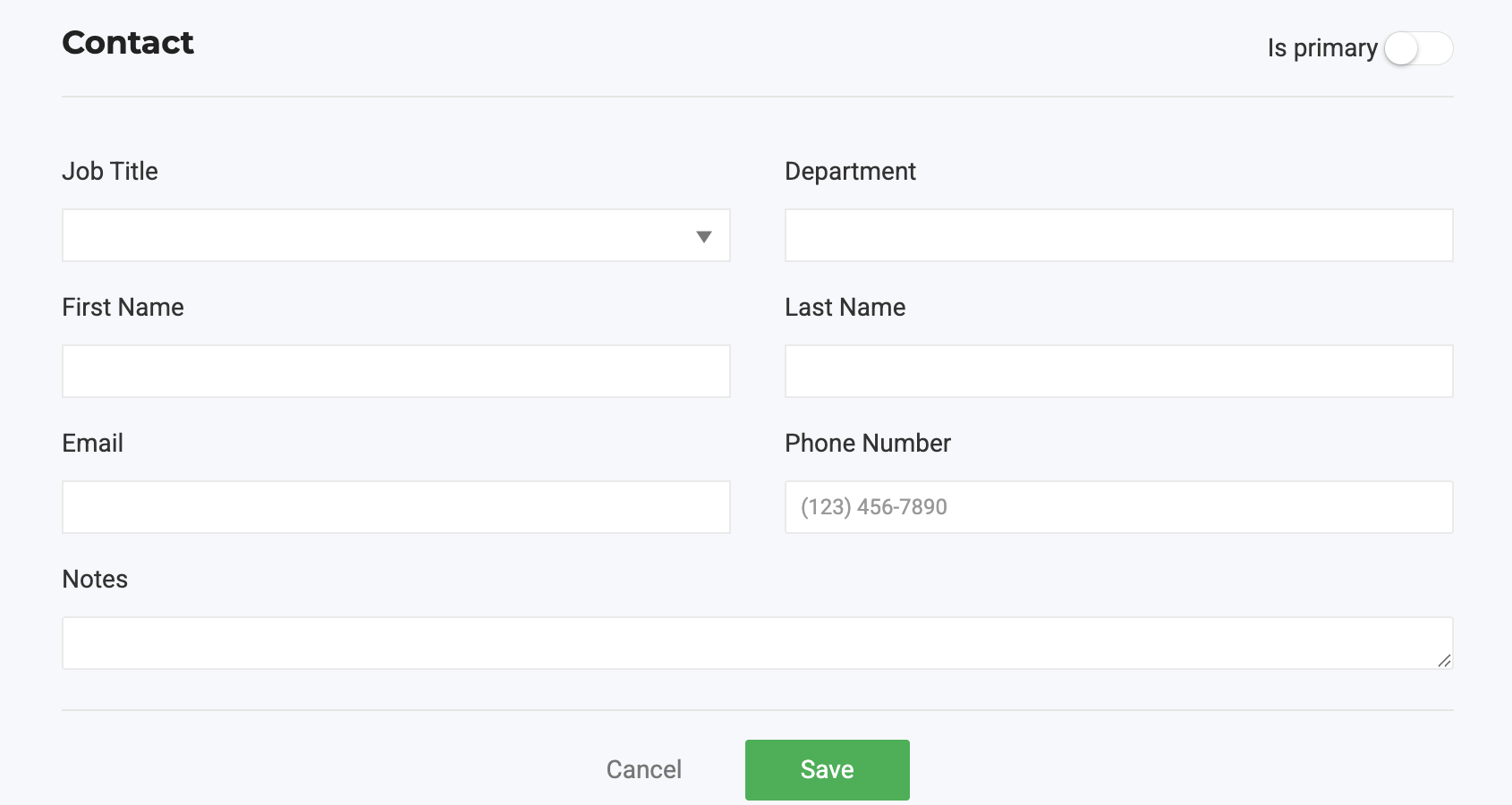
- Enter at least one of the minimum required fields: First Name, Last Name, Department, Email, or Phone Number.
- Select a Job Title from the dropdown, or type a custom value directly into the field.
- Complete any additional contact fields as needed.
- Click Save.
Job Title Options
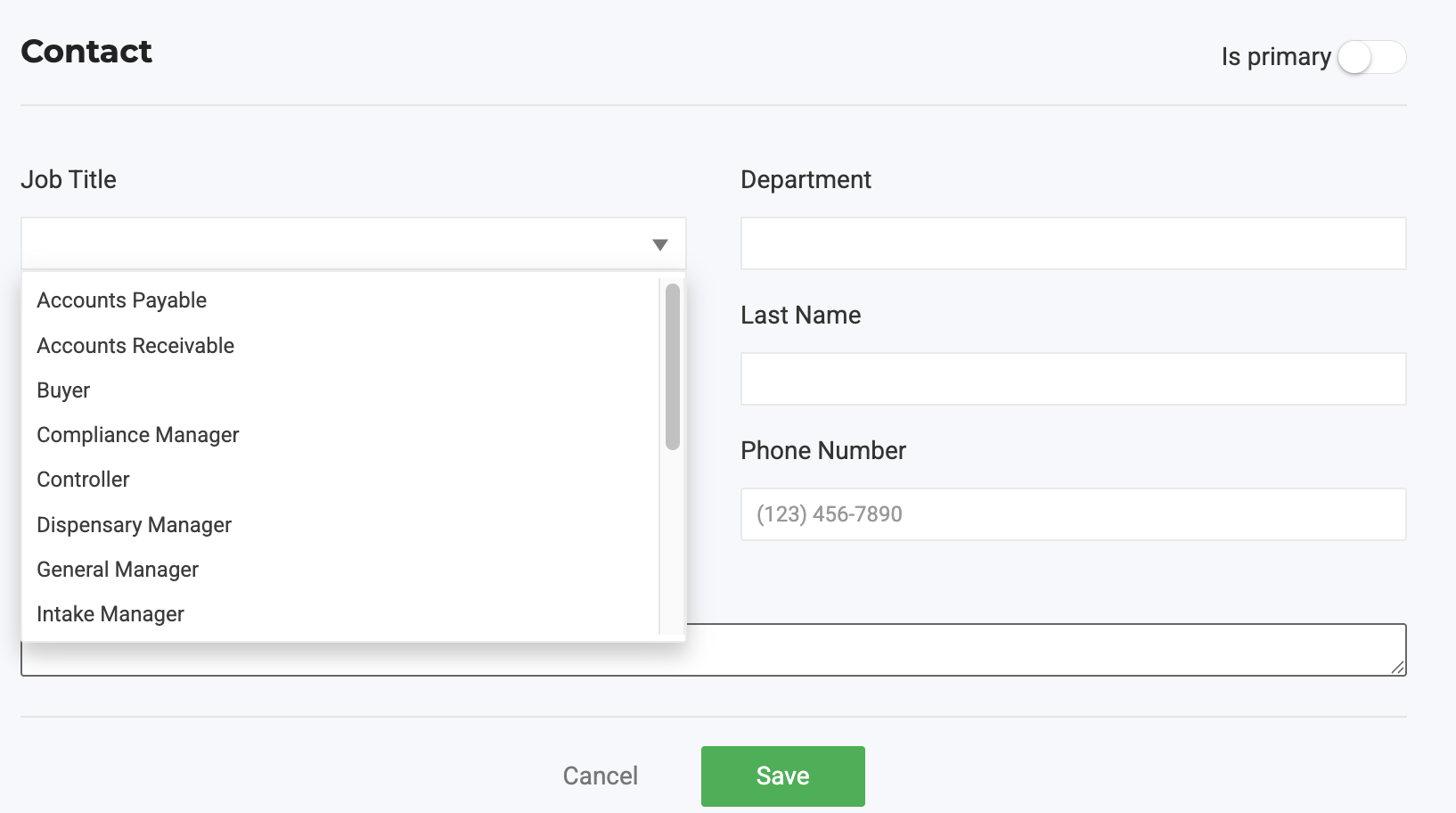
The Job Title field supports free-text entry and includes the following suggestions:
- Accounts Payable
- Accounts Receivable
- Buyer
- Compliance Manager
- Controller
- Dispensary Manager
- General Manager
- Intake Manager
- Inventory Manager
- Office Manager
- Operations Manager
- Owner
- Purchase Manager
- Purchasing Director
- Receiving Manager
- Store Manager
Type any value not listed to enter a custom job title.
Import Contacts via CSV
- Prepare your CSV file with at least one minimum required field populated per contact row.
- Navigate to the CSV import flow for destination contacts.
- Upload the file and complete the import.
Flourish processes the primary contact from the import. First and last name are no longer required for the import to succeed.
Reporting Impact
The Job Title field is available for reporting and supports segmentation of B2B contacts by role. Select the most accurate job title when creating contacts to get the most useful data in reports.
How did we do?
Create And Update Vendors In Bulk
Destinations: Company and Delivery Information
