Table of Contents
Export, Cancel, or Dispose of Package Waste
You export to excel, cancel or dispose of the packages waste in the Waste Log screen. To do that: Go to Inventory. Select Waste log from the dropdown to enter the Package Waste Screen:. Export to Exc…
Table of Contents
You export to excel, cancel or dispose of the packages waste in the Waste Log screen.
To do that:
- Go to Inventory
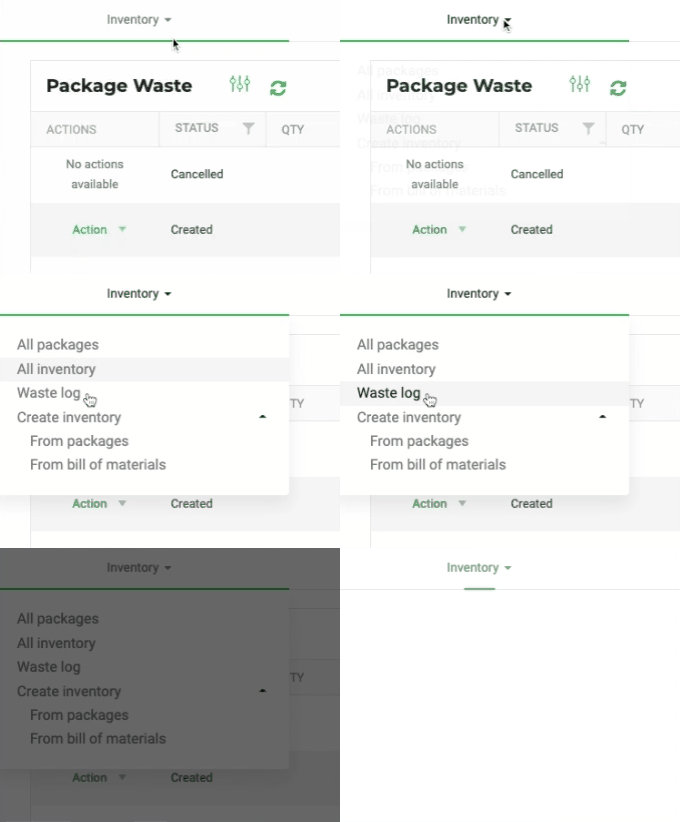
- Select Waste log from the dropdown to enter the Package Waste Screen:
Export to Excel
Export the log to excel by clicking 
Cancel or dispose waste
- Locate the package you need and cancel the waste or dispose of it
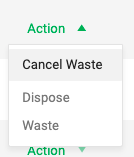
- Form here, use the Action menu to Cancel or Dispose of the waste.
Cancel waste
- Click Action / Cancel waste
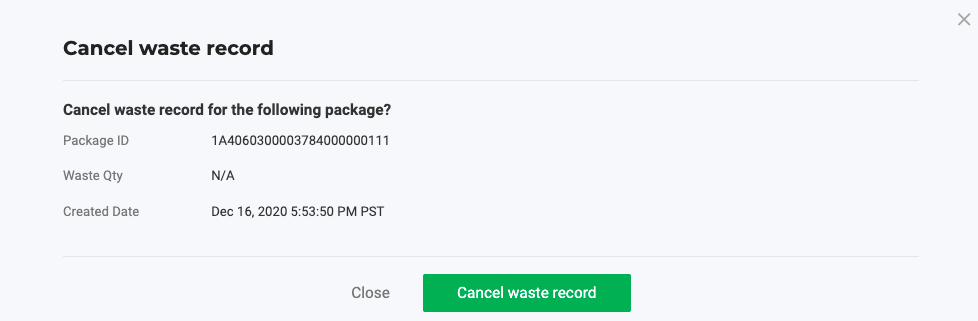
- Click Cancel waste record to confirm your action in the Cancel waste record modal
- No more actions are available after you canceled the waste.
Dispose of waste
- Click Action / Dispose waste, to display the Dispose of waste modal
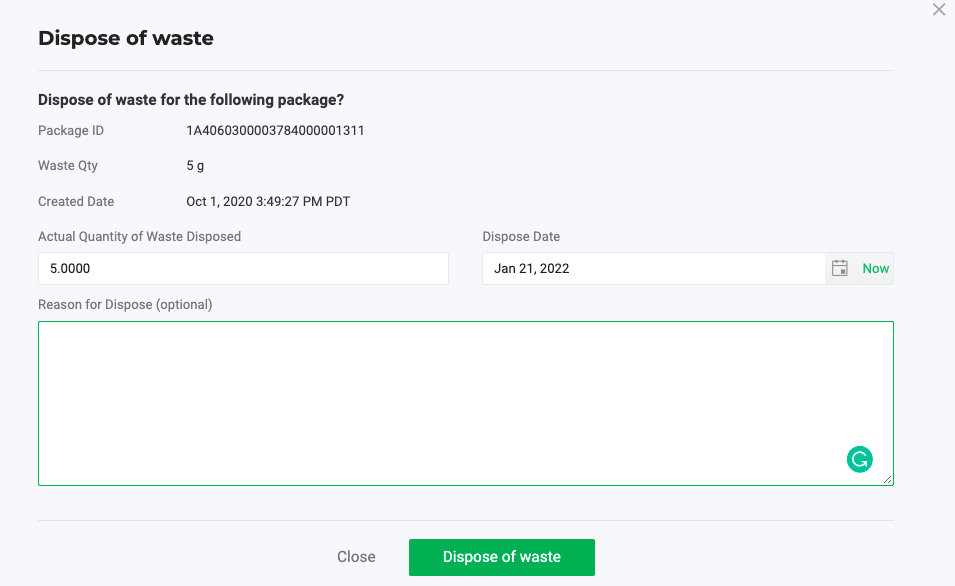
- Fill in Actual Quantity of Waste Disposed (The value defaults to the Waste Qty).
- Set the Dispose Date.
- Fill in the Reason for Dispose (optional).
- Click
 to confirm.
How did we do?
Enter MMJ Used When Creating Packages in Arizona
Create Packages and Auto-Prompt Label Printing
