Generate & Configure Packing Lists
Flourish has the ability to print a list for you based off of what inventory was allocated to an order. This list can be used to gather the required packages to fulfill an order, and also added insid…
Flourish has the ability to print a list for you based off of what inventory was allocated to an order. This list can be used to gather the required packages to fulfill an order, and also added inside the package for reference.
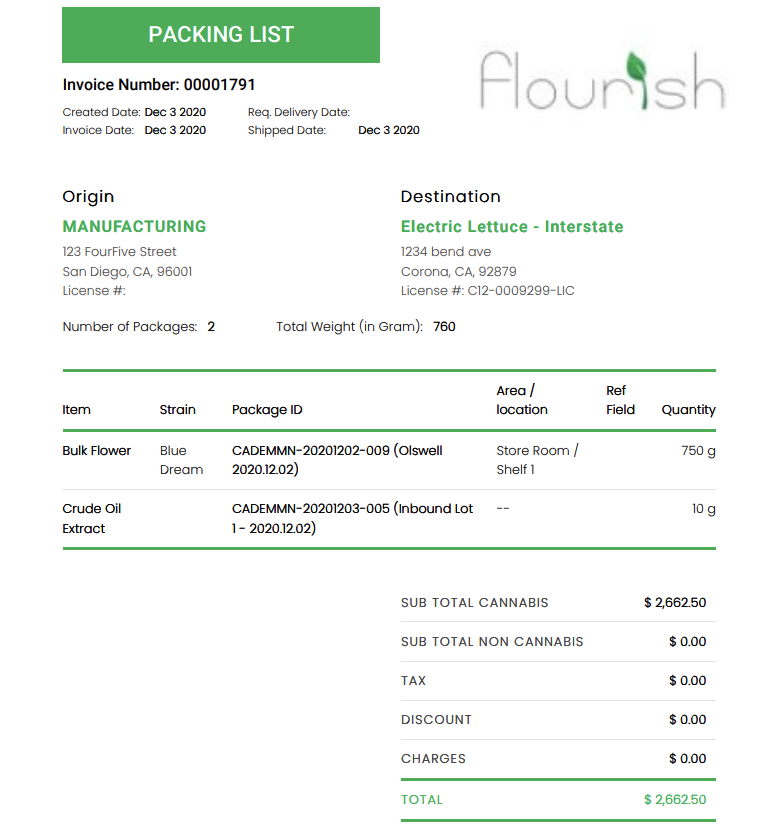
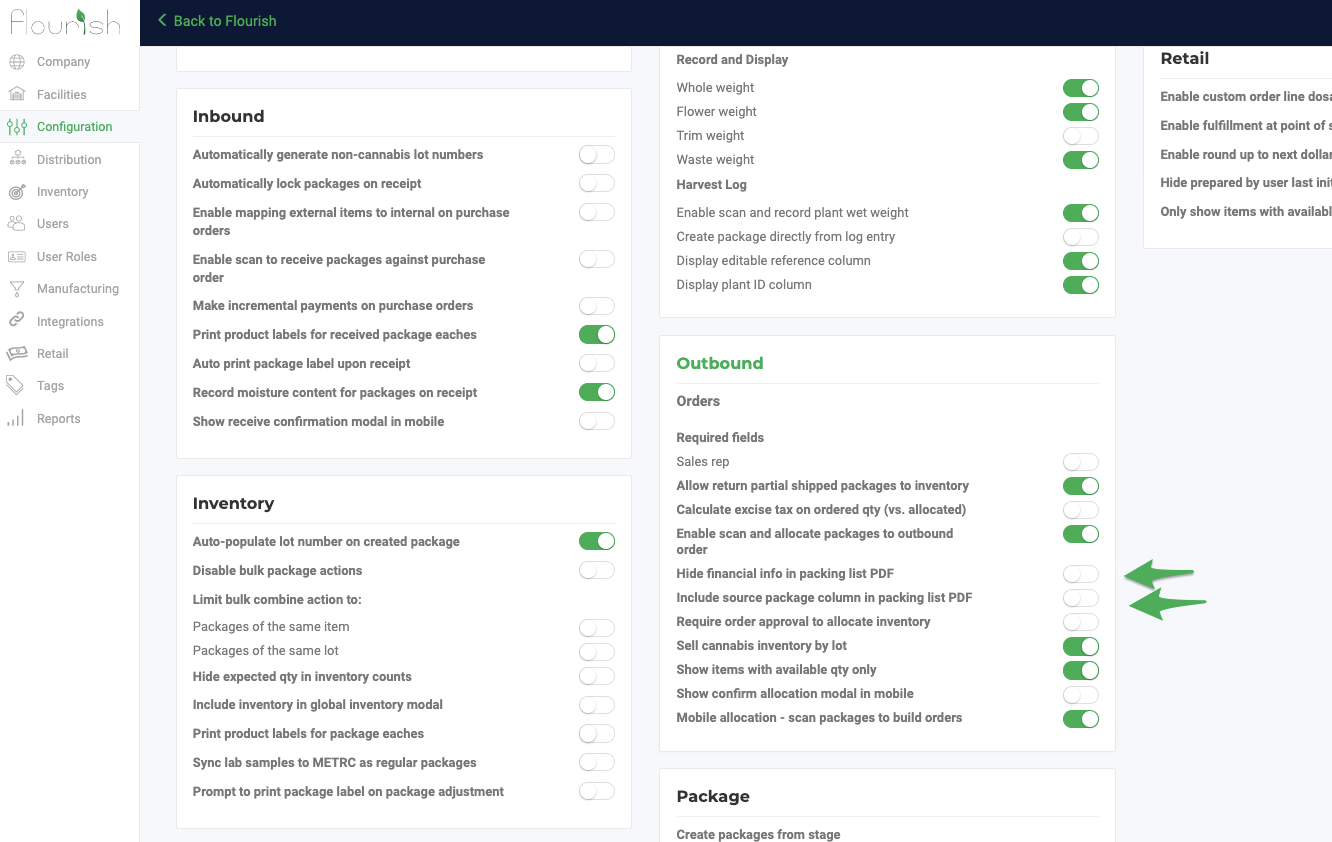
Under Manage Settings > Configuration > Outbound, you have the ability to hide financial information from the packing list by going to:
- Hide financial info in packing list PDF (it will still appear on the invoice)
- Include Source Package column (compliance requirement in some states)
How did we do?
Add, Edit and Delete Order Notes
Generate and Export Outbound Invoices as PDF
