Table of Contents
Flag Finished Goods to Create Metrc Retail IDs in NY
Metrc Package Attribute "Finished Goods"
Table of Contents
What Is "Finished Good."
In the State of New York, Metrc released a new feature called "Retail ID" to generate an each-level identifier for each unit that goes to retail within the state cannabis market. This corresponds to the Flourish package attribute called "Finished Goods."
It is important to use this correctly, as it has compliance and financial implications. Currently, this is only displayed in New York once the Metrc integration is enabled.
Learn more about Metrc Retail IDs here.
Note: Metrc charges $0.10 per Each, and you must have the available Retail ID allotment at the license to successfully create the package as a finished good.
Flag "Finished Goods"
On Package Creation
Check the "Finished Good" box on the "Confirm New Inventory" screen.
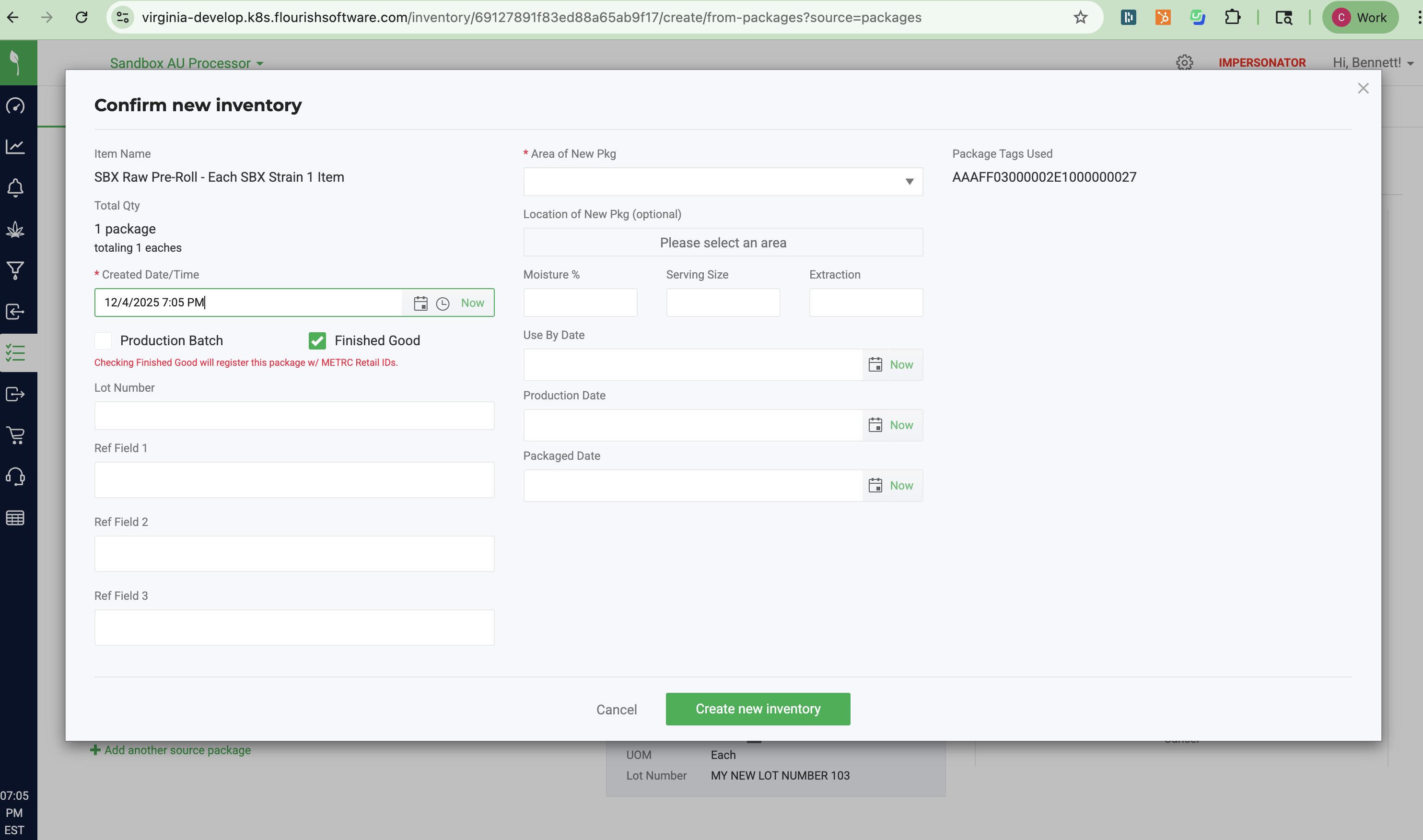
If METRC created the unique QR code for every unit, Flourish will display an icon beside the package for any package with Retail IDs generated:

After Package Creation
- Locate the package
- Click Action
- Select Edit attributes
- On the "Package Attributes" screen toggle ON Finished Good
- Click Save.
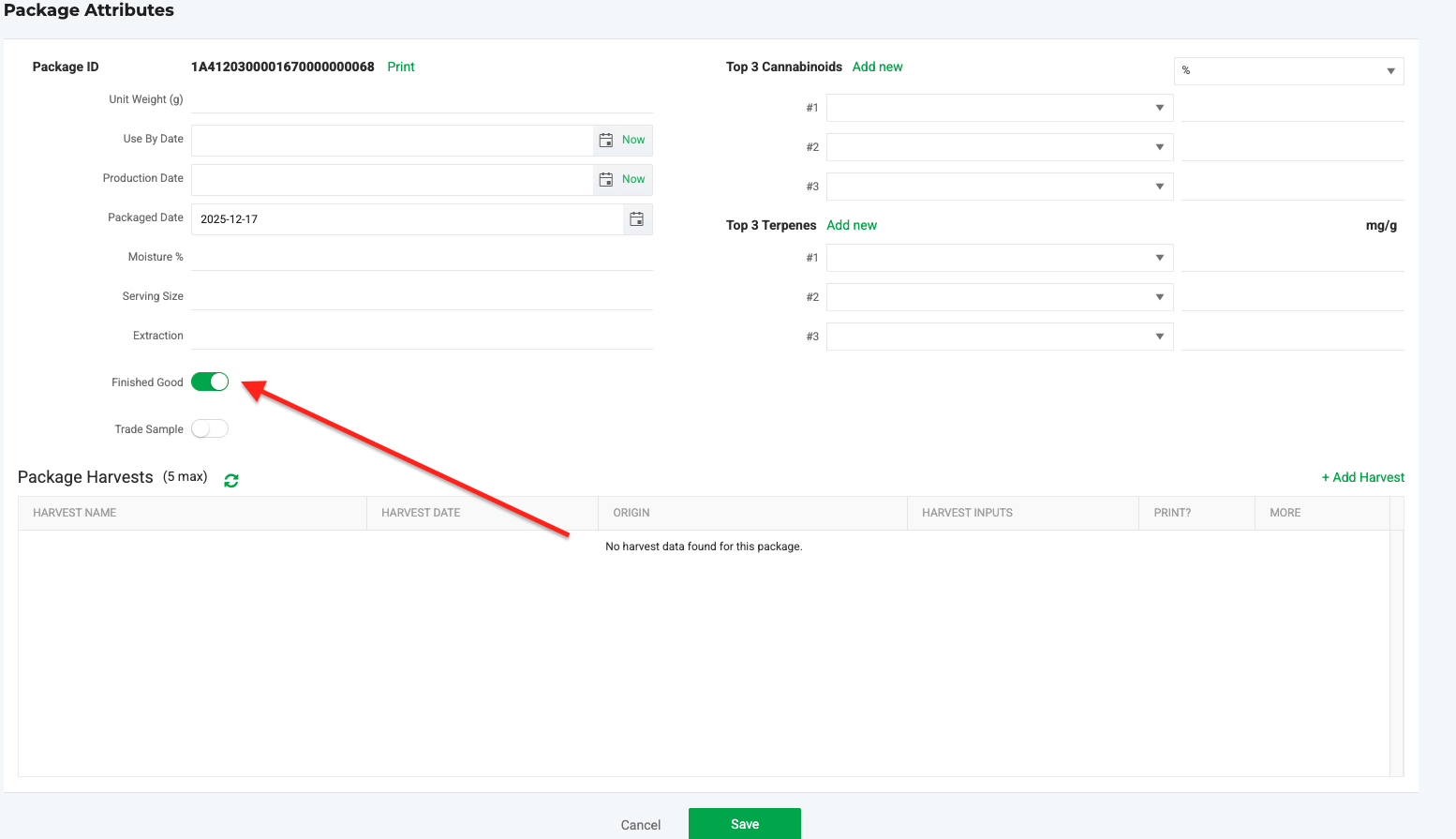
If METRC created the unique QR code for every unit, Flourish will display an icon beside the package for any package with Retail IDs generated:
How did we do?
Find your NYS Metrc License Number and API Key
New York Metrc Item Category and Lab Testing Guidelines
