Override Strain Type at the Item Level
Item Strain Type. The Item Strain Type field is designed to help you provide more detailed and accurate product information to your customers—especially when displaying menus. It supports the Flouris…
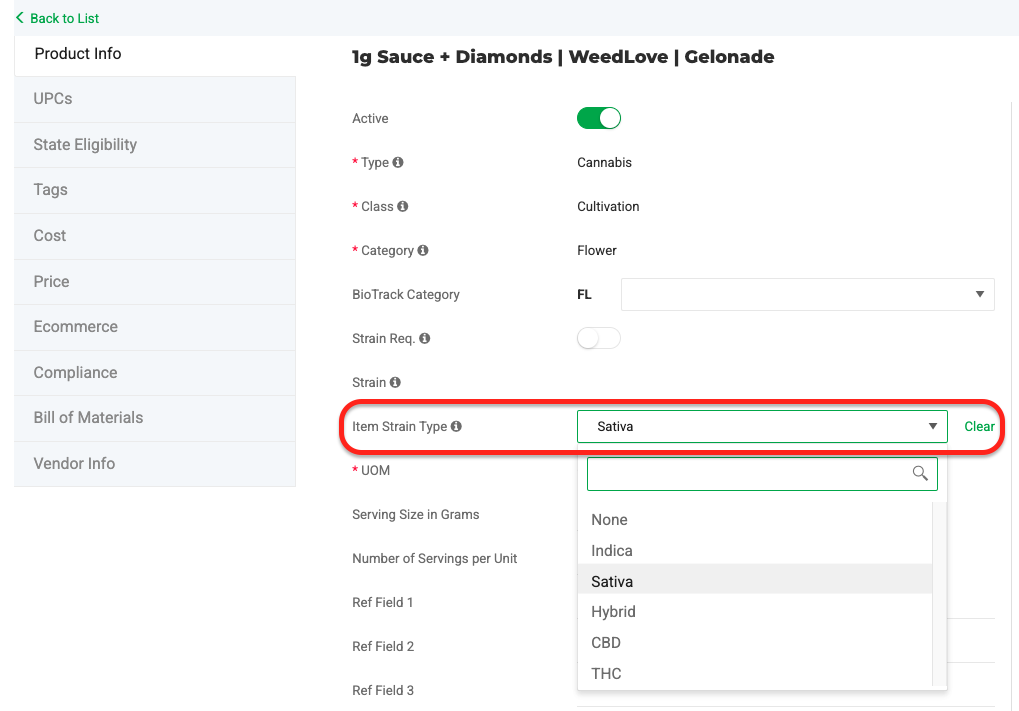
Item Strain Type
The Item Strain Type field is designed to help you provide more detailed and accurate product information to your customers—especially when displaying menus.
It supports the Flourish in-store retail product menu export and aligns with upcoming enhancements on Flourish’s product roadmap aimed at improving menu management and customer-facing displays.
By default, this field will inherit the Strain Type (e.g., Indica, Sativa, Hybrid) from the associated strain. However, you’ll also have the option to override it if you’d like to display different information to your customers.
This gives you more flexibility and control over how your products appear on menus and in client-facing materials.
Labels
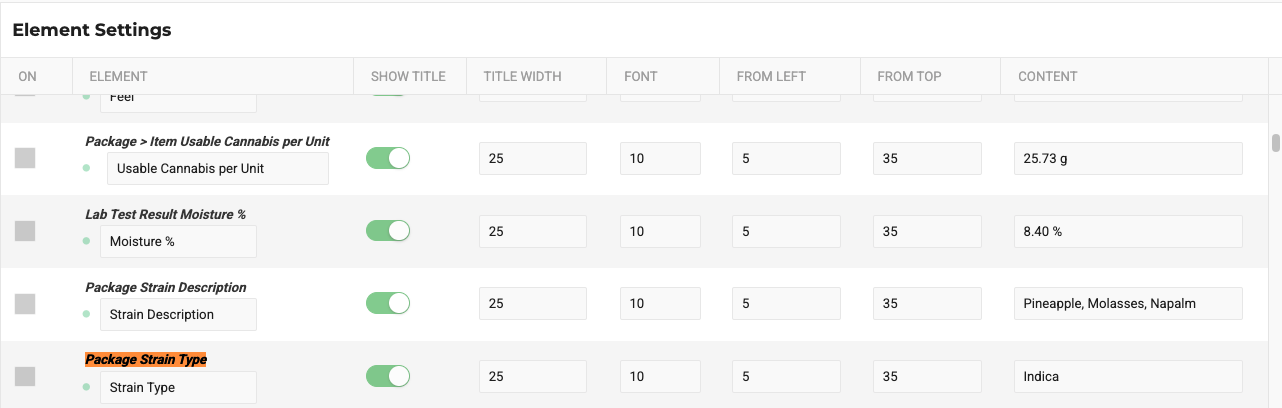
The Package Strain Type field in the Label Maker will automatically inherit the Strain Type (e.g., Indica, Sativa, Hybrid) from the associated Strain.
However, if a Strain Type is overridden at the item level, the Label Maker will print the value based on the item, not the strain.
How did we do?
Case Label Item Configuration and Printing
Creating New Strains
