Package Clones for Sale (Non-Metrc)
Package clones from a Propagation, Vegetative, Mother, or Flowering group into an inventory package you can sell on an outbound order. Non-Metrc facilities.
Purpose
Package clones from a plant group so you can sell them on an outbound order. You can package clones from a Propagation, Vegetative, Mother, or Flowering group.
This article is for facilities that are not integrated with Metrc. Metrc facilities package immature plants through a separate workflow.
Prerequisites
- A plant group with the clones you want to package. See Create Plants from Clones, Seeds, or Tissue Culture.
- An item with the proper category to package into.
- Your user role includes permission to create packages from the Grow module.
Package Clones from a Group
- Select Grow from the left navigation.
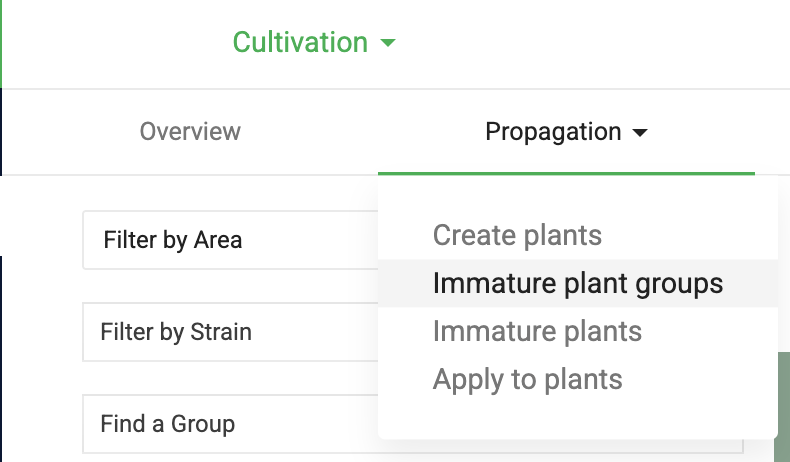
- Click the stage of the group you want to package from. This example uses Propagation, then Immature Plant Groups.
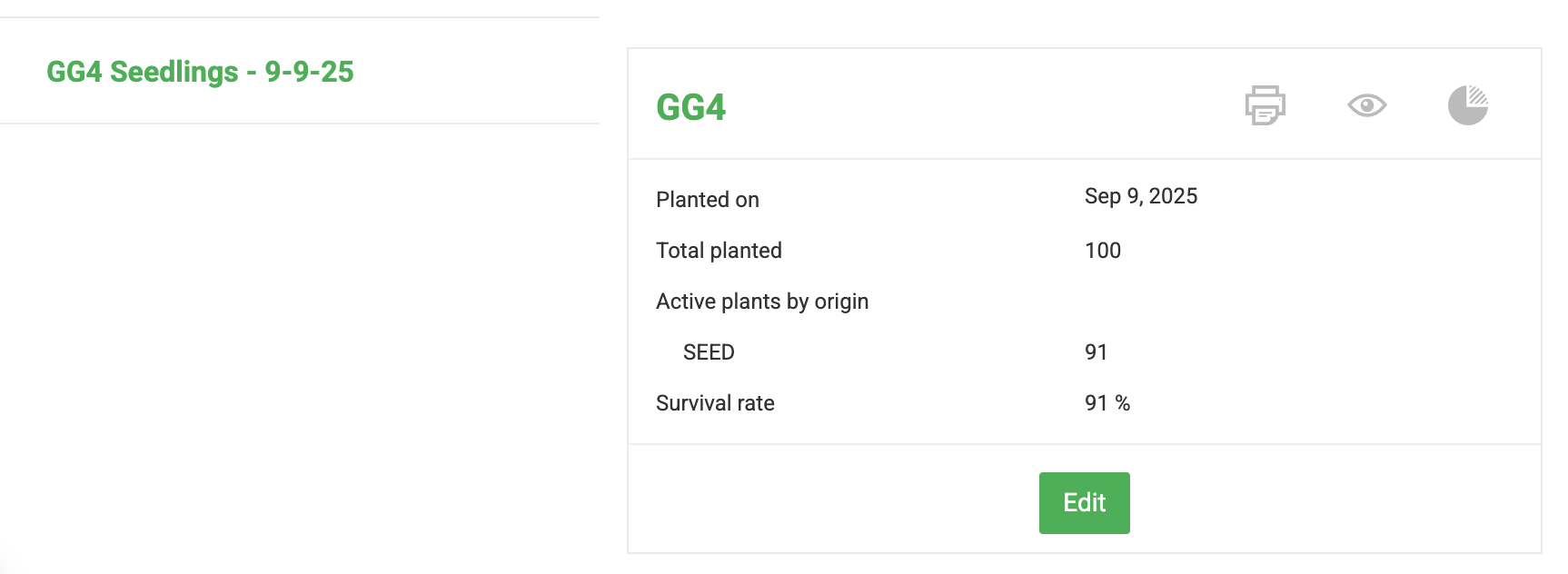
- Select the group.
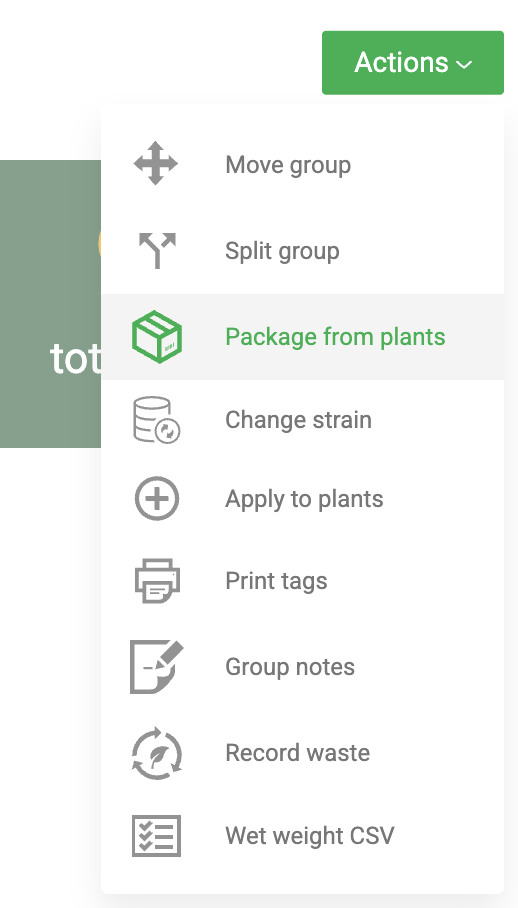
- Click Actions and select Package from Plants.
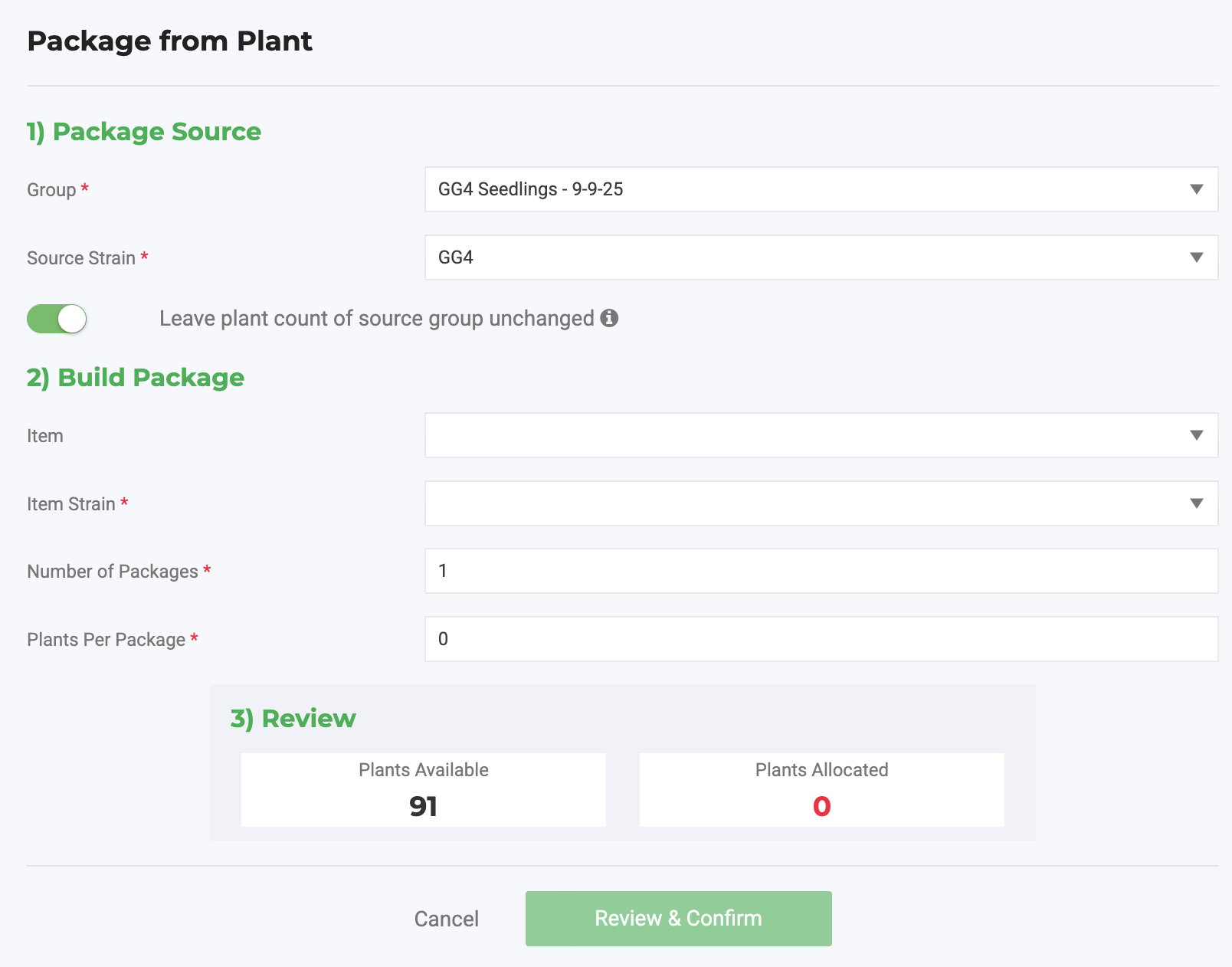
- Confirm the Package Source Group and Strain.
- Decide whether the source group keeps its plant count:
- Turn on Leave plant count of source group unchanged if the clones are cuttings and the source plants stay in the group.
- Leave it off if the plants you are packaging are coming out of the group.
- Enter the new package details and click Review & Confirm.
- Select the Created Date/Time.
- Select the Area/Location for the package, if you use them.
- Enter a Lot Number and Reference, if you use them. Leave Production Batch unchecked.
- Click Create New Package.
Packaging from a Vegetative, Mother, or Flowering group doesn't consume or destroy the source plant.
Find the Package
- Select Inventory from the left navigation.
- Open All Packages and locate the new package.
Next Steps
- Add the package to an outbound order to sell it.
- Back to Creating Plants in Flourish: Overview.
How did we do?
Create Plants from Clones, Seeds, or Tissue Culture
