Create Plants from Clones, Seeds, or Tissue Culture
Create new plant groups in Propagation by cloning from source plants. Select room, strain, source, and plant count, then generate IDs and create clones.
Purpose
Every plant in Flourish starts with the Create Plants action in the Propagation stage of the Grow module. This records each plant's strain, what it was planted from, and the group it belongs to, which drives compliance tracking and everything downstream through harvest.
Prerequisites
- At least one cultivation area with the Propagation area type. New plants can only be placed in Propagation areas. See Cultivation Area Attributes.
- The strain exists in Flourish. See How to Create Strains.
- If you are planting from a group, a group of the same strain exists in your cultivation inventory. If you are planting from a package, the package is in active inventory.
- Your user role includes the Create Plants permission.
Choose What to Plant From
The Plant from field tells Flourish where the new plants came from. The options you see depend on your facility configuration and state rules.
Plant from | Use it when |
Immature Plant Group | Taking cuttings from plants already in Propagation. |
Mother Group | Taking cuttings from an established mother plant. The mother is not consumed. |
Veg Group | Taking cuttings from plants in the Vegetative stage. |
Flower Group | Taking cuttings from flowering plants, where your state allows it. |
Package | Starting plants from a package in inventory, such as clones or seeds you bought or received on a transfer. |
Seeds | Germinating seed that is not tracked as a package. Only available where allowed. |
Tissue Cultures | Starting plants from tissue culture. Only available where allowed. |
Create the Plants
- Select Grow from the left navigation.
- Click Propagation in the top ribbon and select Create Plants.
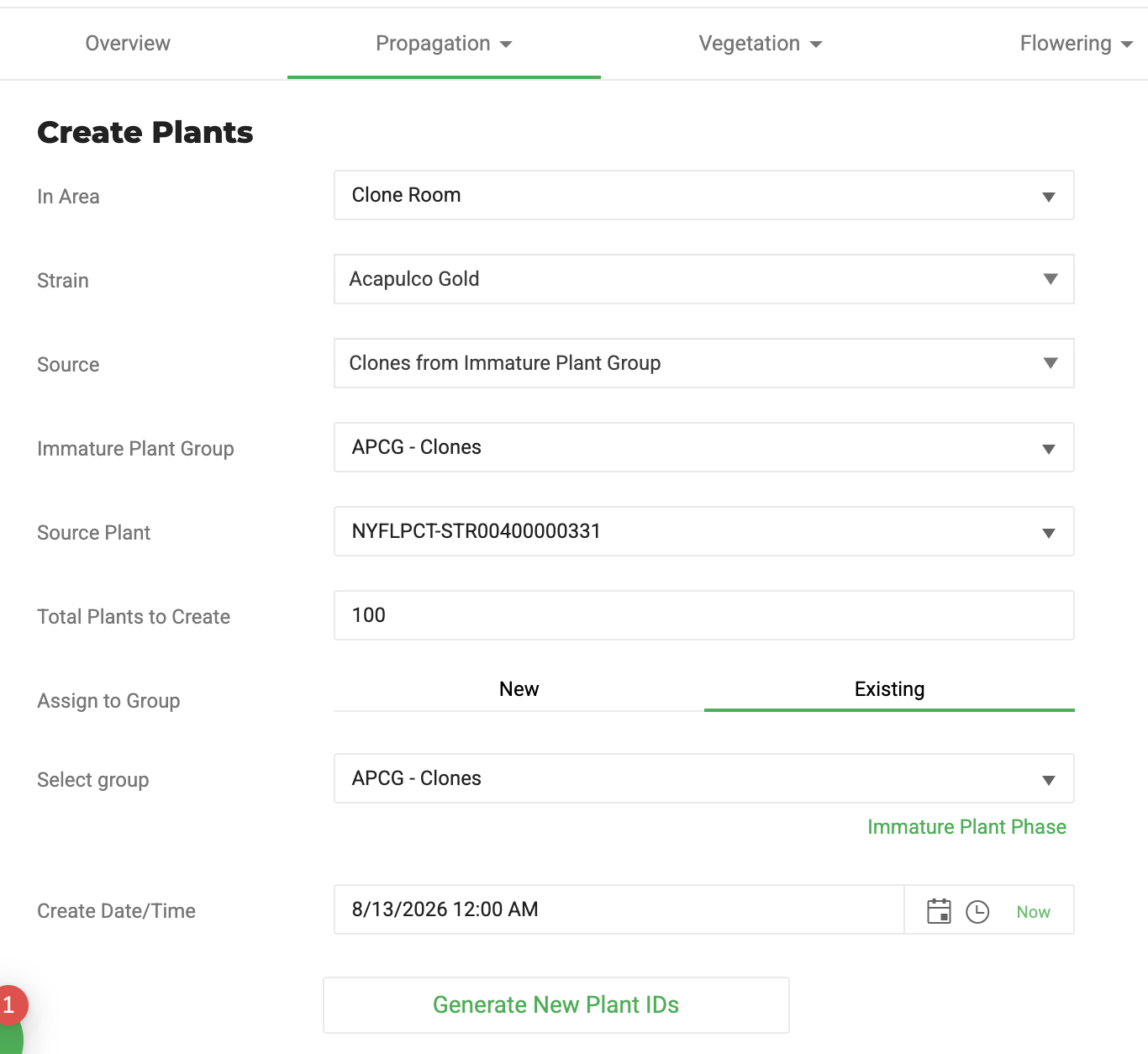
- Select the Room where the new plants will live.
- Select the Strain.
- Select Plant from. See Choose What to Plant From.
- Select the specific source:
- From a group: select the group, then the source plant.
- From a package: select the package, then enter the Source Package Qty, the number of clones or seeds to take out of the package.
- Enter the total number of plants to create. When planting from a package, this normally matches Source Package Qty.
- Assign the plants to a group. Select New Group and enter a name, or select an existing group.
- Metrc facilities: complete the plant batch and package tag fields. See Metrc Fields.
- Enter the Created Date/Time. Use the date the plants were actually propagated.
- Click Generate New Plant IDs. Flourish generates an ID for each new plant.
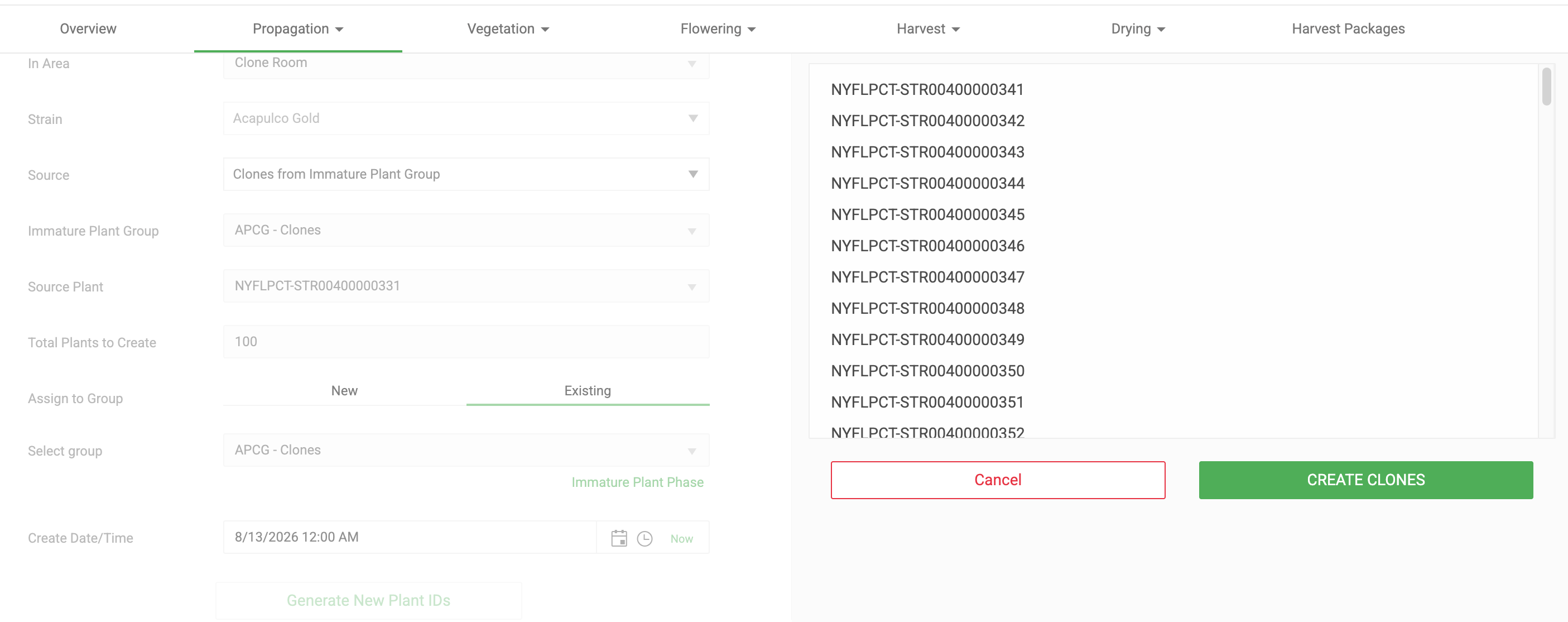
- Review the IDs and click Create Clones.
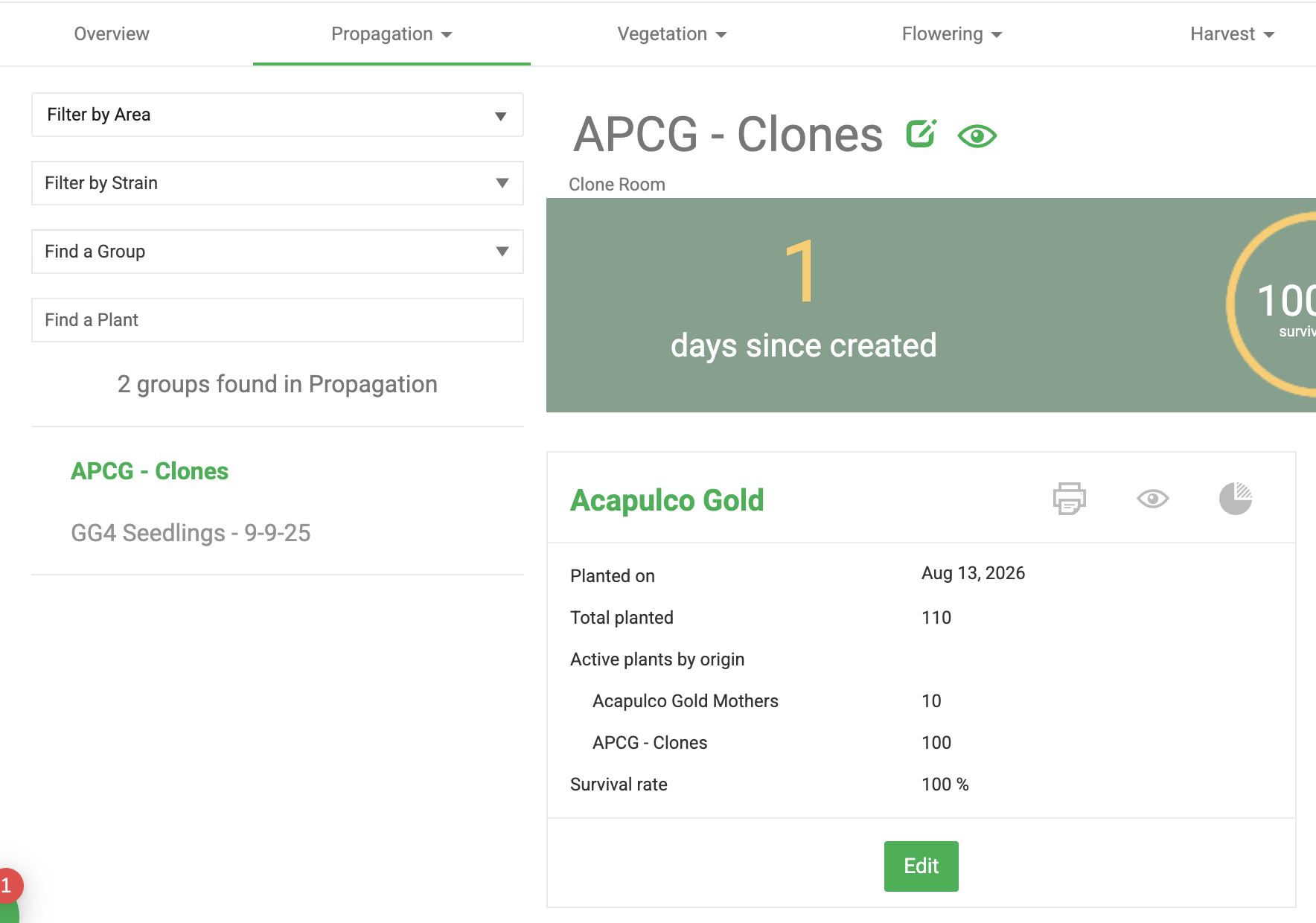
Click Create More Plants to start another batch. To see the new group, click Propagation and select Immature Plant Groups.
Metrc Fields
Metrc facilities see extra fields on the Create Plants screen, and Flourish syncs the new plant batch to Metrc when you create it. Flourish reads your facility's Metrc configuration and only shows what your state requires.
Field | What to enter | Where it applies |
Plant Batch Tag or Plant Batch Name | Select an unused plant tag, or type a batch name that is unique in Metrc. | Tag in states that require plant tags on batches, such as California. Name in most other states. |
Number of plants | No more than the per-batch limit. Create more batches if you need more plants. | 100 per batch in California, enforced by Flourish. Many states use the same cap. |
Available Package Tag | An unused package tag. Flourish creates the interim clone package on it and plants from it in one step, so the tag is burned (used up) and can't be reused. | Only states that require clones to be packaged before planting, such as California. |
- For the full list of state differences, including cloning from plant batches and tissue culture, see Create Plants in Metrc: State Differences.
- If the user creating plants doesn't have permission in Metrc to create or update items, and no valid item already exists for the clone package, Metrc returns an error.
- To create several plant batches, or several strains, in one pass, see Create Multiple Plant Batches at Once (Metrc).
- To plant clones you received on a transfer, see Metrc: Inbound a Package and Use It to Create Clones.
- If a new batch shows as out of sync, see Metrc: Get My Clone Batch Back in Sync.
Next Steps
- Sell clones instead of growing them: Package Clones for Sale (Non-Metrc).
- Move plants through the grow cycle: Track Plants Through the Cultivation Lifecycle.
- When plants are ready: Harvesting in Flourish: Overview.
How did we do?
Creating Plants in Flourish: Overview
Package Clones for Sale (Non-Metrc)
