Cultivation Area Attributes
Cultivation Area Attributes. Purpose. Use Cultivation Area Attributes to record the square footage or number of lights for each grow area. This data enables reporting on total output per unit area or…
Cultivation Area Attributes
Purpose
Use Cultivation Area Attributes to record the square footage or number of lights for each grow area. This data enables reporting on total output per unit area or per light, supporting yield efficiency analysis across your facility.
Prerequisites
You must have permission to manage Facility settings.
Add Attributes to a Cultivation Area
- Click Settings.
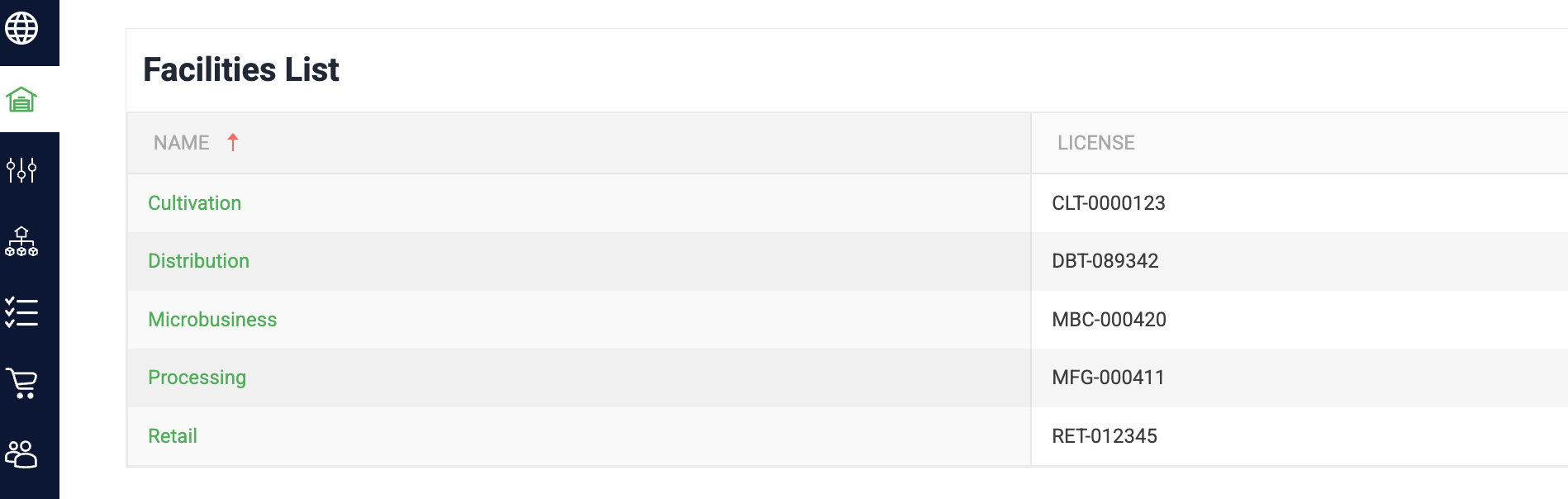
- Select Facilities.
- Click on the Facility you are configuring Areas for.
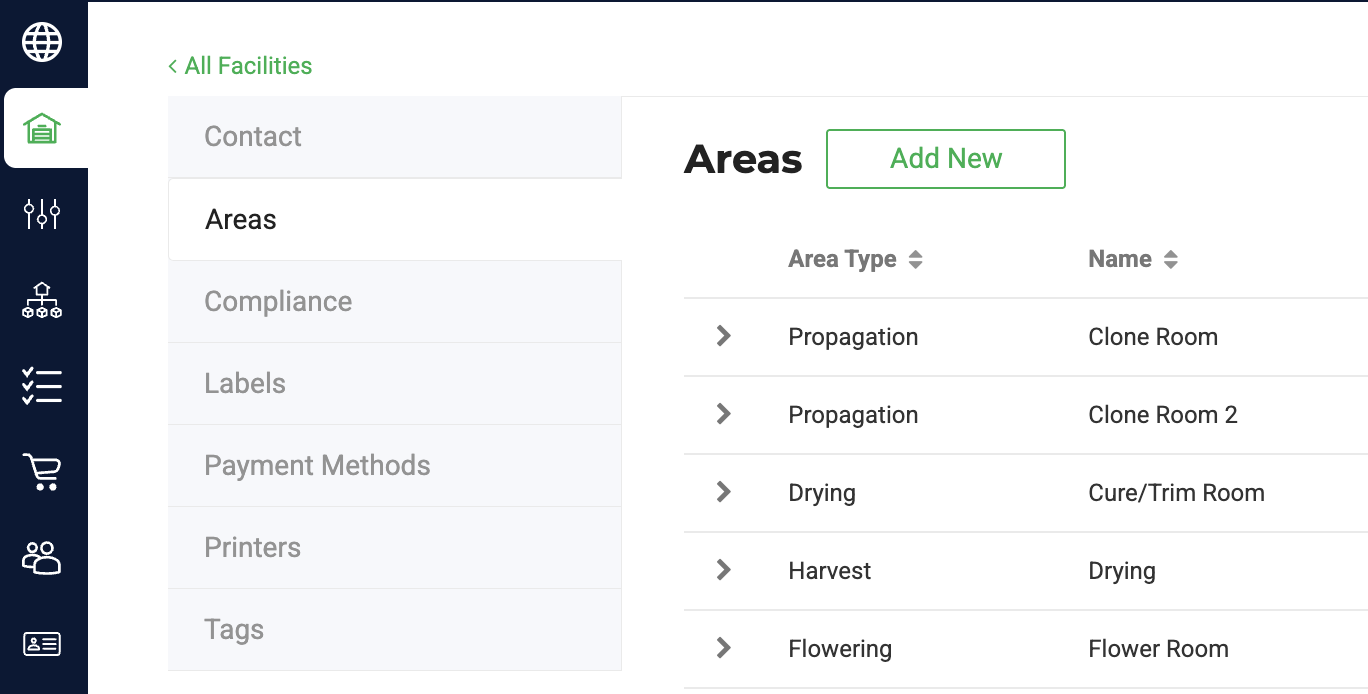
- Click Areas
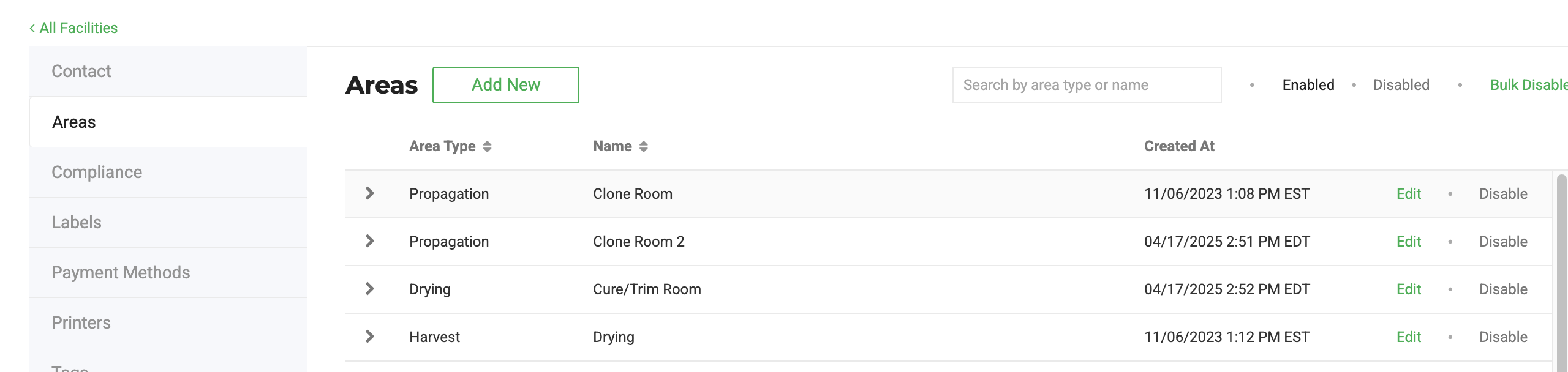
- Locate the area you want to update and click Edit.
- Fill in the information using the drop-down menus.
- Number of Lights
- Area UOM - This will be either Square Feet or Square Meters
- Enter the Number of which there are square feet or square meters
- Enter the Plant Capacity for the room.
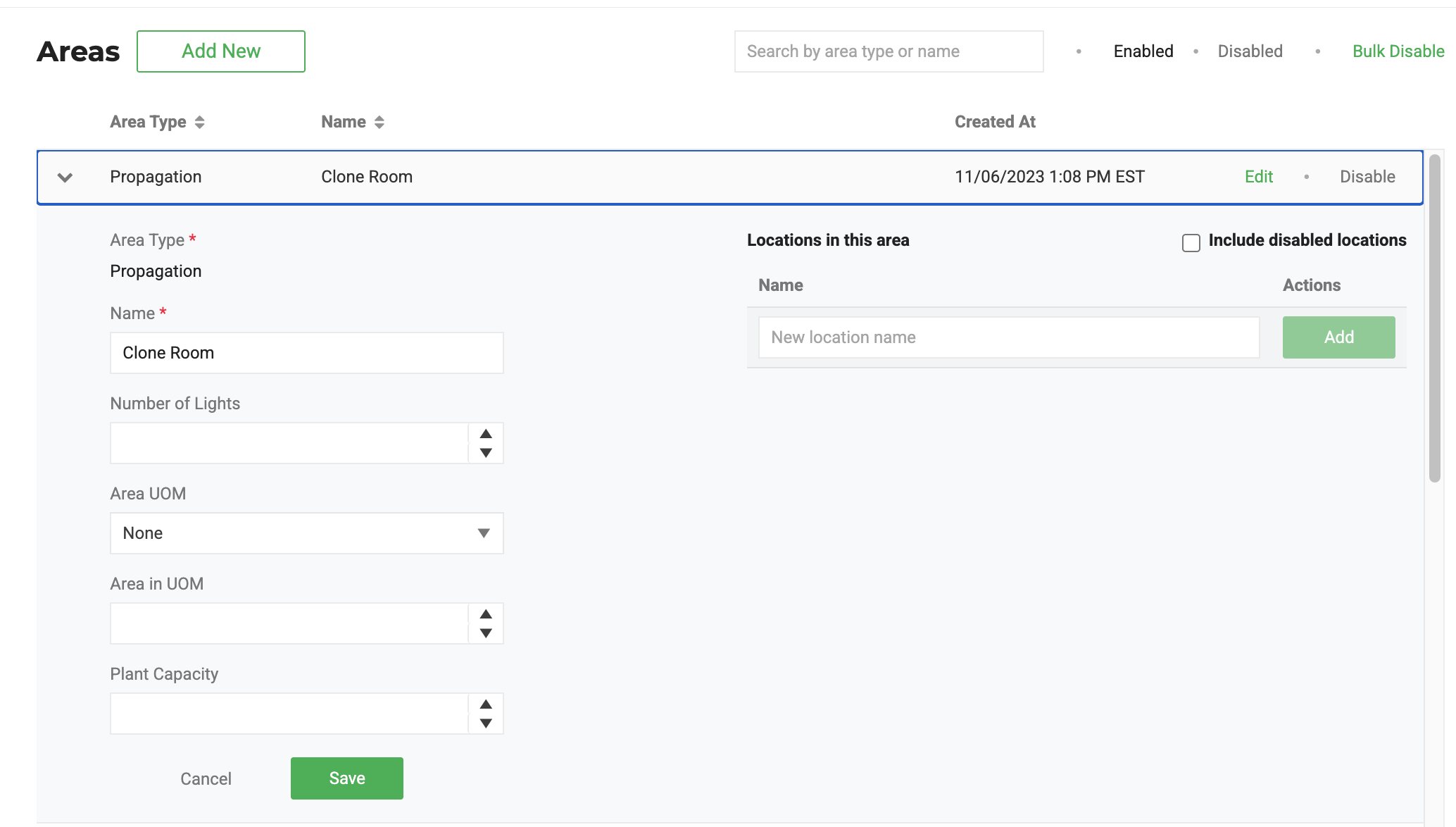
- Click Save.
How did we do?
Facility Area and Location Management
Configure and Manage a Reverse Sync User
