Table of Contents
Create Multiple Packages with Different Quantities
You can create multiple packages with different quantities in one session. When you create the packages: Click the sign to add another line, where you can specify the " Number of packages" and the "…
Table of Contents
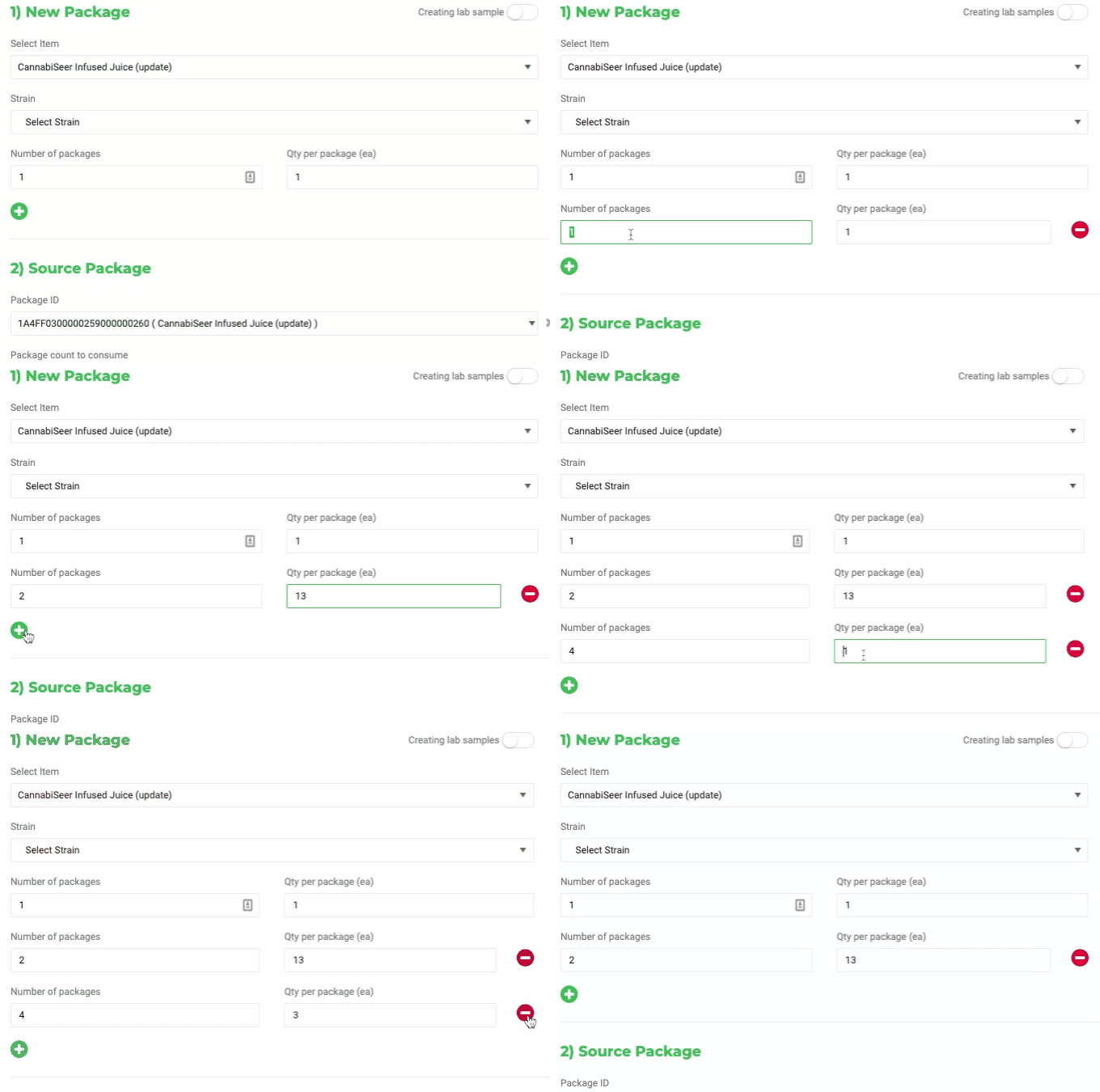
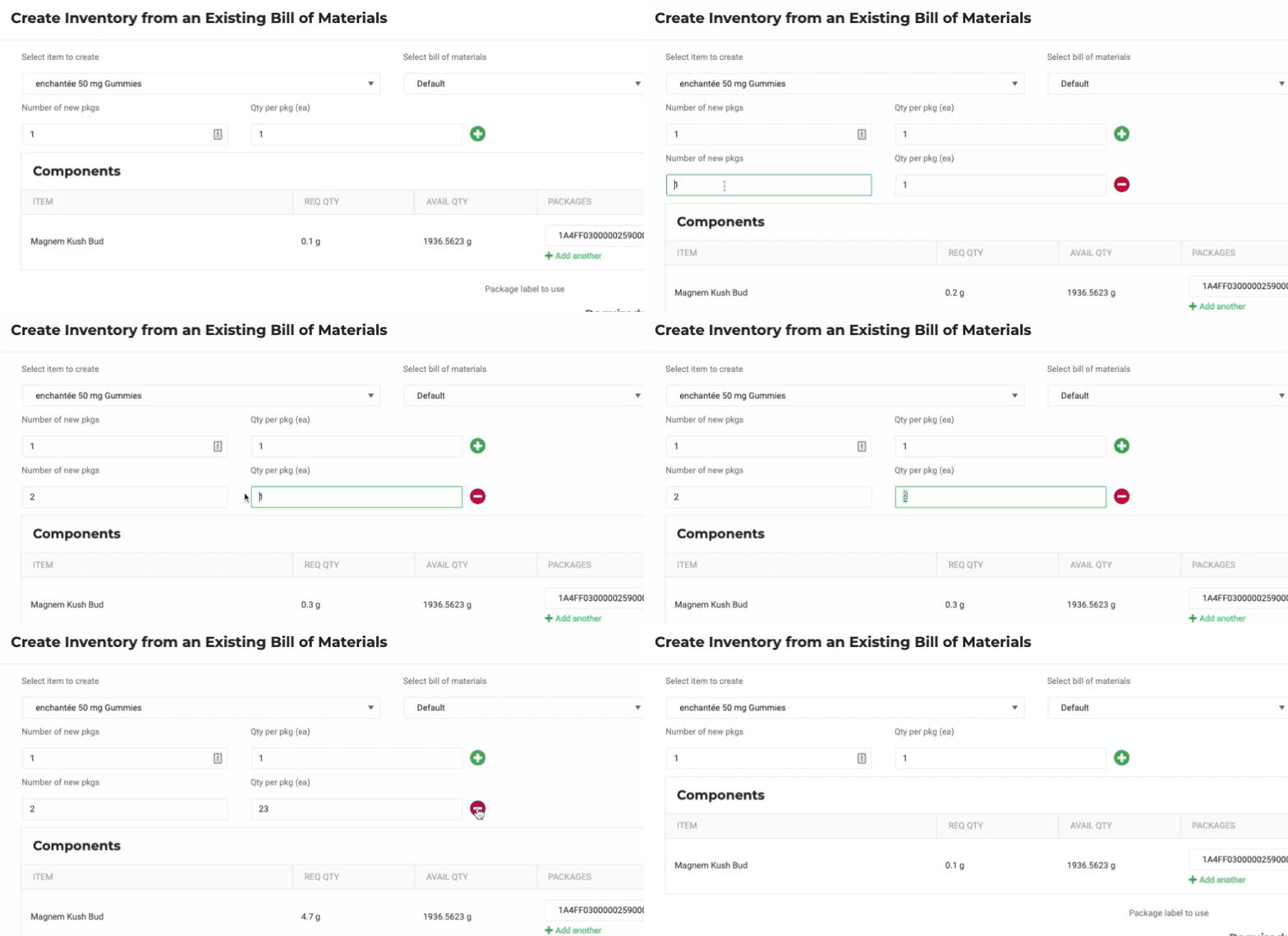
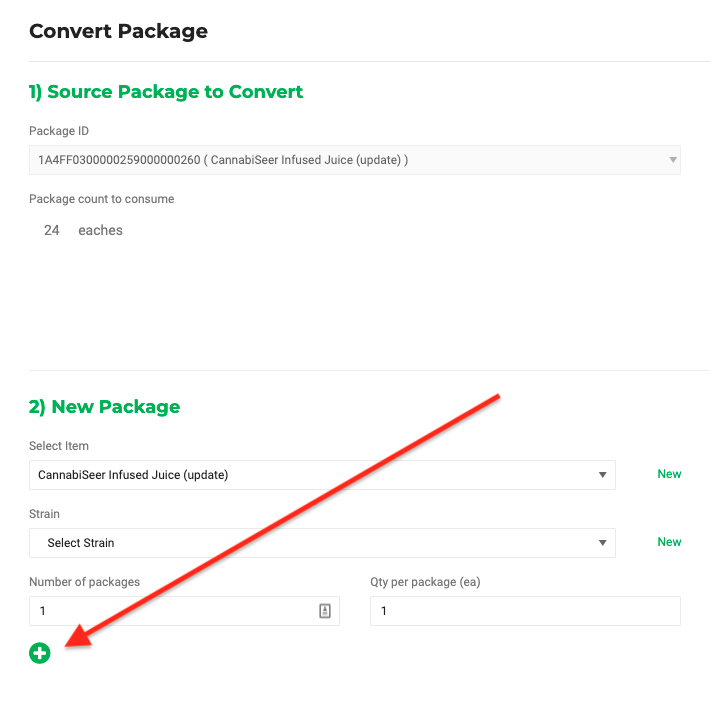
You can create multiple packages with different quantities in one session.
When you create the packages:
- Click the
 sign to add another line, where you can specify the "Number of packages" and the "Qty per package"
 - Click the
 sign to remove the line.
Where can you do it?
- Creating a package from a package.
- Create Inventory from an Existing Bill of Materials.
- METRC - Convert packages.
Creating a package from a package
Create Inventory from an Existing Bill of Materials
METRC - Convert packages
How did we do?
Package History
Update The Unit Weight for a single package
