Package History
Package History. Trace the lineage of a package back to its original source, or start with a package and see what was created or split off from it. View this lineage by: Navigating to Inventory and c…
Package History
Trace the lineage of a package back to its original source, or start with a package and see what was created or split off from it.
View this lineage by:
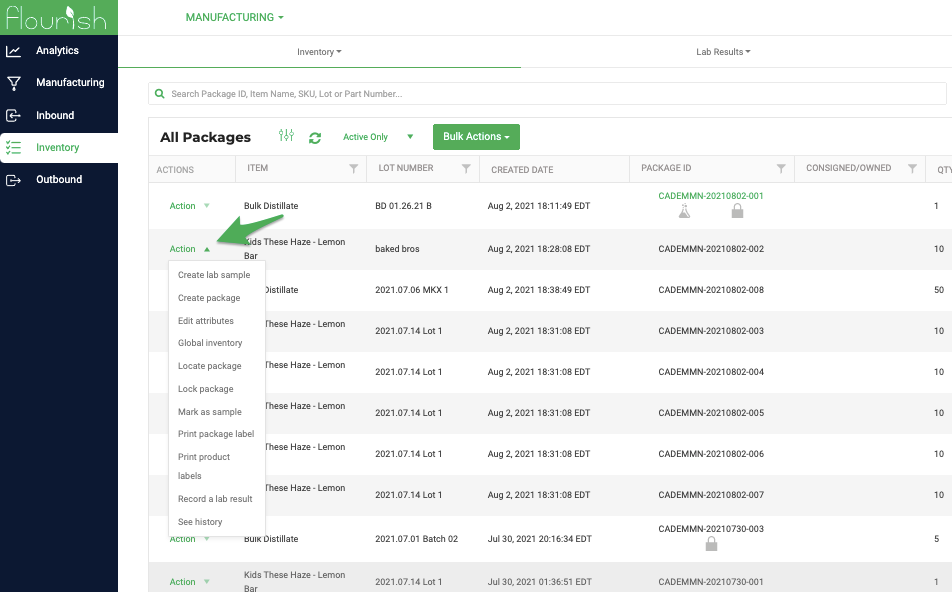
- Navigating to Inventory and clicking the Actions menu
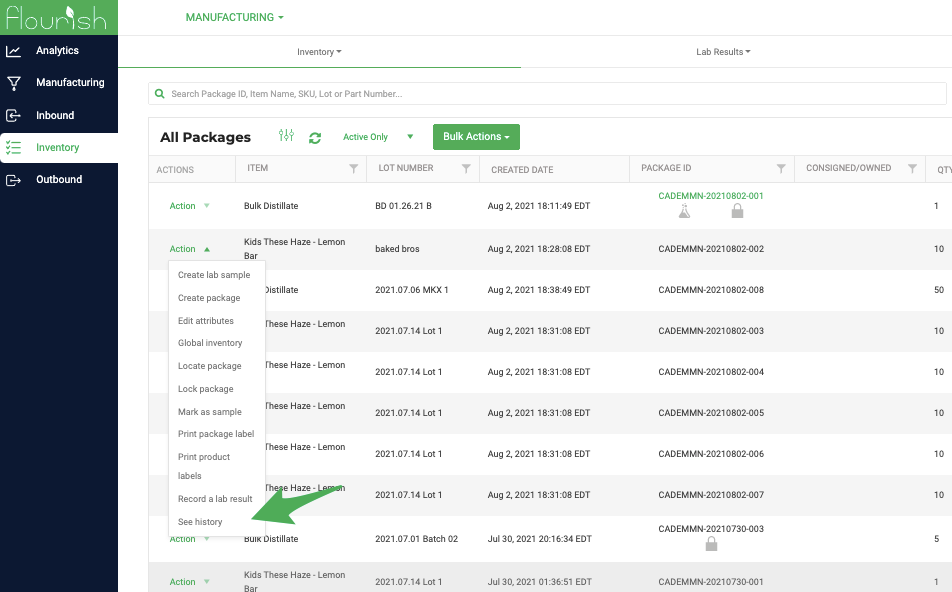
- Clicking See History
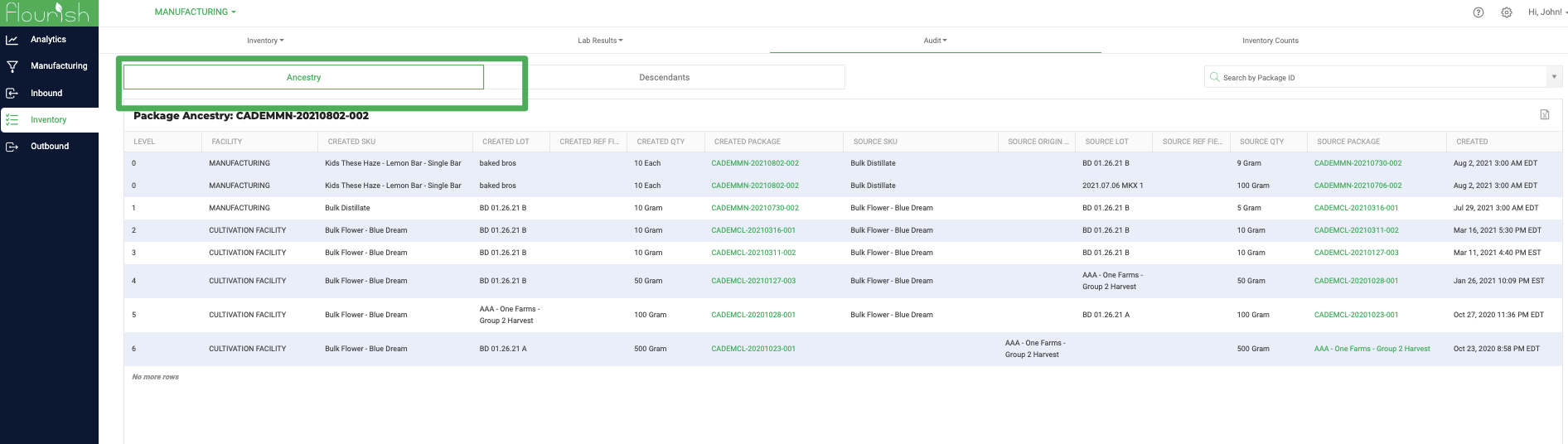
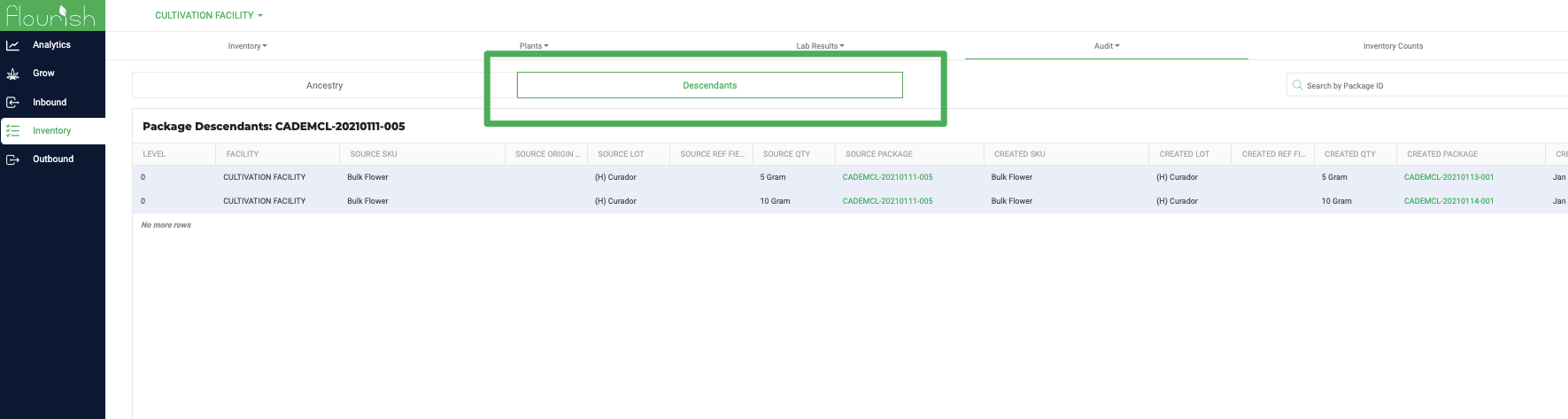
There are twos views.
Ancestry starts at the final package and continues up the chain to the originating package that Flourish has recorded.
Descendants starts with the parent package and lists all the packages that were created from it.
How did we do?
Inventory Adjustments
Create Multiple Packages with Different Quantities
