Creating Trade Sample Packages and Trade Sample Adjustments
Creating Trade Sample Packages and Trade Sample Adjustments in METRC States
Creating Trade Sample Packages and Trade Sample Adjustments
Purpose
Create and track Trade samples in Flourish, whether your facility uses METRC, BioTrack, or no compliance system. Refer to your state's documentation for the limits and recommended procedures for trade samples — requirements vary by state and compliance system.
Flourish supports trade samples in states where METRC's API enables it. In BioTrack facilities and in facilities without a compliance system (METRC or BioTrack), the trade sample attribute is also available for tracking and reporting purposes.
In some states, you remove trade samples from the system with an adjustment. In other states, you create trade samples and distribute them to retailers on a manifest. Some states allow both workflows.
Trade Sample Package Adjustments
Select a package and adjust the inventory using the correct adjustment code. Facilities typically use this method for trade samples intended for employees. Refer to the section on Adjustment codes here: Lock Codes, Adjustment Codes and Return Reasons.
When creating a package, select the "Trade Sample" option. You can do this at creation or by editing the package attribute. Then use the correct transfer type to transfer the trade samples to the receiving license holders.
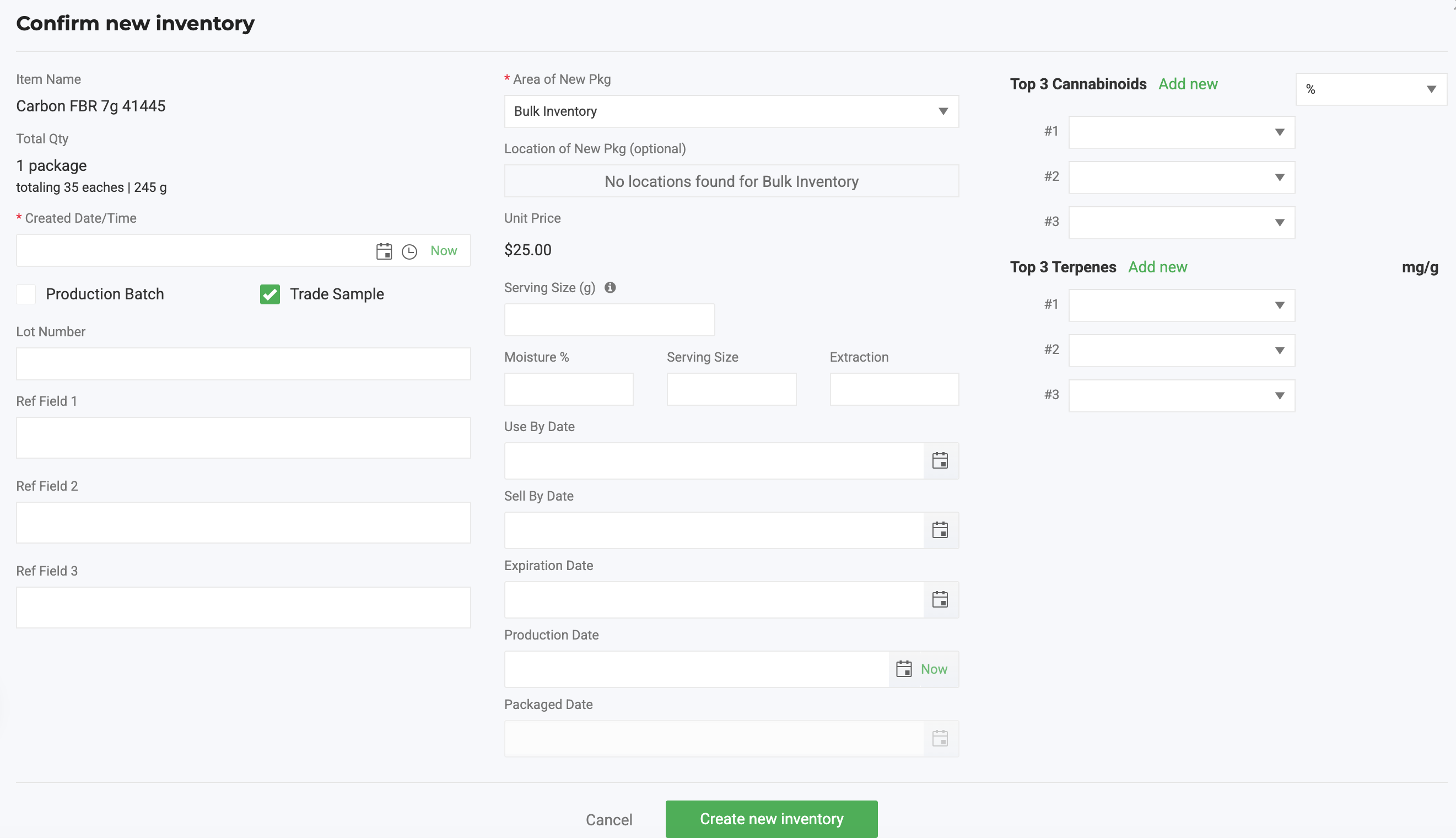
Mark a package as a Trade Sample at creation
Mark a package as a Trade Sample at creation, or by editing the package attribute afterward. Then use the correct transfer type to transfer the trade samples to the receiving license holders.
- Check the Trade Sample Checkbox in the Review and Confirm Screen
- Fill out the rest of the optional fields, if applicable.
- Click Create New Inventory
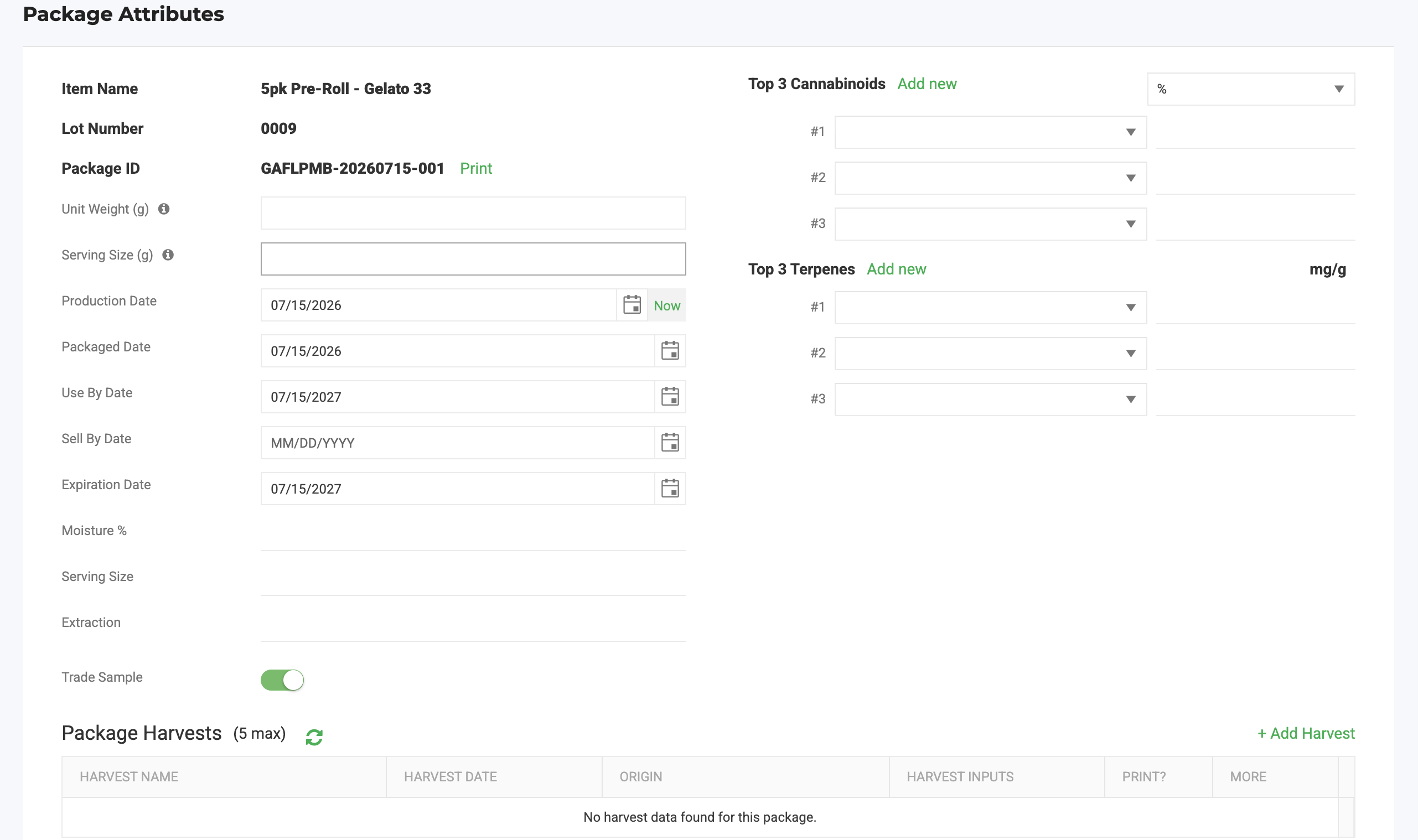
Edit the Trade Sample attribute on an existing package
- Find the package
- Click Actions > Edit Attributes
- Check or Un-Check the Trade Sample Flag
- Scroll down and click Save to update this attribute
- Setting a package as a Trade Sample does not automatically set the Unit Price to $0.00.
- The Unit Price must be set manually when editing the outbound order.
Trade Sample Reporting
Go to the Analytics module to run a report on trade sample adjustments and packages over a time period. This report includes trade sample packages regardless of compliance system, including those tracked in BioTrack or non-compliance-system facilities.
How did we do?
Specify Lab Test Batch Required Testing When Creating Lab Samples
