Table of Contents
Quickbooks Online: Syncing Order Discounts
Syncing discounts on outbound orders to QuickBooks Online
Table of Contents
QuickBooks Online: Syncing Order Discounts
Purpose
Sync discounts on outbound orders to QuickBooks Online (QBO) so they display correctly on invoices. Flourish supports order-level discounts (configured in QBO) and order-line discounts (mapped to a QBO item in Flourish's integration settings).
Prerequisites
Ensure you have the proper permissions/role required to view or change the Discount Line Item Mapping setting in Flourish.
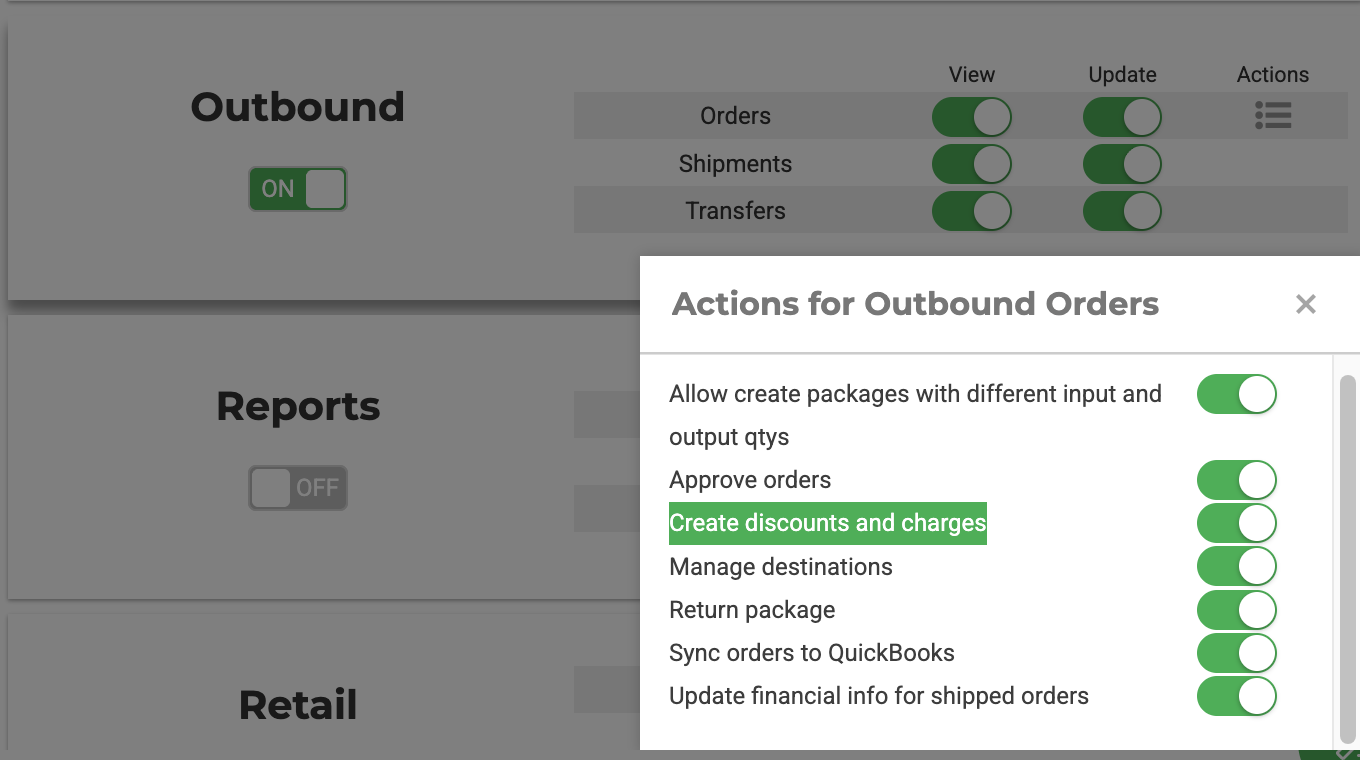
Enable order-level discounts in QuickBooks Online
Order-level discounts require a setting change directly in QuickBooks Online, not in Flourish.
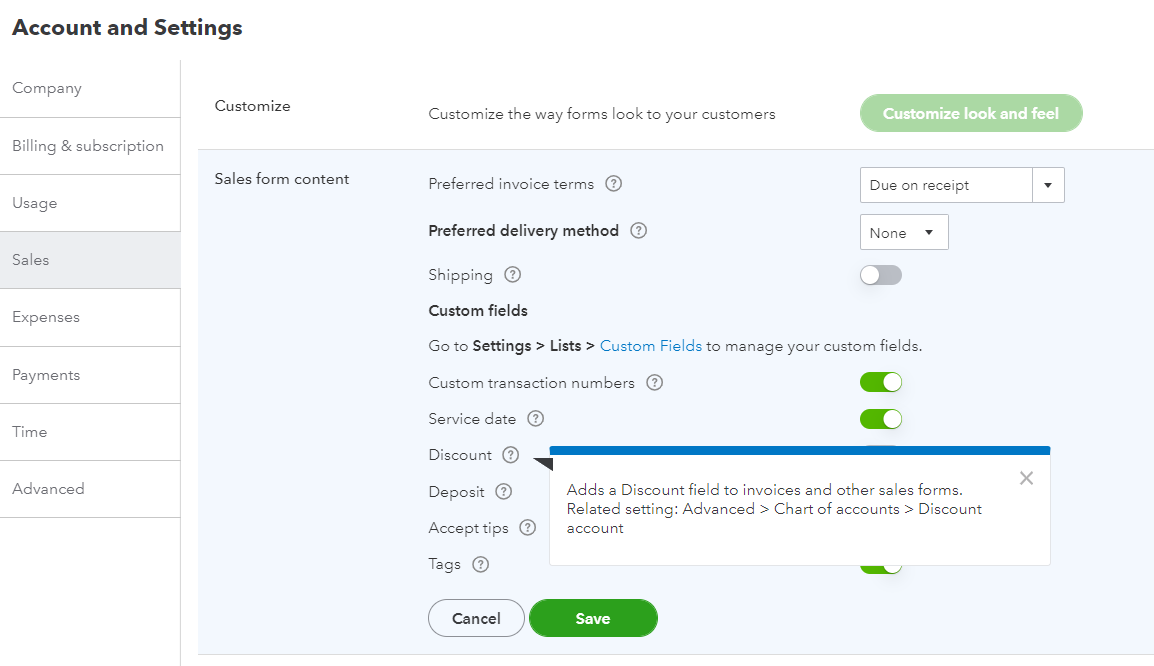
- In QuickBooks Online, go to Account and Settings.
- Select Sales.
- Under Sales form content, toggle Discount on.
This adds a Discount field to invoices and other sales forms in QBO. To route the discount amount to a specific Chart of Accounts, set the Discount account under Advanced > Chart of Accounts.
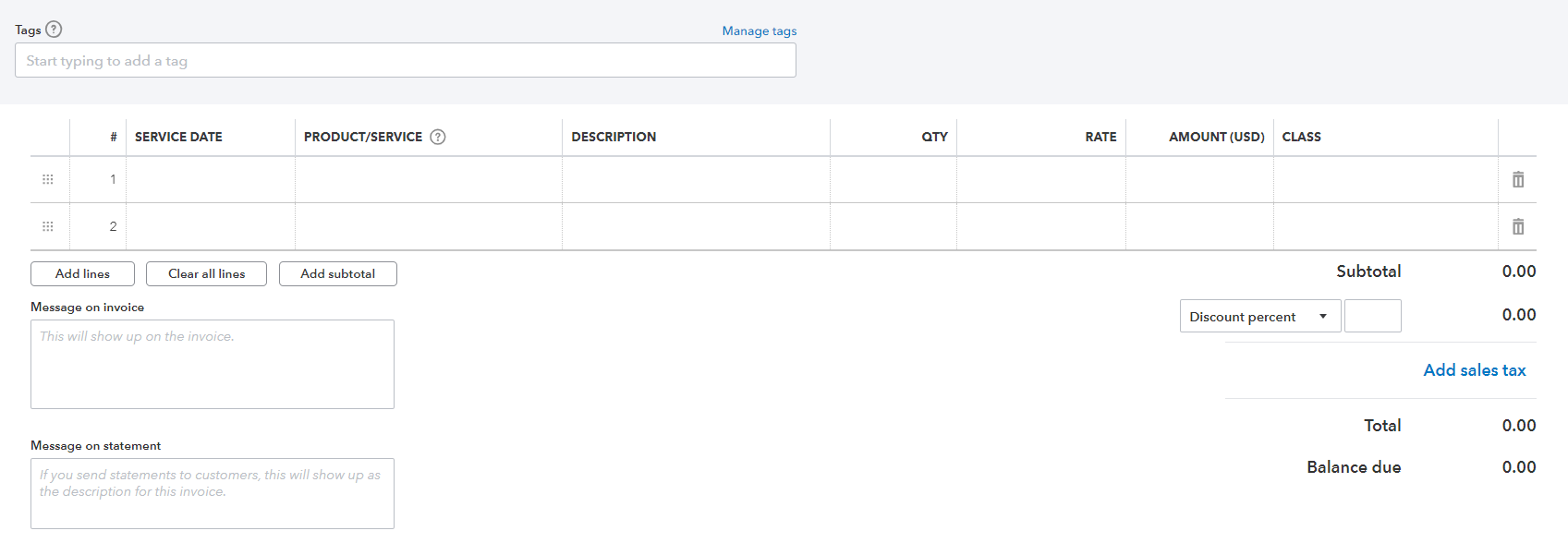
Once enabled, the order-level discount displays as a Discount percent field below the Subtotal row on the invoice.
Map order-line discounts to a QBO item
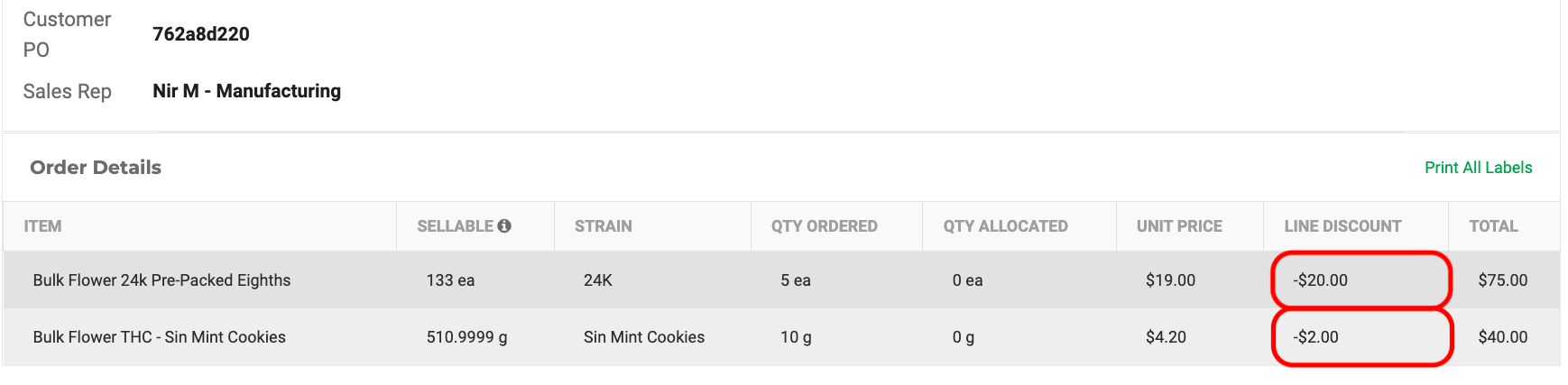
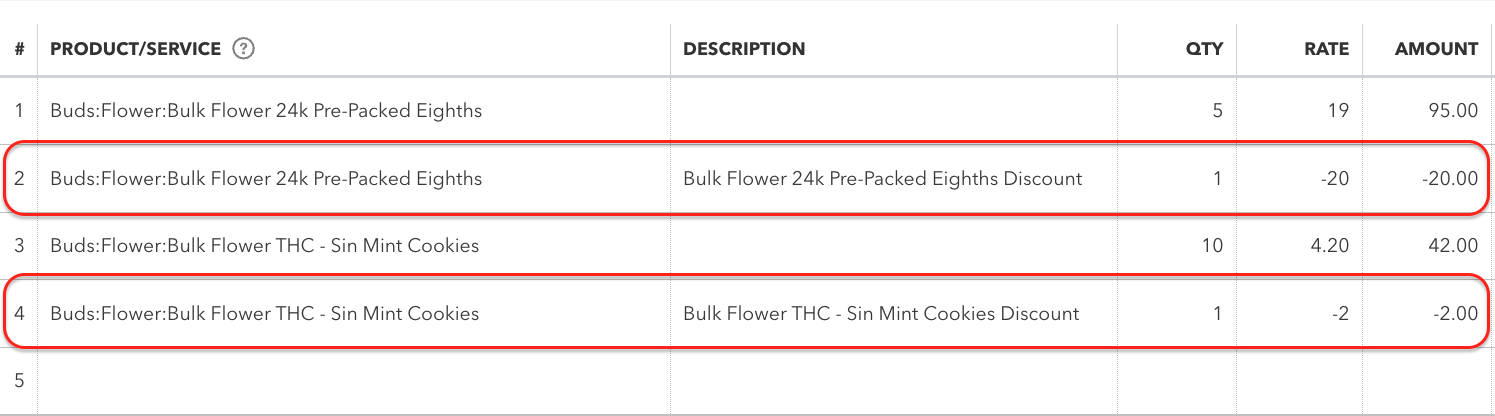
Order-line discounts sync to QuickBooks Online as a separate invoice line item, with a negative rate and a quantity of 1. Map this line item to a QBO item so Flourish routes the discount amount to that item's Chart of Accounts.
- Click Settings.
- Select Integrations.
- Select QuickBooks.
- Select Sync Settings.
- Scroll down toward the bottom of the screen to locate the Discount Line Item Mapping section. It will say 'Use this QBO item for discount lines on invoices:'Use
- From the dropdown, select the QBO item you want order-line discounts to sync to.
- Click Save.
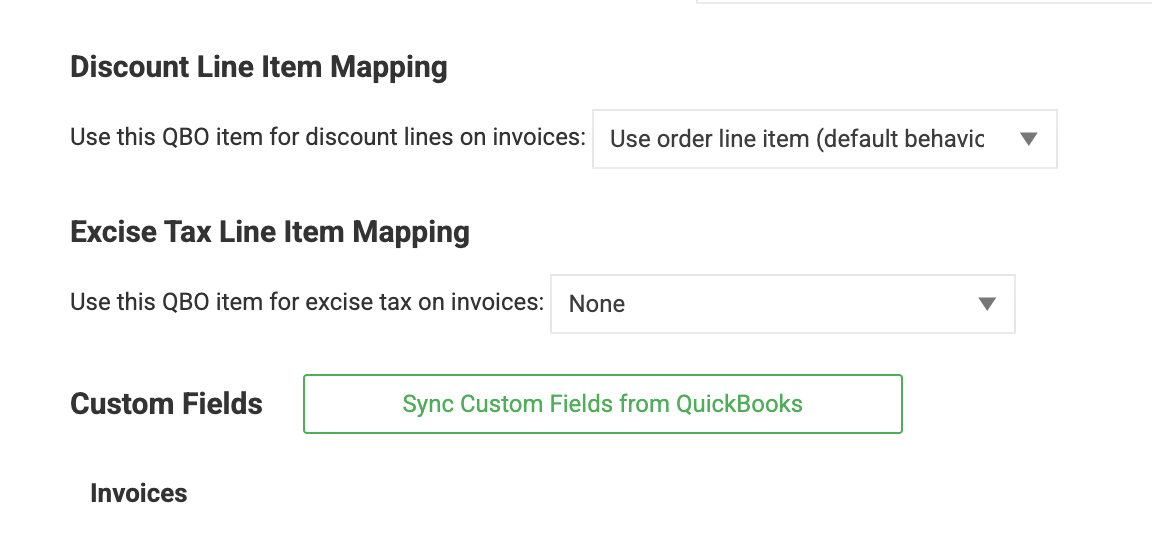
The QBO item you select must already be configured in QuickBooks Online to post to the Chart of Accounts you want. Flourish only references the item — it does not create or configure it in QBO.
What happens next
When an outbound order includes a line-level discount, Flourish sends it to QuickBooks Online as a separate invoice line referencing the mapped QBO item, posted to that item's Chart of Accounts.
Order Line Discount in Flourish Software
The Corresponding Order Lines in QuickBooks Online
Related articles
For more on configuring order-level discounts and charges in Flourish, see Discounts and Charges.
How did we do?
Remap a QuickBooks Item from Inventory to Non-Inventory Type
Send Flourish Data To QBO Sales Order Custom Fields
