Table of Contents
Inherit Package Attributes
Flourish can track package attributes including use by date, production date, moisture percentage, serving size, extraction, cannabinoids, and reference fields. Use this configuration to enable the resulting packages to automatically inherit these attributes when creating new inventory.
Table of Contents
Flourish tracks additional essential information about your packages, called Package Attributes. Some states require these attributes when you create, receive or transfer packages.
Click here to see more about how to view and edit your package attributes.
Configure the Inherited Package Attributes
To configure the attributes you want to inherit, please follow the steps below:
| 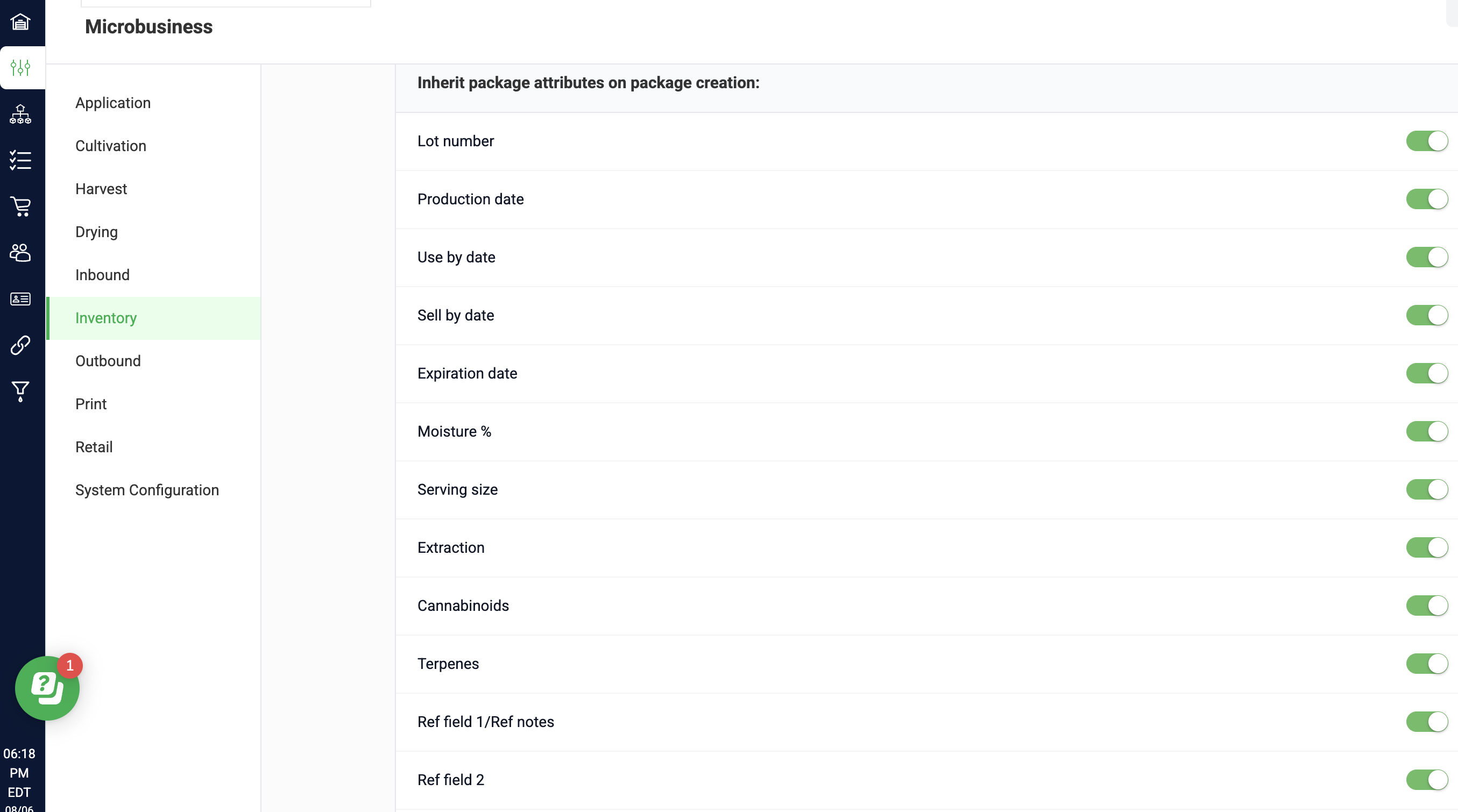 |
 Settings.
Automatically Calculated Attribute
Additionally, you can have Flourish automatically calculate the "Use By Date" for new packages. This will help ensure that new packages get the expected "Use by Date" information. Learn more here.
How Package Attribute Inheritance Works
When Package Attribute Inheritance is enabled, Flourish automatically carries selected attribute values from source packages into newly created packages.
How inheritance works depends on how many source packages are used and whether their attribute values match.
Single input package
- When you create a new package from a single source package, all enabled attributes inherit from the source package into the new package.
- This applies across Manufacturing, Work Orders, and Inventory flows.
Multiple input packages
- When you create a new package using multiple source packages, Flourish compares the attribute values across all inputs.
- If an attribute value is the same on all input packages, that attribute inherits into the new package • If an attribute value differs between input packages, that attribute does not inherit
* If all input packages share the same Lot Number, the new package inherits that Lot Number
* If input packages have different Lot Numbers, the new package does not inherit a Lot Number
Package Attribute Inheritance Works Per Module
Manufacturing
- When creating output packages from Manufacturing Runs, enabled attributes follow the inheritance rules described above.
- If inheritance is enabled and a common value exists across all input packages, Flourish displays that value automatically in the output package.
- If no common value exists, the field remains blank and must be entered manually if required.
Work Orders
- Work Orders include an additional field called Lot Number to Create.
- When this field is set, the entered Lot Number is used for the output package, regardless of the input packages’ Lot Numbers.
- Other enabled attributes continue to follow standard inheritance rules.
- Use Lot Number to Create when you need to assign a new Lot Number that differs from all source packages.
Inventory
Inheritance behavior is consistent across Inventory flows, including:
- Create Packages from Packages
- Create from BOM
Additional notes
The Usable Cannabis per unit field does not inherit from source packages.
This value is determined by the output item configuration and is applied automatically when the package is created.
How did we do?
Create Non-Inventory Items for Labor, Charges & BOMs
How to Create New Strains
