Destroy Plants
Remove plants from active inventory in Flourish by destroying Plant IDs from the Plants list or Plant Group, recording destruction reasons for compliance.
Destroy (kill) plants that died, were culled, or failed inspection. Destroying removes the plants from active inventory, records a reason and a destruction date, and supports compliance reporting. You can destroy plants from the plants list in Inventory, from a group, or from the plants view in Grow.
Before You Start
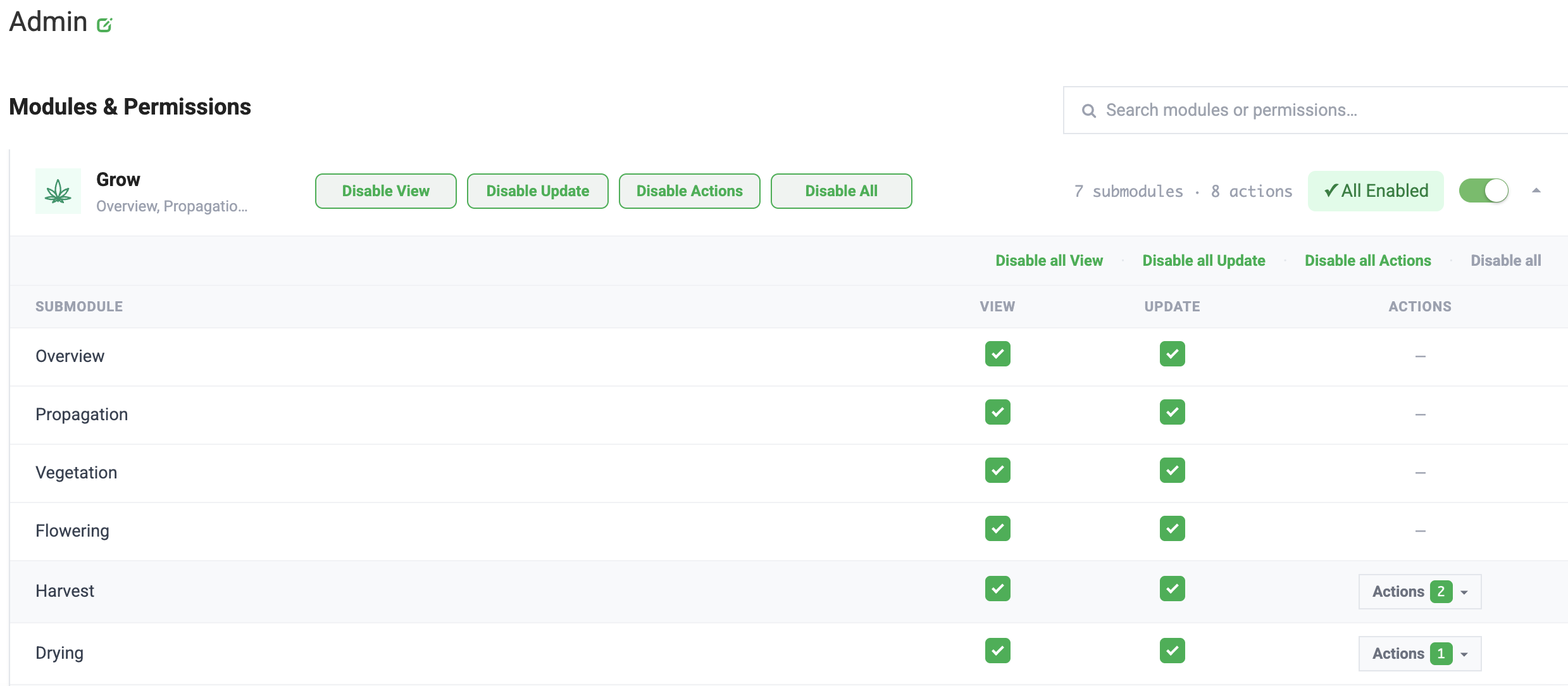
- Permissions: your role needs Update access to the Grow submodules. Contact support@flourishsoftware.com if you don't see Destroy Plants.
- Reasons: The reason list comes from your plant adjustment codes. To add a reason, see Add a Destroy Reason.
- Large batches: to destroy many plants at once from a file, see Bulk Destroy Plants with a CSV File.
Destroy Plants from the Plants List
Use this method to destroy plants by Plant ID from anywhere in the facility.
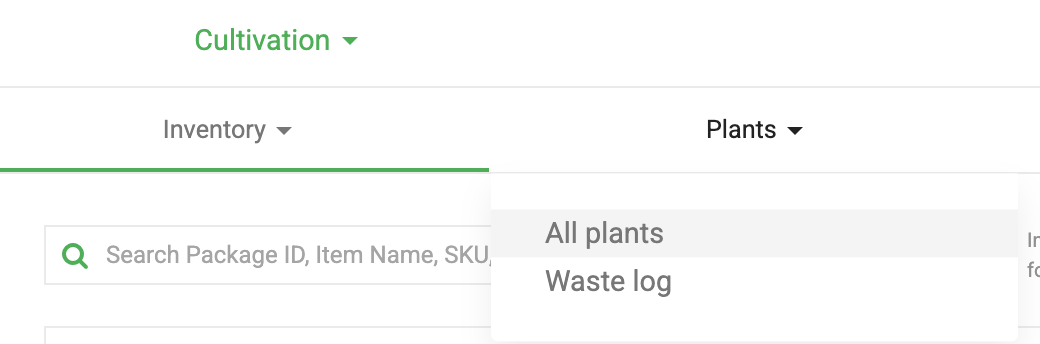
- Click Inventory.
- Select Plants > All Plants.
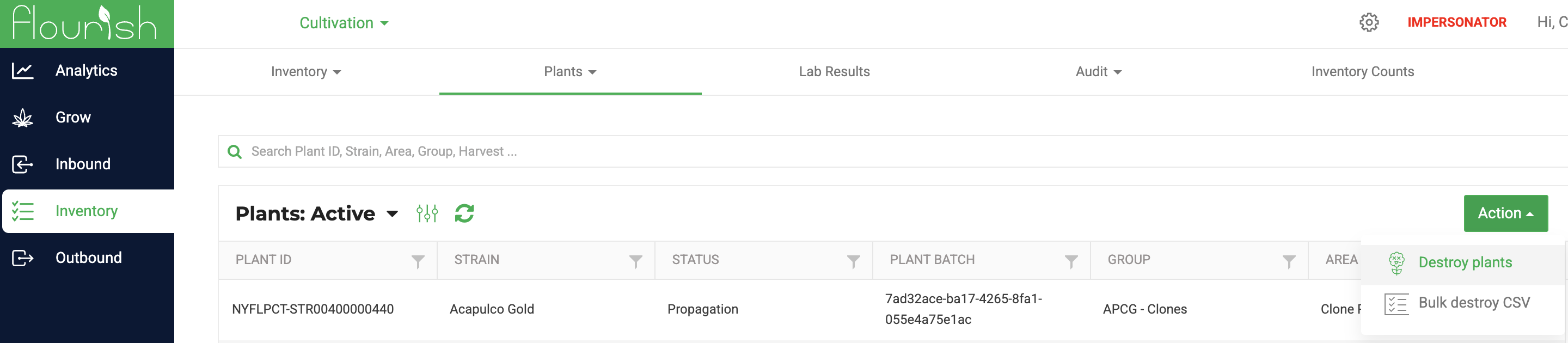
- Click Action > Destroy Plants.
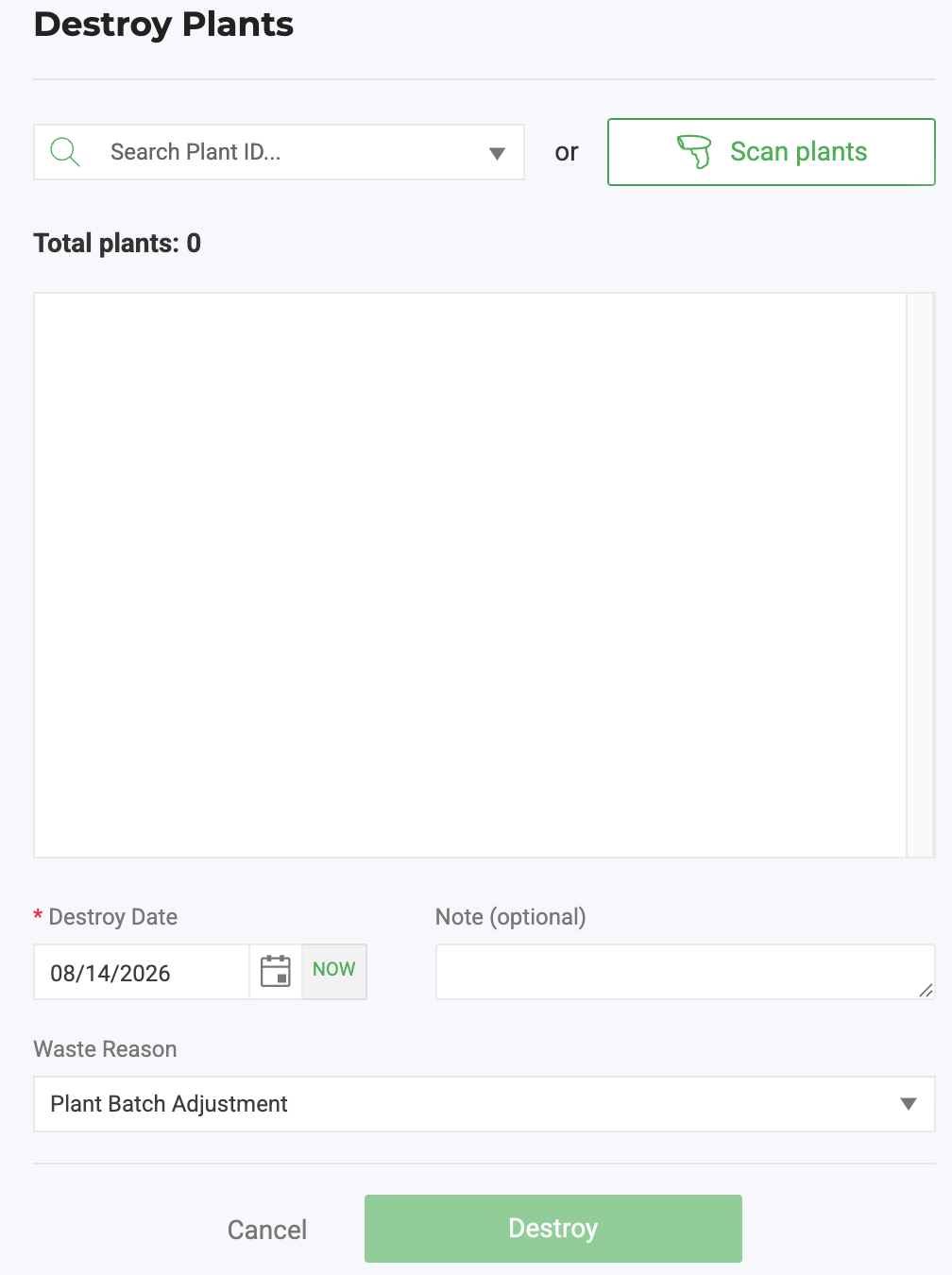
- Scan or enter a Plant ID, or select the checkbox next to each plant to destroy.
- Complete the destroy fields. See Fields on the Destroy Screen.
- Click Destroy.
Destroy Plants from a Group
Use this method to destroy some plants in a group without affecting the rest of the group.
- Click Grow, then open the groups view for the stage (for example, Vegetation > Veg Groups).
- Use Filter by area to narrow the list, if needed, and select the group.
- Click Edit.
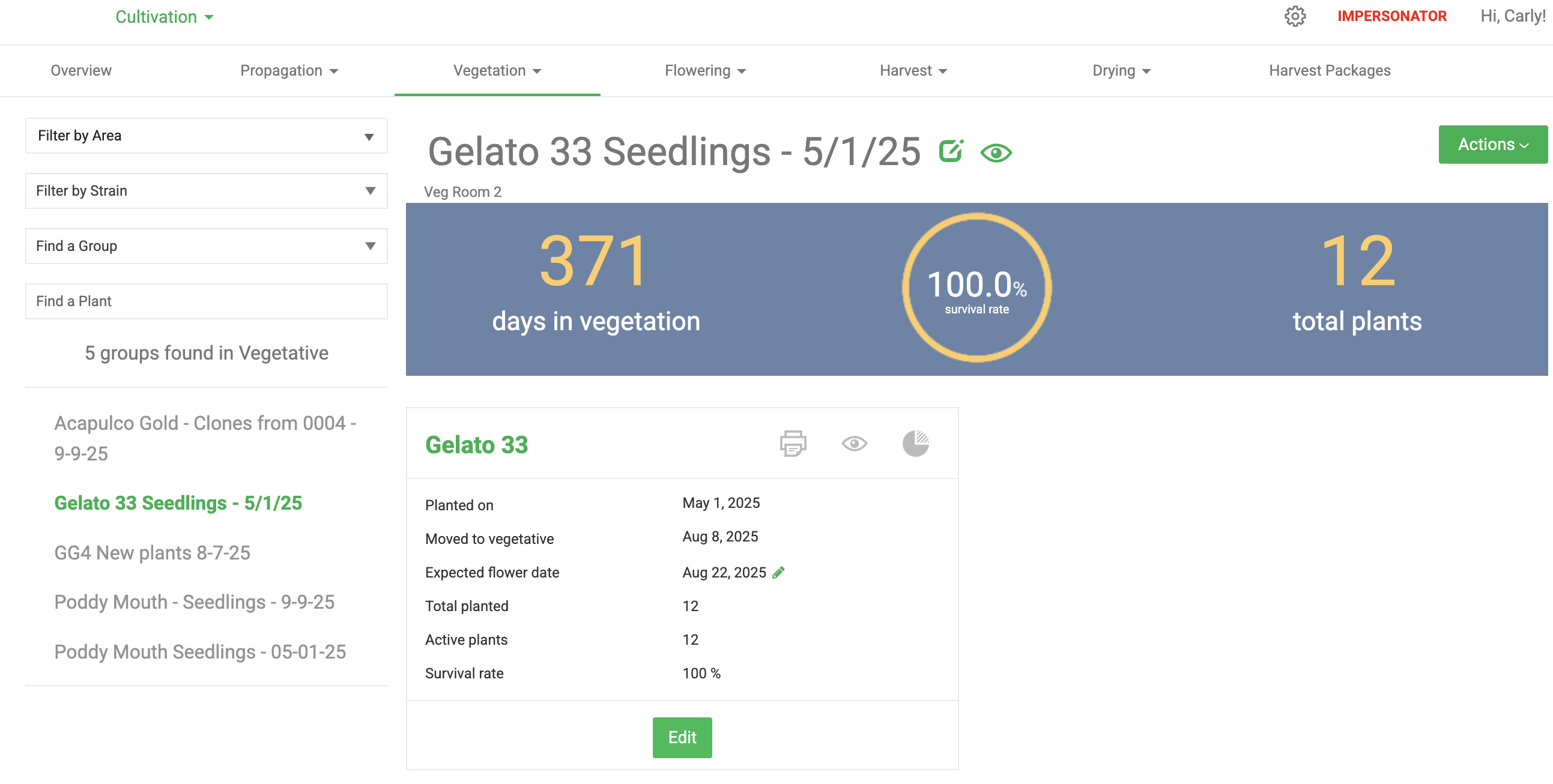
- From the All Plants list, select each plant to destroy. The plants move to the Plants to Destroy list.
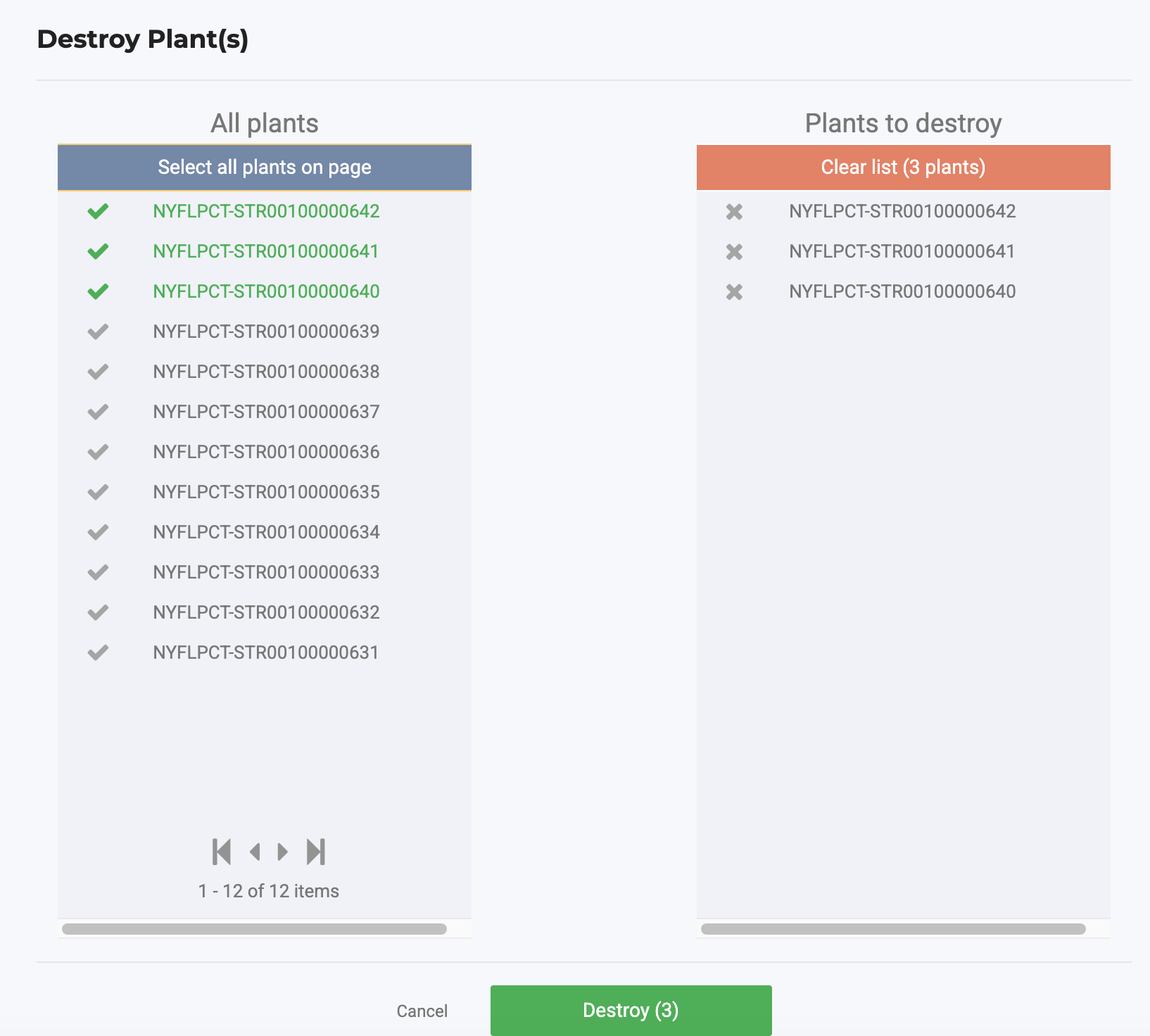
- Click Destroy.
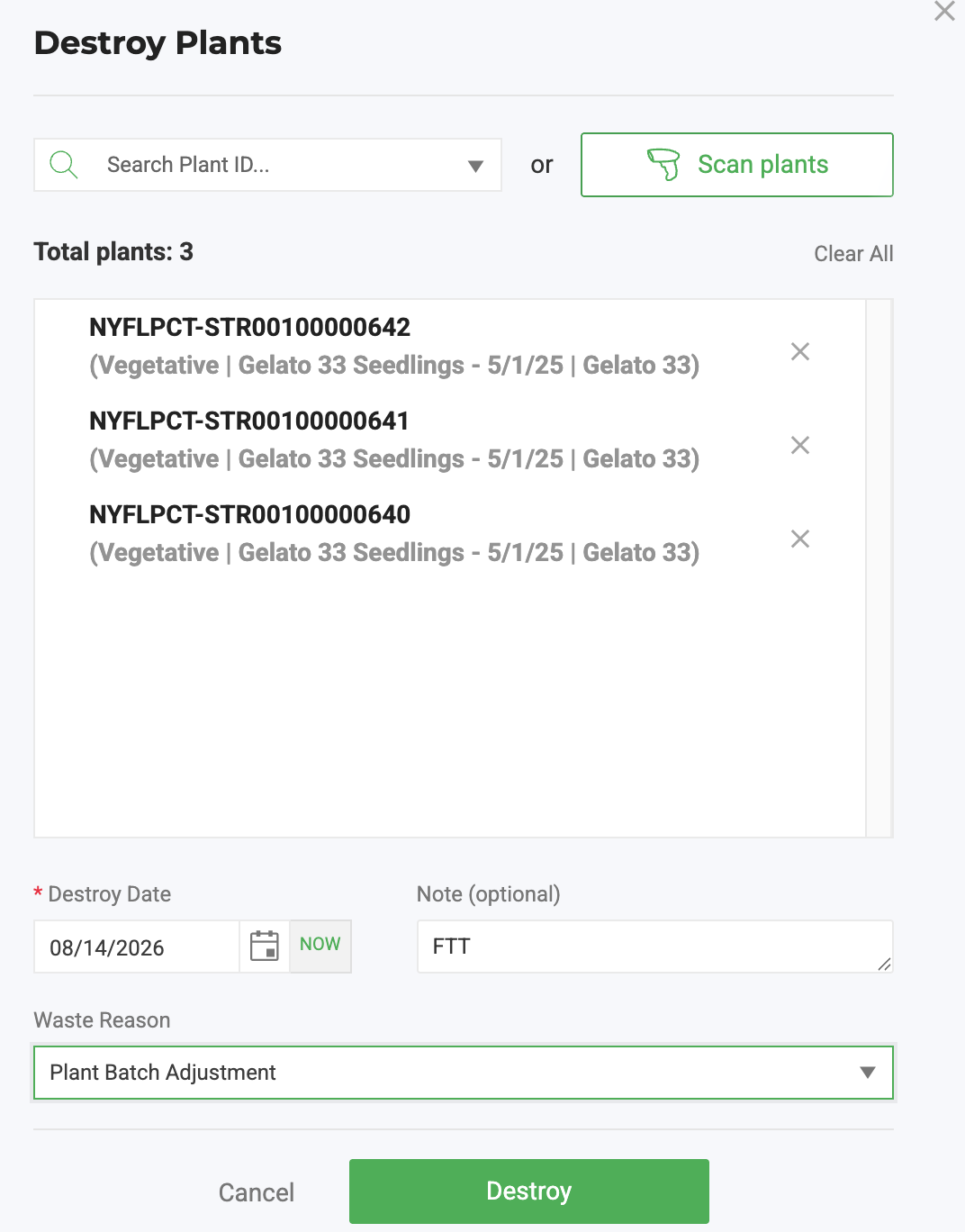
- Complete the destroy fields. See Fields on the Destroy Screen.
- Click Destroy to confirm.
Destroy Plants from the Plants View in Grow
- Click Grow, then open the plants view for the stage (for example, Flowering > Flowering Plants).
- Select the plants. Ctrl/Cmd + click selects individual rows, and Shift + click selects a range.
- Click Actions > Destroy Plants.
- Complete the destroy fields, then click Destroy.
Fields on the Destroy Screen
Which fields appear, and which are required, depend on your facility's configuration and your state system.
Field | What to enter |
Destroy Date | Defaults to today. Change it if you're recording a destruction that happened earlier. |
Reason | Why were the plants destroyed, such as by disease or death? |
Weight and UOM | The waste weight and unit of measure. Required by Metrc in many states and for Canadian facilities. |
Waste Method | How the waste was made unusable. Shown for Metrc states that require it. |
Notes | Any details your compliance process requires. |
After You Destroy Plants
- Destroyed plants have the status Dead and appear under Inventory > Plants > All Plants > Plants: Dead.
- Non-integrated facilities can undo a destruction. See Revive Destroyed Plants.
Add a Destroy Reason
- Click Settings.
- Select Inventory > Items > Inventory Adjustment Codes.
- Click Create New Adjustment Code.
- For Type, select Plant Adjustment.
- Enter an Adjustment Code Reason Name, such as Excessive Heat.
- Fill in the optional fields if you need them, then click Save.
The new reason appears in the Reason list the next time you destroy plants.
How did we do?
Bulk Destroy Plants with a CSV File
Destroying Plants: Logging Waste / Notes
