Table of Contents
Reduce Immature Plant Batches in Metrc
Metrc requires waste method, reason, and weight when reducing immature plant batches. Update counts from the Propagation screen or the Inventory.
Table of Contents
Reduce the plant count on an immature plant batch when clones die, are culled, or fail inspection. Flourish removes the plants from the batch and reports the reduction to Metrc.
Fields Metrc Requires
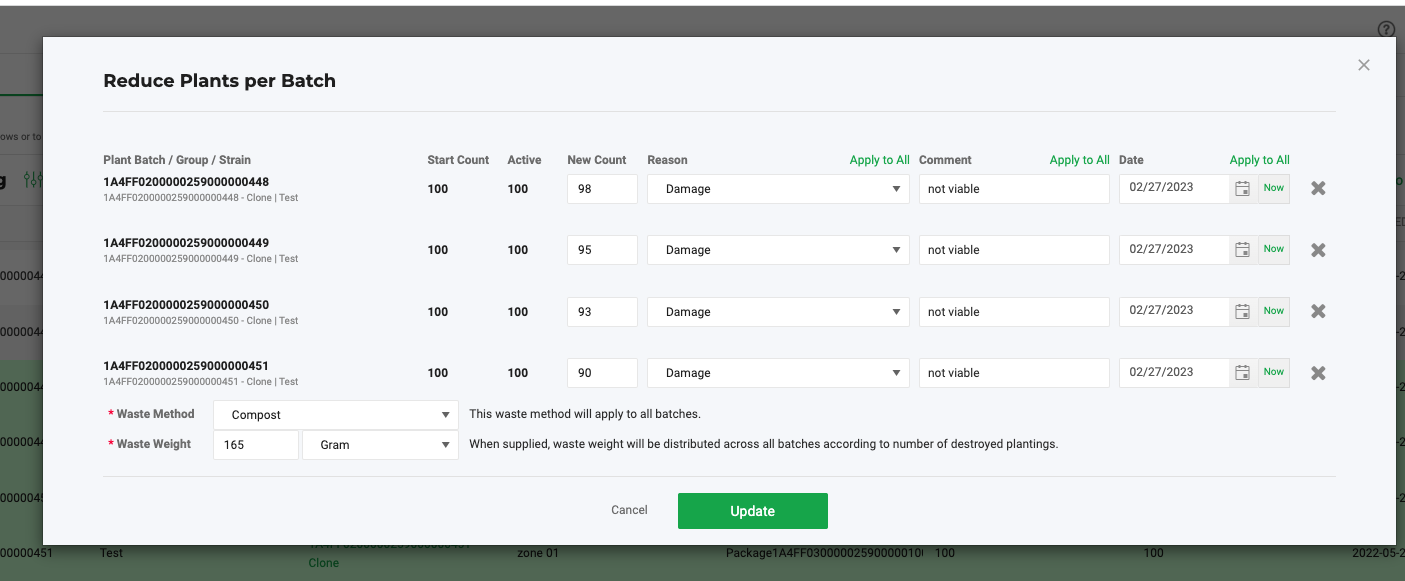
Many states require a waste method, reason, and waste weight when you reduce an immature plant batch. Flourish shows these fields on the confirmation screen and sends them to Metrc.
Field | What to enter |
Reason | Why the plants were removed. |
Waste Weight | The weight of the removed plant material. |
Waste Method | How the material was made unusable. |
Reduce Several Plant Batches at Once
- Click Grow.
- Select Propagation > Immature Plant Batches.
- Select one or more plant batches.
- Click Actions > Update Counts.
- On the Reduce Plants per Batch screen, enter the new plant count for each batch and complete the required fields.
- Click to confirm.
Reduce One Group's Plant Count
- Click Grow.
- Select Propagation > Immature Plant Groups and click the group.
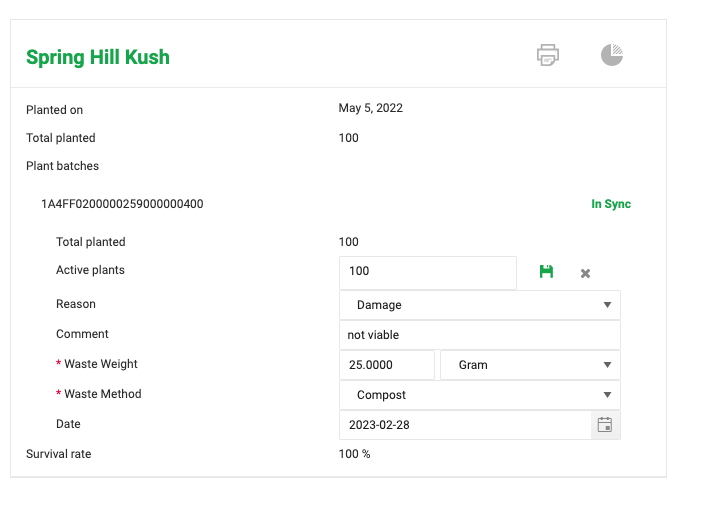
- Click the pencil icon next to Active Plants.
- Enter the new number of active plants.
- Select the Reason and enter the Waste Weight and Waste Method.
- Click the save icon.
- Review the Confirm Active Plant Count screen and confirm.
Reduced Directly in Metrc?
If you destroyed plantings in Metrc, click Sync from Metrc in Grow. Flourish removes the same number of plants from the batch. See Sync Changes Made in Metrc Back to Flourish.
How did we do?
Create Plants from a Received Clone or Seed Package in Metrc
Manage Mother Plants in Metrc
