Managing User Profiles
Managing User Profiles. Purpose. Manage your own user profile in Flourish, including your name, default facility, and default homepage. Changes apply only to your account and do not affect other user…
Managing User Profiles
Purpose
Manage your own user profile in Flourish, including your name, default facility, and default homepage. Changes apply only to your account and do not affect other users' profiles or permissions.
Open Your Profile
- Click your name in the upper right corner of any page in Flourish.
- Select Your Profile from the dropdown menu.
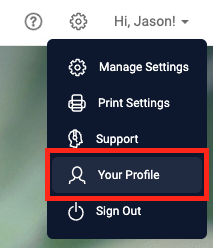
The Edit Your Profile screen opens.
Set Your Default Facility
If you work across multiple facilities, set your default facility to the one you access most often.
- Click Change next to Default Facility.
- Select a facility from the dropdown.
Flourish saves the change automatically.
Update Your Name and Cell Phone
- Enter your first name in the First Name field.
- Enter your last name in the Last Name field.
- Enter your number in the Cell Phone field. This is optional.
Flourish saves the change automatically.
Set Your Default Home Page
- Click Change next to Default Home Page.
- Select a page from the dropdown.
Flourish saves the change automatically.
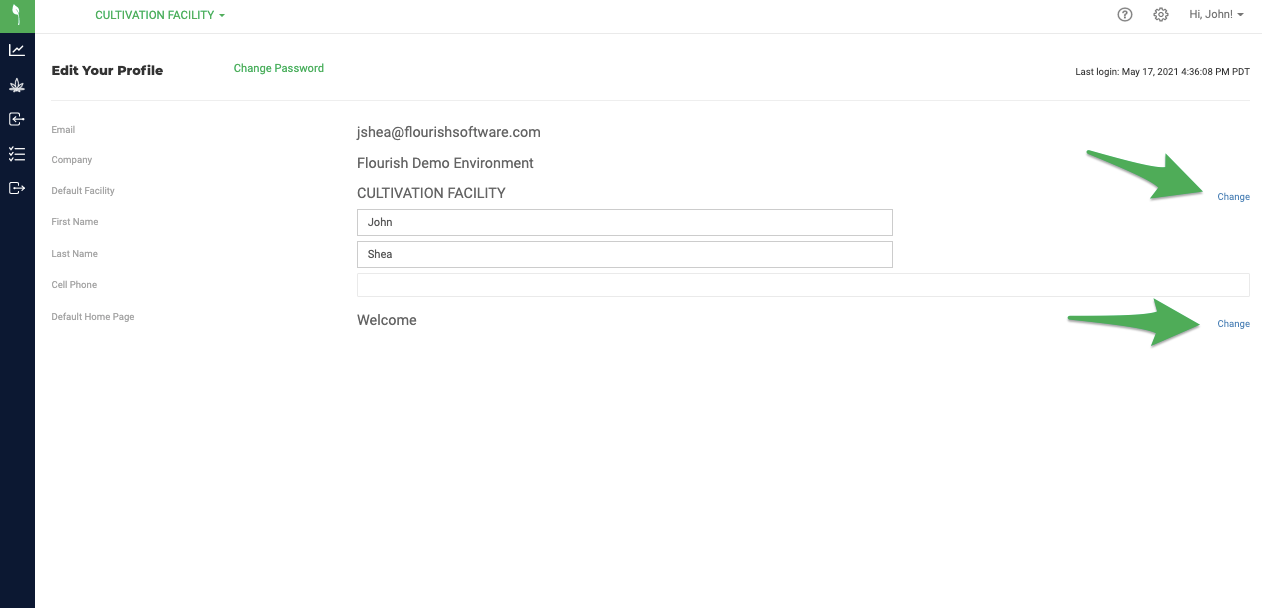
Change Your Password
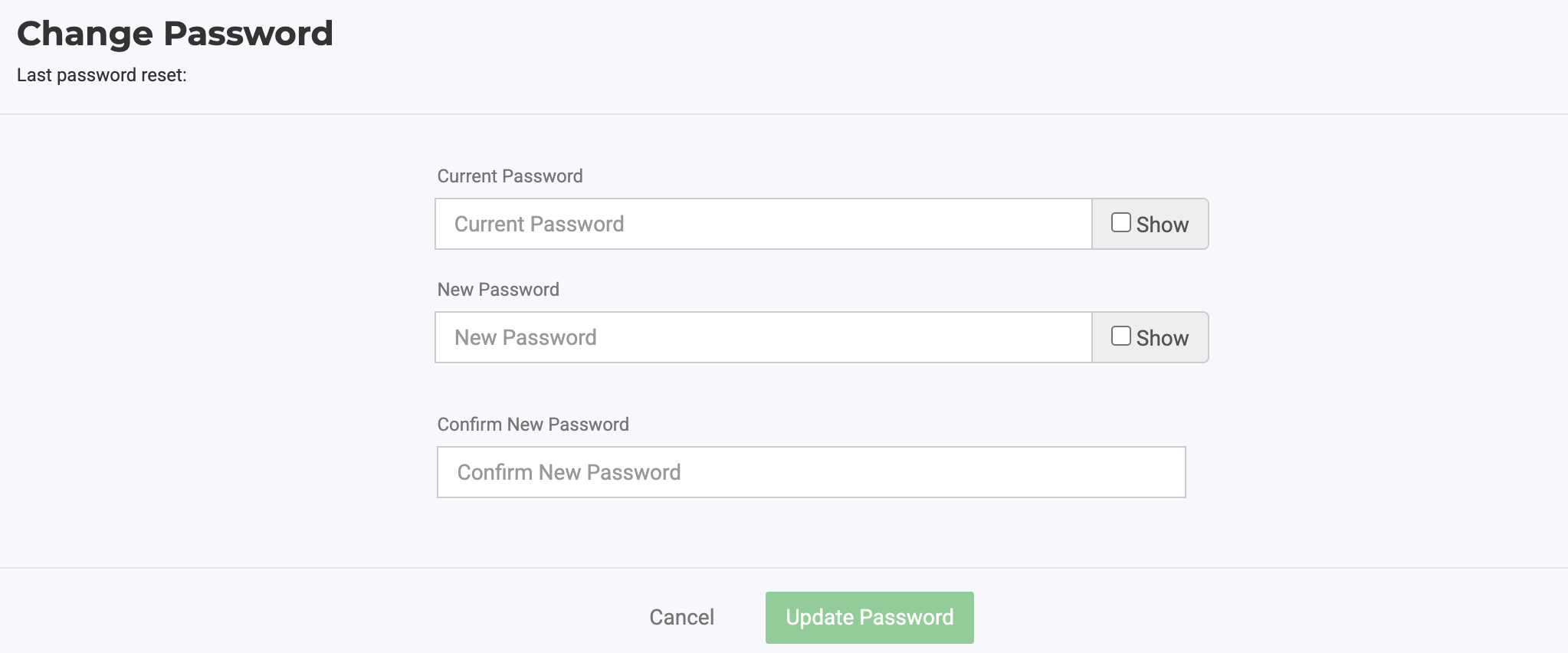
- Click Change Password.
- Enter your current password.
- Enter your new password.
- Confirm your new password.
- Click Update Password.
How did we do?
Contact Flourish Support: Help Center, Email & Phone
Manage Billing, Payments & Invoices in Flourish
