Table of Contents
Retail Purchase Limit Enforcement
Track and validate retail purchase limits in Flourish POS, reduce an over-limit cart, override the validation with a PIN, and review limits by state.
Table of Contents
Purpose
Flourish compares a customer's purchase limit to the quantity in their cart. Retail POS shows the running totals as you build the cart, then validates the fully allocated cart at checkout so you don't complete a sale that exceeds the legal limit.
Limits vary by state, customer type (medical or recreational), item category, and time window. See Purchase Limits by State.
Prerequisites
- The facility must have Enforce purchase limits turned on in its Compliance settings. These settings are view only. Contact Flourish Support to change them.
- The customer's type and Medical Card Info must be correct.
- Each item in the cart needs the values the state's limit uses, such as item weight, volume, or THC content.

View Limits on the Customer Profile
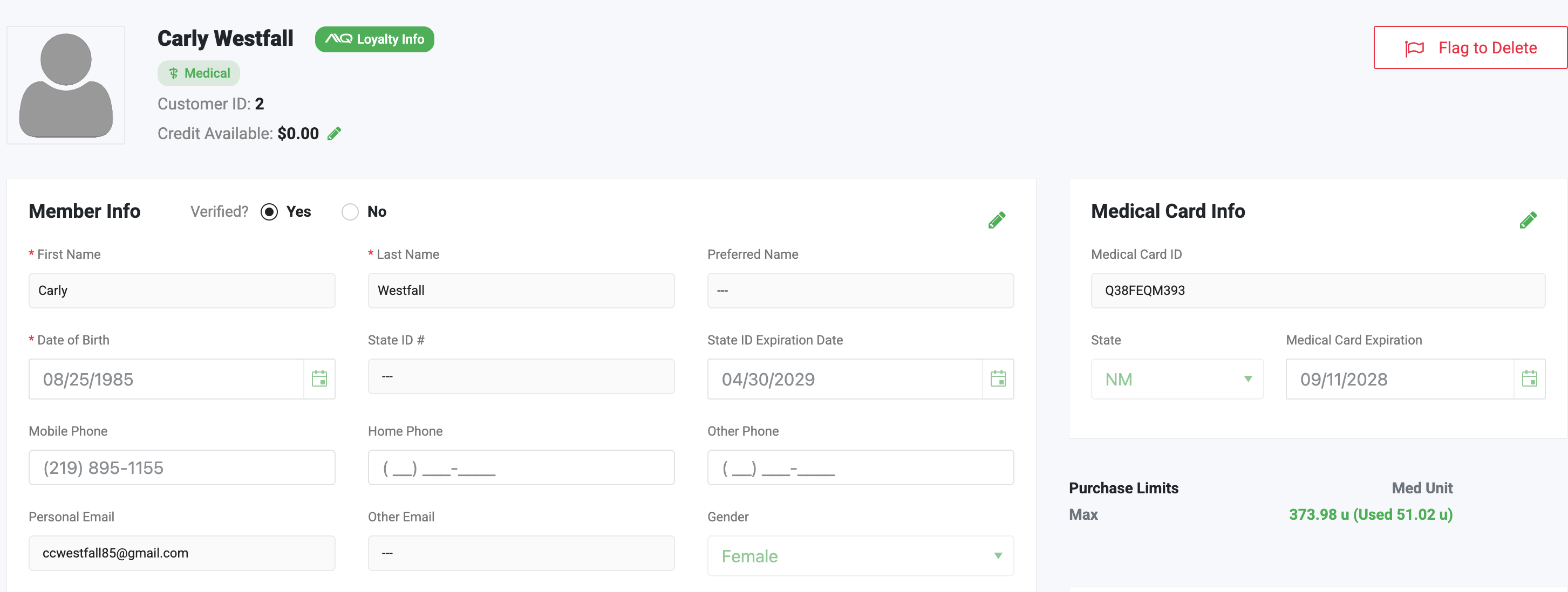
The customer profile shows purchase limits in the Medical Card Info section.
 |
Track Limits While Building the Cart
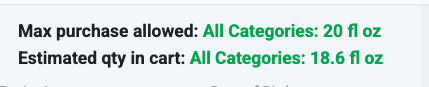
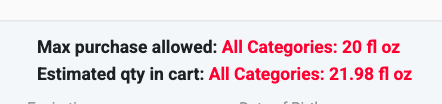
When you add an item or change a quantity, Estimated quantity in cart updates based on the item's allocation. Flourish compares it to Max purchase allowed.
- Green values mean the cart is within the limit.
- Red values mean the cart exceeds the limit.
Validate the Cart at Checkout
Flourish validates purchase limits only after the cart is fully allocated. You can allocate packages in Retail POS or in the back of house.
- Allocate every item in the cart.
- Click Check out.
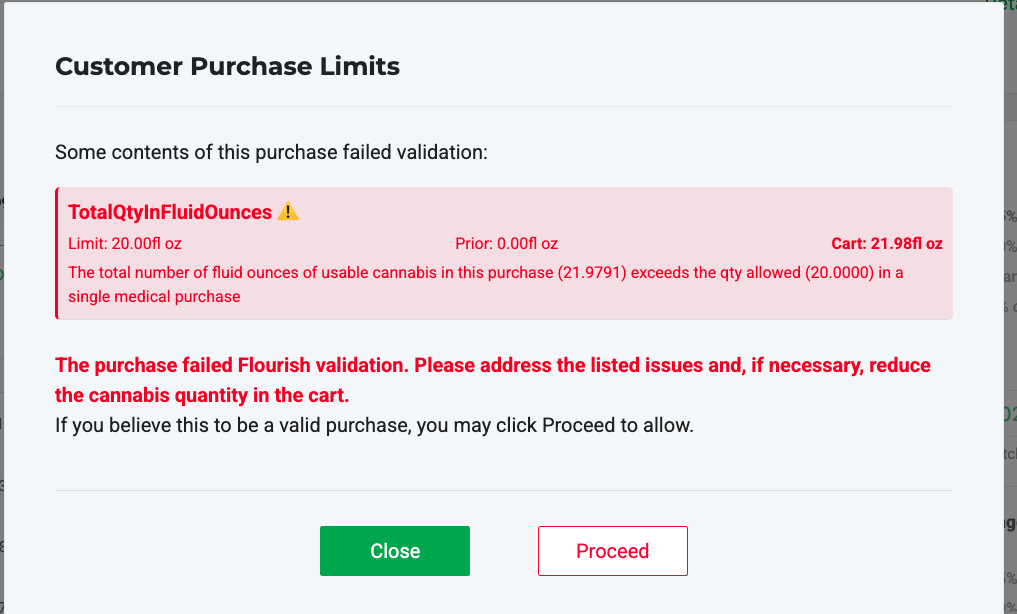
If the cart passes, the payment screen opens. If it exceeds the limit, the Customer Purchase Limits window opens and explains the issue. The calculation includes the customer's prior purchases within the state's time window.
Reduce the Cart
- Click Close.
- Remove items or reduce quantities until the cart is within the limit.
- Allocate the updated cart.
- Click Check out.
- Complete the sale.
Override the Validation
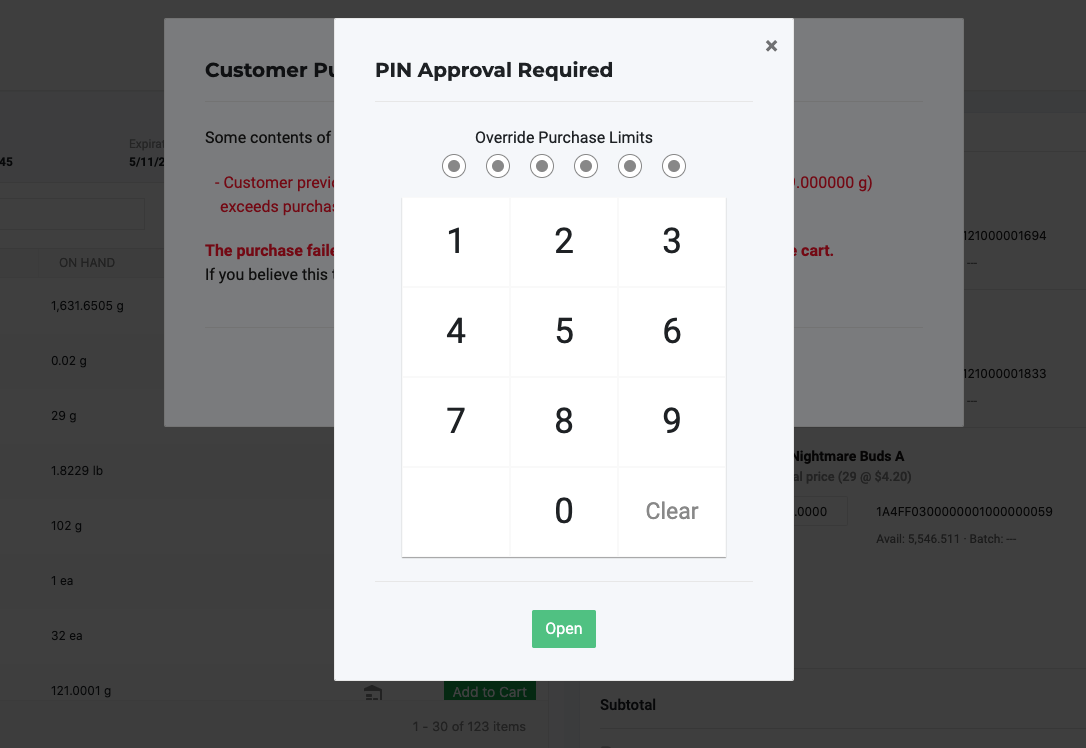
If the validation is incorrect, such as when a package's THC content has a misplaced decimal, a user with override permission can enter a PIN to complete the sale.
- Click Proceed in the Customer Purchase Limits window.
- Enter the authorizing user's PIN.
- Continue to checkout.
An override doesn't correct the underlying data. Fix the customer, item, or package record that caused the error.
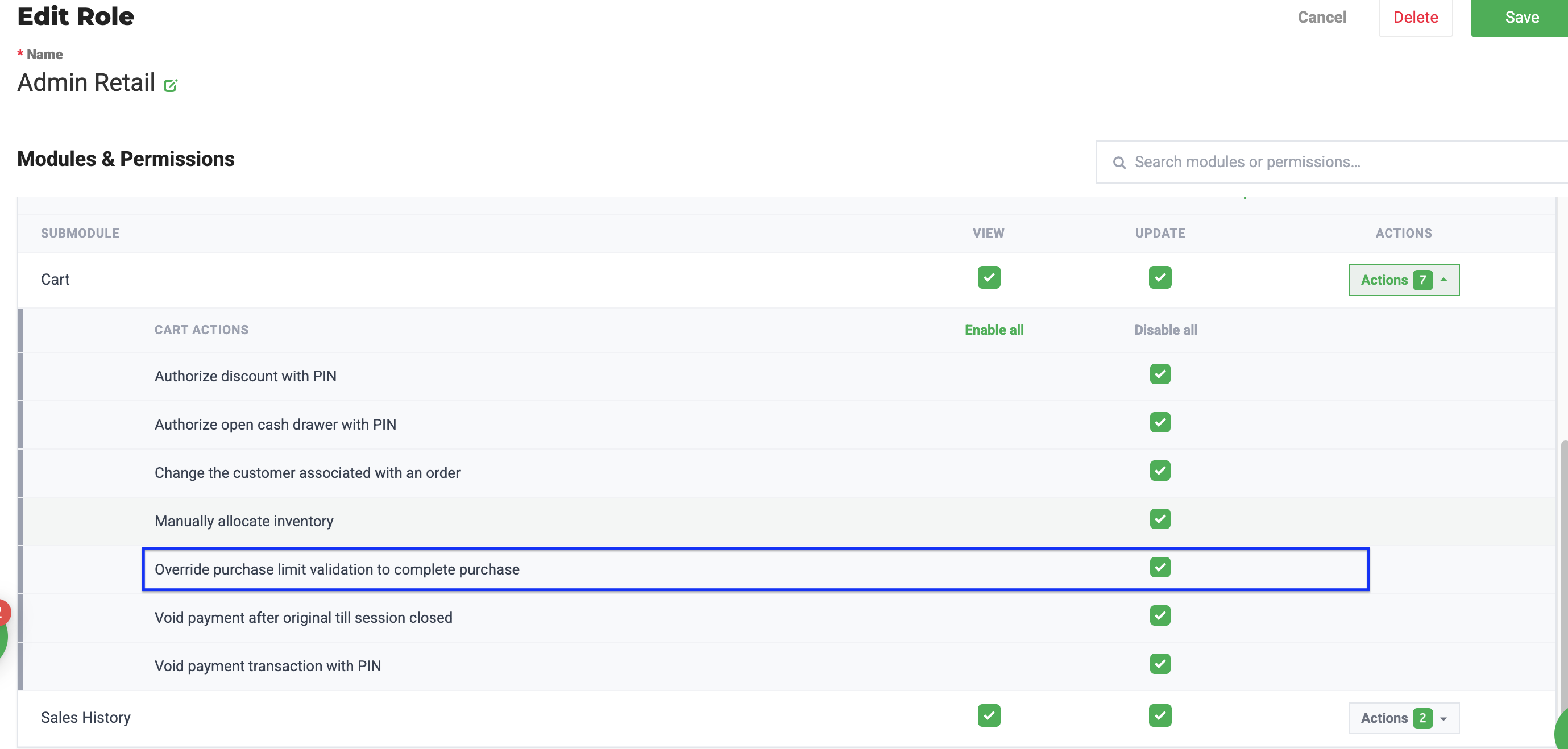
Give a Role Override Permission
- Click Manage Settings.
- Select User Roles.
- Click Point of Sale.
- Select the role.
- Locate the Shop card.
- Open the Actions menu next to Cart.
- Toggle Override Purchase Limit Validation to Complete Purchase on.
- Close the window.
- Click Save.
Purchase Limits by State
State | Customer Type | Limit Type | Amount | UOM | Time Window | Category Breakdown | Classes/Categories |
Rhode Island - Medical | Medical only | Item weight | 70 | grams | 336 hours (14 days) | No | All classes combined |
Rhode Island - Recreational | Recreational only | Item weight | 28 | grams | Per transaction | No | All classes combined |
Georgia | Medical only | Item volume | 20 | fluid ounces | Per transaction | No | All classes combined |
South Dakota | Medical only | Item weight | 85.0486 | grams | 336 hours (14 days) | No | All classes combined |
Massachusetts - Flower | Both | Item weight | 28 | grams | 24 hours (daily) | Yes | buds, shaketrim |
Massachusetts - Concentrates | Both | THC weight | 28 | grams | 24 hours (daily) | Yes | concentrate |
Massachusetts - Edibles | Both | THC weight | 28 | grams | 24 hours (daily) | Yes | infusededible |
New York - Flower | Recreational only | Item weight | 84 | grams | Per transaction | Yes | buds, shaketrim |
New York - Concentrate | Recreational only | Item weight | 84 | grams | Per transaction | Yes | concentrate |
New Mexico - Flower | Recreational only | Item weight | 2 | ounces | Per transaction | Yes | Flower |
New Mexico - Concentrate | Recreational only | Item weight | 16 | grams | Per transaction | Yes | Concentrate |
New Mexico - Edibles | Recreational only | THC weight | 800 | milligrams | Per transaction | Yes | Edibles |
New Mexico - Medical | Medical only | Units (1 g flower or 200 mg delta-9 THC) | 425 | units | Rolling 90 days | No | All classes combined |
New Mexico medical limits come from the state's NMS2S system. The medical card lookup returns the patient's units limit, units used in the last 90 days, and units remaining. Items without a delta-9 THC lab value can't be validated. For card and dispense errors, see New Mexico NMS2S Retail Error Messages and Troubleshooting.
Nevada
Nevada limits are based on item category.
Category | Purchase Limit Type | Daily Medical Limit | Daily Rec Limit | THC Content? |
Flowers/Buds Approved for Extraction | Flower | 28.0000 g | 28.0000 g | No |
Kief | Flower | 28.0000 g | 28.0000 g | No |
Marijuana Flowers/Buds | Flower | 28.0000 g | 28.0000 g | No |
Pre-rolled cigs/joints | Flower | 28.0000 g | 28.0000 g | No |
Shake/Trim | Flower | 28.0000 g | 28.0000 g | No |
Shake/Trim Approved for Extraction | Flower | 28.0000 g | 28.0000 g | No |
Small/Popcorn Buds | Flower | 28.0000 g | 28.0000 g | No |
Infused Non-Edible | Concentrates | 3.5430 g | 3.5430 g | Yes |
Infused Pre-rolls | Concentrates | 3.5430 g | 3.5430 g | Yes |
Non-Solvent Based Concentrate | Concentrates | 3.5430 g | 3.5430 g | Yes |
Non-Solvent Based Concentrate (Each) | Concentrates | 3.5430 g | 3.5430 g | Yes |
Solvent Based Concentrate | Concentrates | 3.5430 g | 3.5430 g | Yes |
Solvent Based Concentrate (Each) | Concentrates | 3.5430 g | 3.5430 g | Yes |
Tinctures | Concentrates | 3.5430 g | 3.5430 g | Yes |
Tinctures (Each) | Concentrates | 3.5430 g | 3.5430 g | Yes |
Capsule/Tablet | Concentrates | 3.5430 g | 3.5430 g | Yes |
Infused Edible | Edibles | 3.5430 g | 3.5430 g | Yes |
Related Articles
How did we do?
Retail - Cancel a Completed Purchase
Retail - Postal Shipping Orders
