Table of Contents
Sync Changes Made in Metrc Back to Flourish
Sync plant batches, plants, and harvests you changed directly in Metrc back to Flourish. See what syncs, how Synced from Metrc groups work, and when to sync packages.
Table of Contents
Make cultivation changes in Flourish whenever you can. If you had to make a change directly in Metrc, sync it back so Flourish matches Metrc.
How Syncing from Metrc Works
- Flourish runs this sync automatically every night.
- To sync right away, click Sync from Metrc in the Grow module.
- Each sync pulls changes from the last 24 hours. The Metrc API limits syncs to that window, so if a change is older than a day and still missing, contact Flourish Support.

What Syncs Back to Flourish
Immature Plant Batches
Change made in Metrc | What Flourish does |
Created a plant batch | Imports it as a new immature plant group. |
Destroyed plantings | Removes the same number of plants from the batch. |
Packaged plantings | Removes the plants from the batch. Then sync packages to add the package to inventory. See Packaged Plantings. |
Split a batch into new batches | Removes the plants from the source batch and imports the new batches. Flourish doesn't link the new batches to the source. |
Changed strain, location, tag, or name | Updates the batch. |
Mature Plants
Change made in Metrc | What Flourish does |
Destroyed plants | Marks the plants as dead. |
Changed strain | Updates the strain. |
Moved plants | Updates the area. Moved plants go into a Synced from Metrc group. See Synced from Metrc Groups. |
Replaced a plant tag | Updates the tag. |
Changed growth stage | Moves the plants to a Synced from Metrc group in the new stage. |
Harvests
Change made in Metrc | What Flourish does |
Created a harvest | Imports the harvest. |
Created packages from a harvest | Updates the harvest's remaining weight when you sync packages or transfers. See below. |
Recorded waste | Adds the waste to the Waste Log. |
Changed location | Updates the area. |
Finished or unfinished a harvest | Completes or reopens the harvest. |
Packaged Plantings or Harvest Packages
Packages created in Metrc need a second sync to reach inventory:
- Click Sync from Metrc in Grow. Flourish updates the plant batch or harvest.
- Click Sync Metrc Packages on Inventory > All Packages, or Sync Transfers in Inbound or Outbound. Flourish adds the packages to inventory.
Synced from Metrc Groups
When plants change stage or location in Metrc, Flourish can't tell which of your groups they belong in. It places them in a Synced from Metrc group for that stage and area. These groups are listed under their own Synced from Metrc heading in the group list.
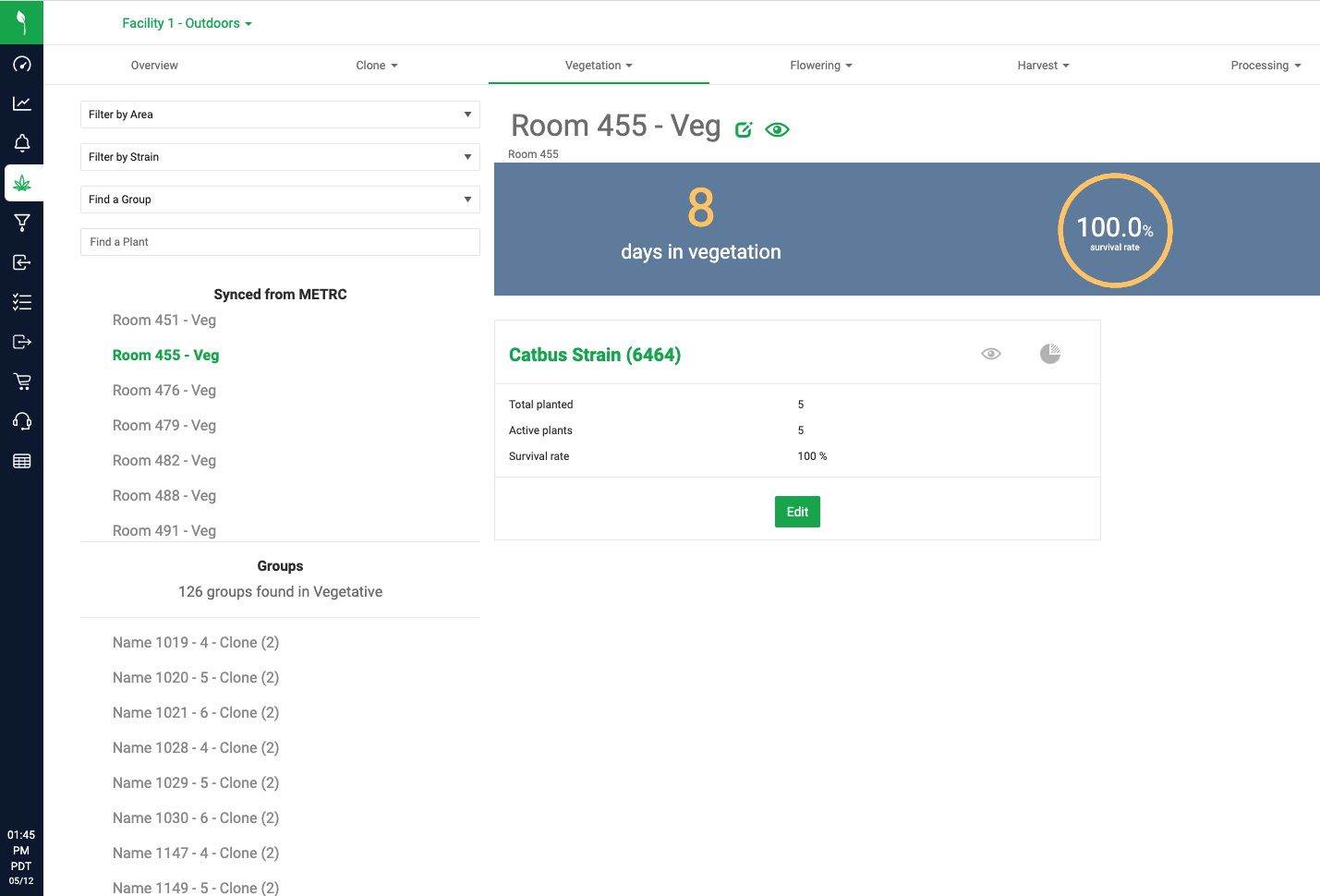
- To put plants back into a regular group, use Split Group. See Split a Plant Group.
- Synced from Metrc groups can't be moved; they are tied to their area.
Supported Stage Changes
Most Metrc states | California |
Immature to Vegetation Immature to Flowering Vegetation to Flowering Flowering to Harvest | Immature to Flowering Flowering to Harvest |
California Metrc has no Vegetation stage, so new immature batches synced from Metrc in California are placed in Propagation.
How did we do?
Destroy Mature Plants in Metrc: Waste Method, Reason, and Weight
Create Plants in Metrc: State Differences
