Table of Contents
Record Plant and Harvest Waste in Metrc
Record plant batch, plant group, and harvest waste that syncs to Metrc. Learn which waste reports to Metrc, the required fields, and why to sync harvests first.
Table of Contents
In Metrc facilities, waste you record with Actions > Record Waste creates a waste record in Flourish and in Metrc. You can record waste on an immature plant batch, a mature plant group, or a harvest.
This article covers what's different for Metrc. For the Waste Log itself (viewing, disposing, and canceling waste records), see Record Cultivation Waste (Pre-Harvest).
Which Waste Syncs to Metrc
Where you record it | Syncs to Metrc? |
Record Waste action on an immature plant group | Yes, as plant batch waste. |
Record Waste action on a Vegetation, Mother, or Flowering group | Yes, as plant waste. |
Record Waste action on a harvest (Harvest or Drying stage) | Yes, as harvest waste, once the harvest is synced. |
Waste columns in the harvest log | No. They update the harvest log only and don't appear in the Waste Log. |
Fields
Field | What to enter |
Waste Weight and UOM | The weight of the waste. |
Date | When the waste was generated. |
Waste Reason | Why the waste was generated. The list comes from Metrc for your state. |
Waste Method | How the waste was made unusable. The list comes from Metrc for your state. |
Mixed With | What the waste was mixed with, if your state requires it. |
Comment | Any details your compliance process requires. |
Record Waste on a Plant Group
- Click Grow and open the groups view for the stage.
- Click the group.
- Click Actions > Record Waste.
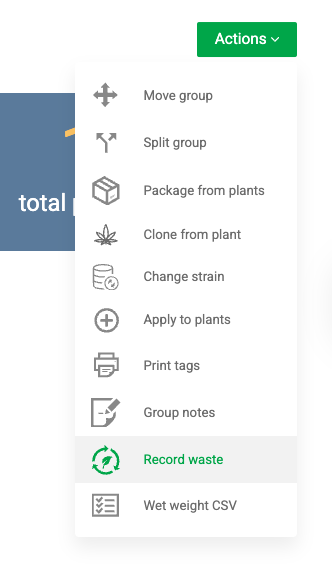
- Complete the fields. The window is titled Record Plant Batch Waste for immature groups and Record Plant Waste for mature groups.
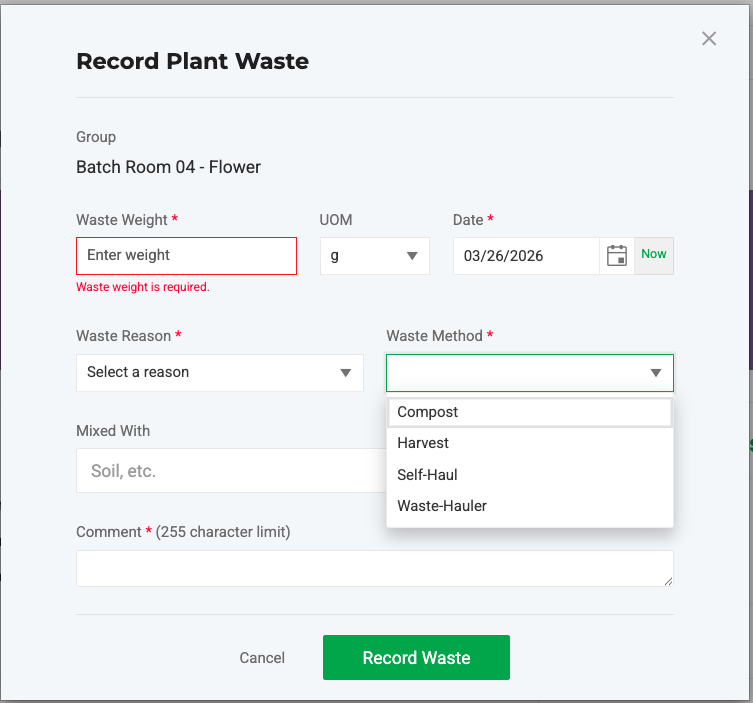
- Click Record Waste.
Record Waste on a Harvest
Metrc only accepts harvest waste after the harvest exists in Metrc, so sync the harvest first.
- Record wet weights for every plant. See Record Wet Weights by Plant.
- Sync the harvest to Metrc.
- Open the harvest from Grow > Harvest or Grow > Drying.
- Click Actions > Record Waste.
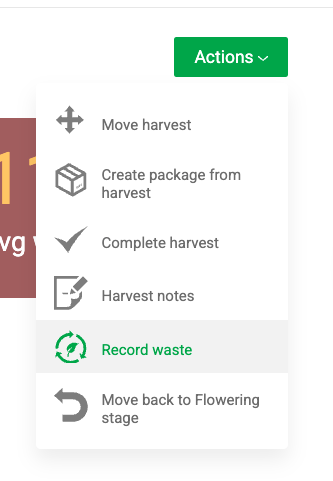
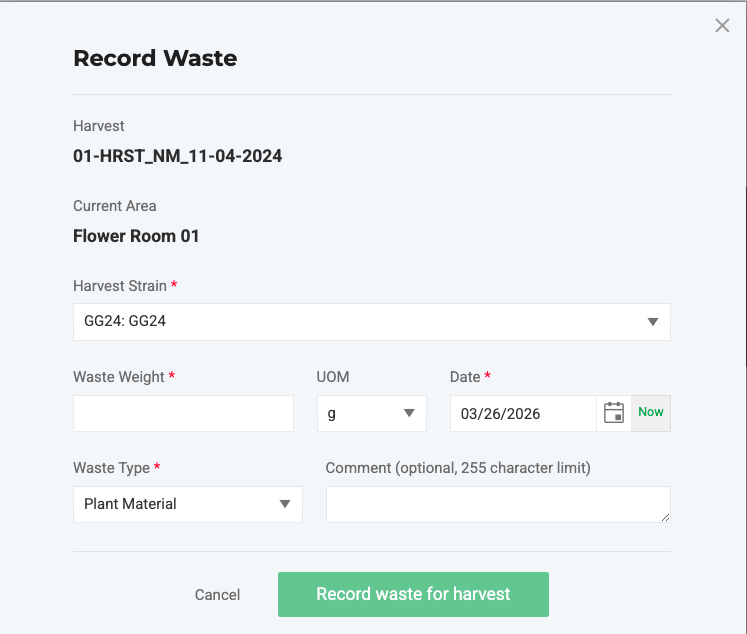
- Complete the fields and click Record Waste.
Pull Waste Recorded in Metrc
If someone recorded waste directly in Metrc, bring it into Flourish:
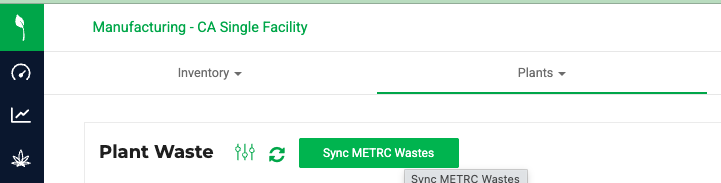
- Click Inventory and select Plants > Waste Log.
- Click Sync Metrc Wastes.
How did we do?
Change the Strain on Immature Plant Batches in Metrc
Harvest Plants in Metrc: What's Different
