Mobile Inventory Counts: RFID Counting
Use Flourish's Mobile App to Scan RFID tags for inventory counting
Flourish supports traditional inventory counts by scanning packages or manually entering quantities. Flourish developed an RFID Inventory Count method for our native Android application, which reads RFID tags to detect their presence within the facility. This is an efficient method for conducting an initial physical inventory and maintaining compliance.
- This inventory count method is only initiated within the Mobile Application.
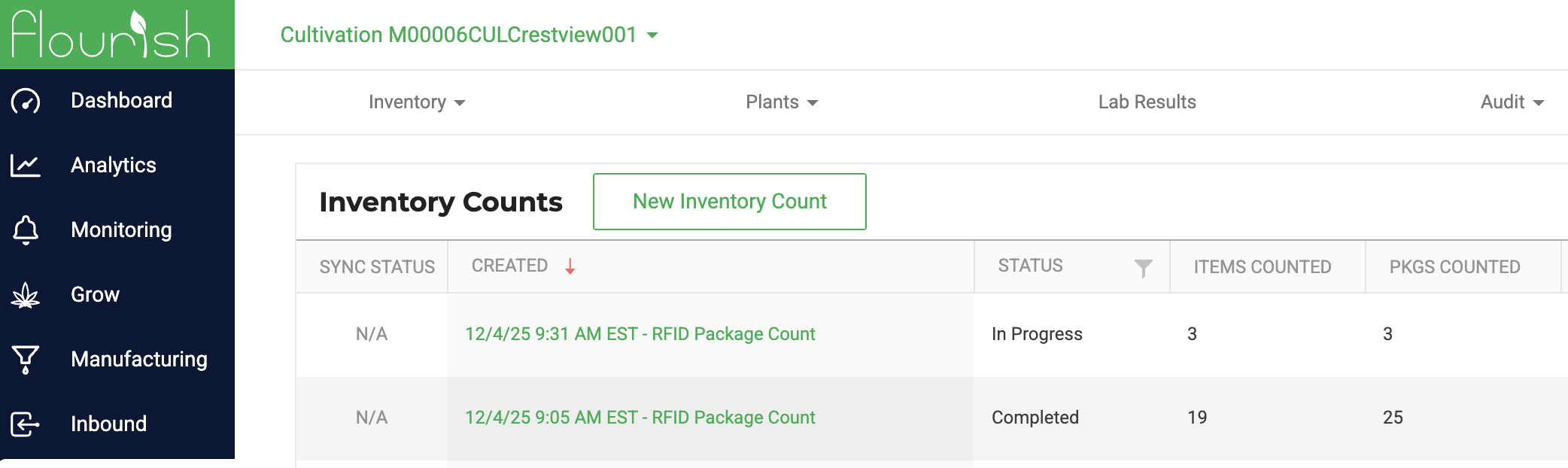
- In the Flourish application, view an In Progress or Completed count to see the results.
- Flourish supports simultaneous counts, allowing one user to perform an RFID count while another scans tags to validate quantities within a detailed count.
What is RFID?
RFID stands for Radio-frequency identification (RFID). It is a technology that uses electromagnetic fields to send out a signal.
Does this only work with Metrc?
No! Metrc ships Metrc Tags with RFID technology, but this technology is available for any operator.
Operators can also print RFID tags on demand with an RFID-equipped printer. Use Flourish's Bartender or MarkMagic integration to write data to RFID tags dynamically.
What are some limits of this counting method?
- This only detects whether the tag is present or not. It doesn't validate the quantity or item assigned to the tag
- Physical barriers can block or distort the RFID signal, or bleed across rooms, so it is best to adjust the read range to accommodate these scenarios.
- A consumed or disposed tag can still be read if present. Mitigate this by properly disposing of the used Metrc tags.
Android Steps to Count using RFID
Open the Inventory module and tap Inventory Counts, then choose RFID Package Count.
Choose which areas to count — on the "Select Area(s) to Include in this Count" screen, toggle on the areas to include, or flip Select All. Only your inventory-type areas are listed.
Tap Start Count (it stays disabled until at least one area is selected).
The scanning screen shows an Areas: badge listing your selected scope, and progress counts against just those areas. Use the on-screen controls to start and stop reading, and adjust the read range for your space.
Scanned tags that aren't in active inventory are called out so you can investigate.
Review results and complete the count from the web app, as with other count types.
How did we do?
Mobile Inventory Counts: Scan Packages per Item
Mobile Inventory Count: Enter Package Quantities
