Table of Contents
Choose Which Harvest and Drying Weights to Record
Choose which wet and dry weights your facility records on harvests. These settings shape tracking and reporting; you pick the weight bucket when packaging.
Table of Contents
Purpose
Each facility chooses which weights it records on a harvest. Every weight you turn on appears as a column in the harvest log, and the totals feed harvest history, yield, and reporting.
These settings mostly shape what you track and report. They don't limit how you package: when you create packages, you choose the weight bucket to package from right on the packaging screen. See Create Packages from a Harvest.
Open the Weight Settings
- Click the Settings gear icon.
- Select Configurations, then select the facility you want to set up.
- Click Harvest or Drying in the left menu.
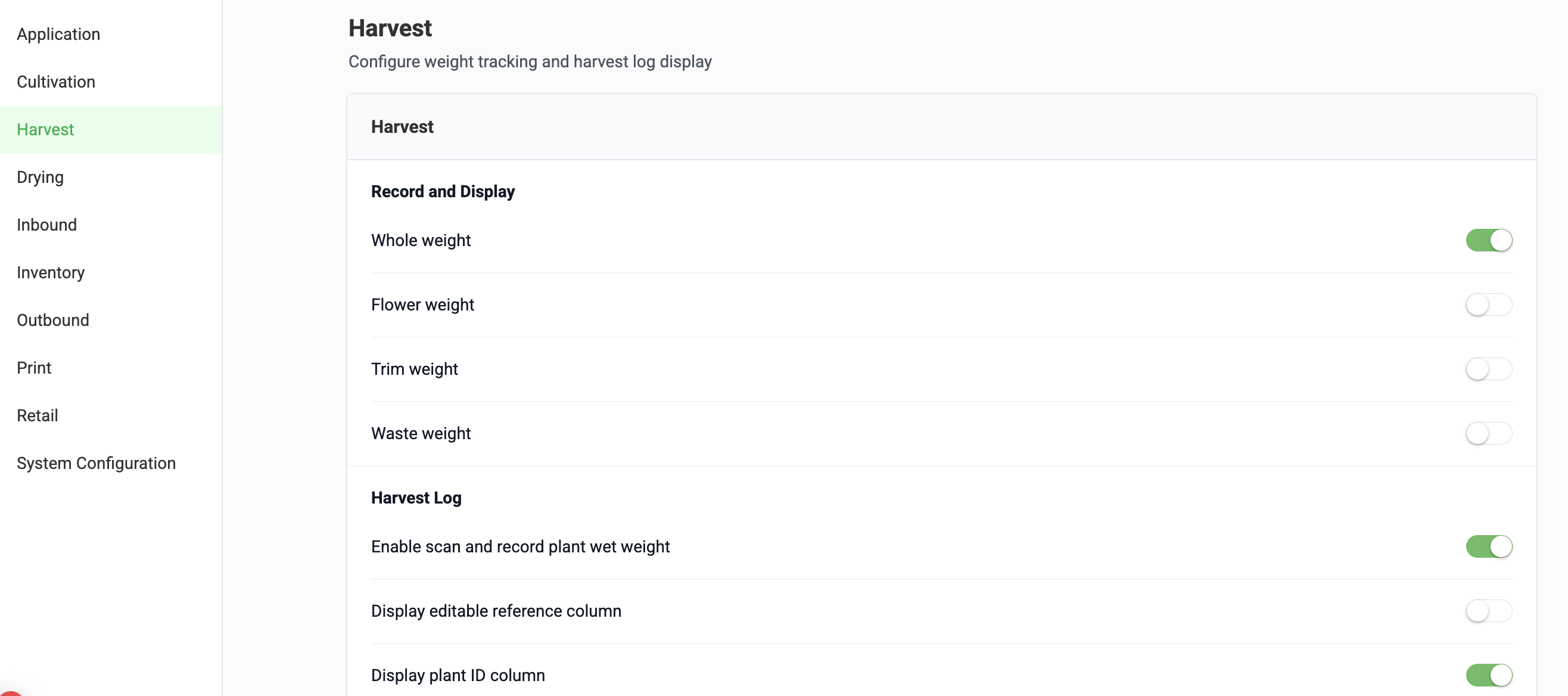
- Under Record and Display, turn each weight on or off. Changes save automatically.
Harvest Stage Weights
These are the wet weights recorded when plants are cut down. The options are Whole weight, Flower weight, Trim weight, and Waste weight.
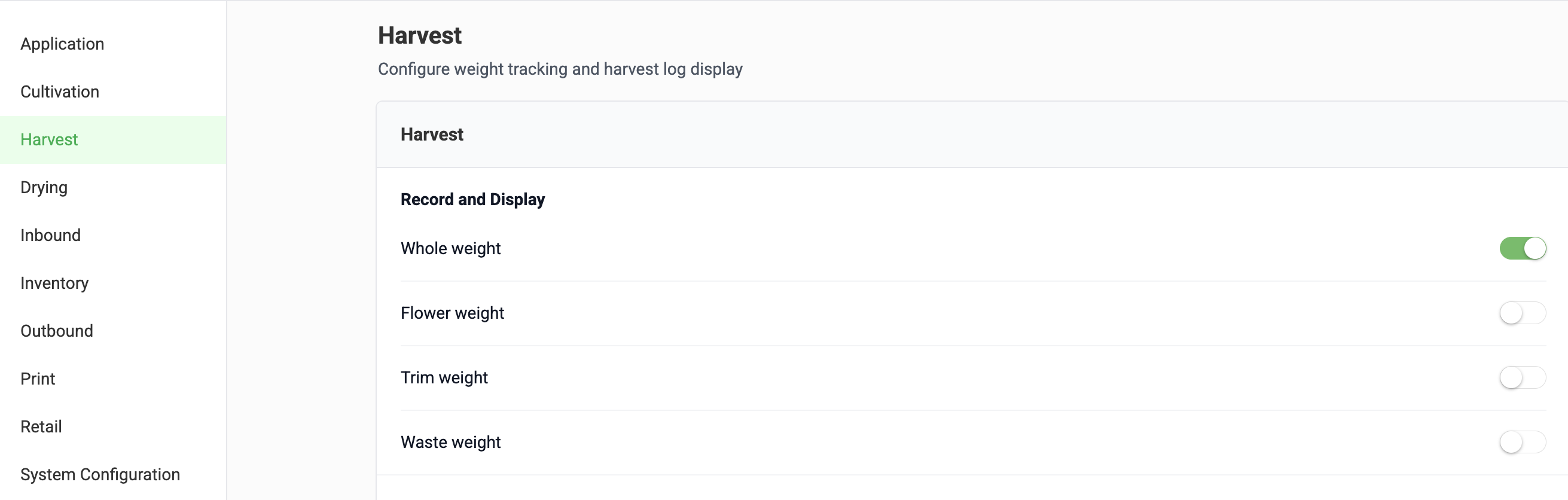
- Metrc facilities: turn on Whole weight only. Metrc requires a whole wet weight for each plant, and that is the weight Flourish sends when you sync the harvest. Record waste with the Record waste action instead of a waste column.
- Non-Metrc facilities: turn on any weights you want to track. For example, some growers record wet flower and trim separately for yield reporting.
Metrc Facility Configuration Example:
Drying Stage Weights
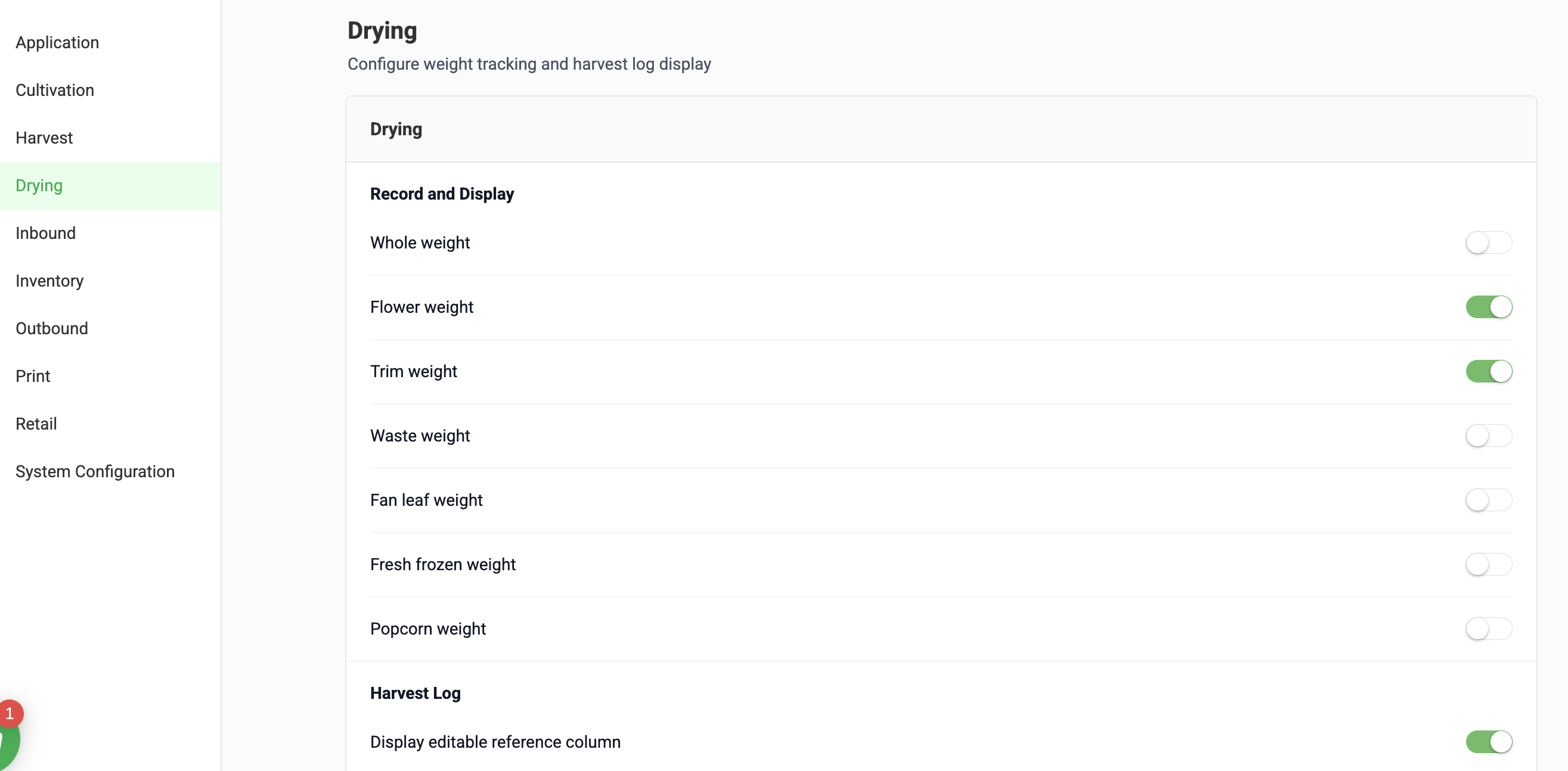
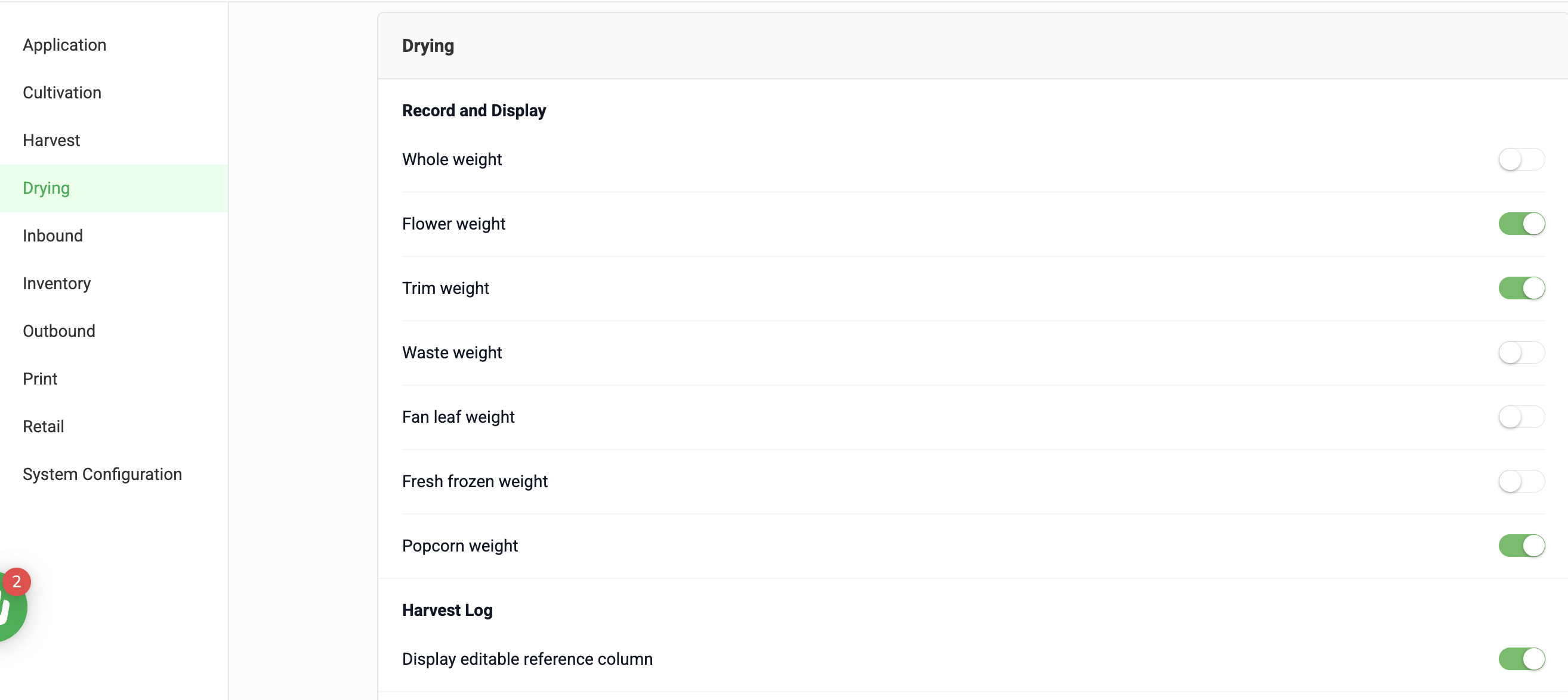
These are the dry weights recorded after drying and trimming. The options are Whole weight, Flower weight, Trim weight, Waste weight, Fan leaf weight, Fresh frozen weight, and Popcorn weight.
Turn on the weights that match what your facility produces and reports on. Most facilities use Flower weight and Trim weight, and add Popcorn weight or Fan leaf weight if they track those separately. Dry weights are recorded in Flourish only and are not reported to Metrc.
Other Settings on These Pages
The same pages also control harvest log display options (such as the plant ID and reference columns, and scanning plant wet weights) and whether packages can be created from each stage. Each option is described on the settings page.
How did we do?
Harvesting in Flourish: Overview
Adjust the Expected Harvest Date
