Mobile App - Retail Order Fulfillment
Use Flourish's mobile app to pack retail orders.
Use Flourish's mobile app to quickly pack retail orders. This is designed to use scanning and works best on a Zebra TC22/26 Mobile Computer. Currently, the mobile app only supports fulfilling orders, not modifying or creating new orders. Only pre-packed inventory allocation is supported (no "deli-style" weight-based items).
Fulfillment Queue
The fulfillment queue lists all open orders. By default, it shows "Submitted" orders ready to pack. Search for the order or just scan an order ID to get started.
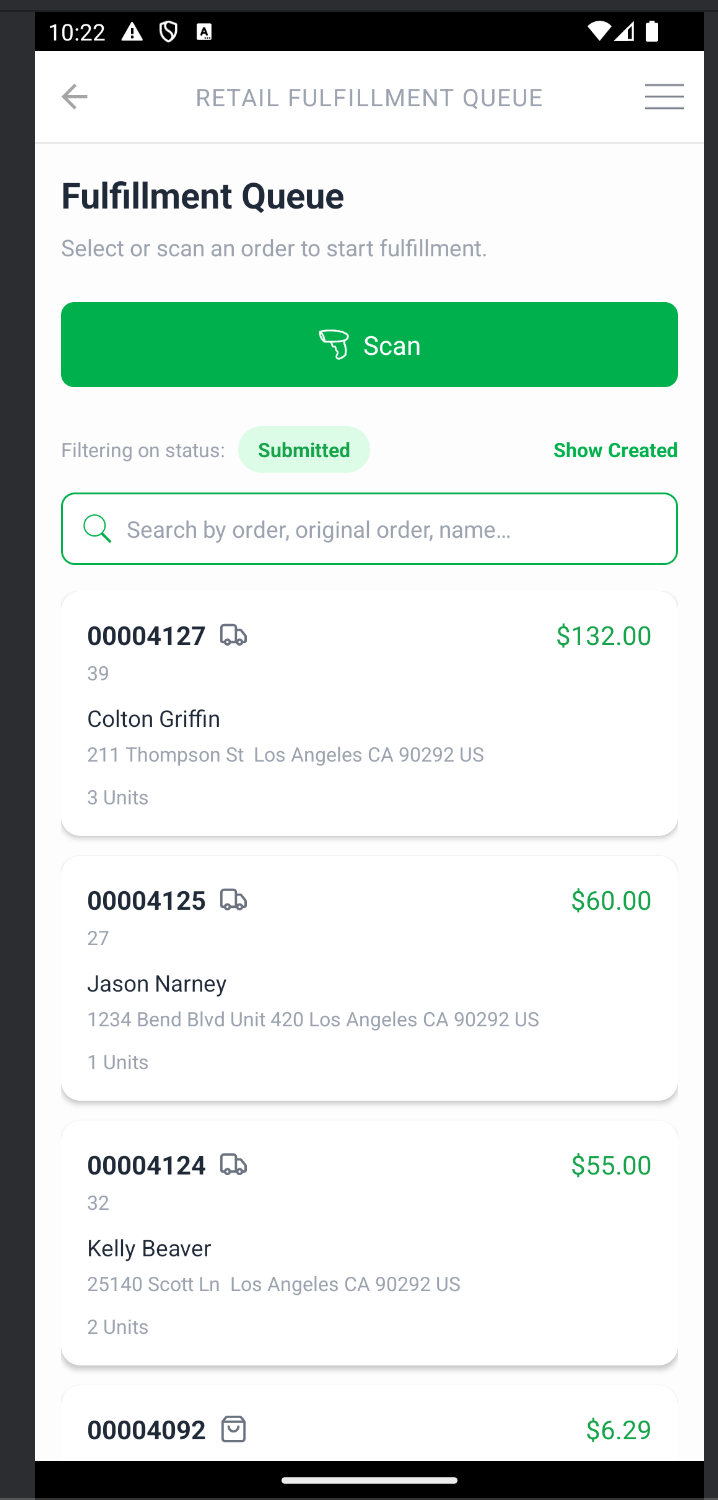
Pack a Retail Order
Scan the inventory to allocate it to the order.
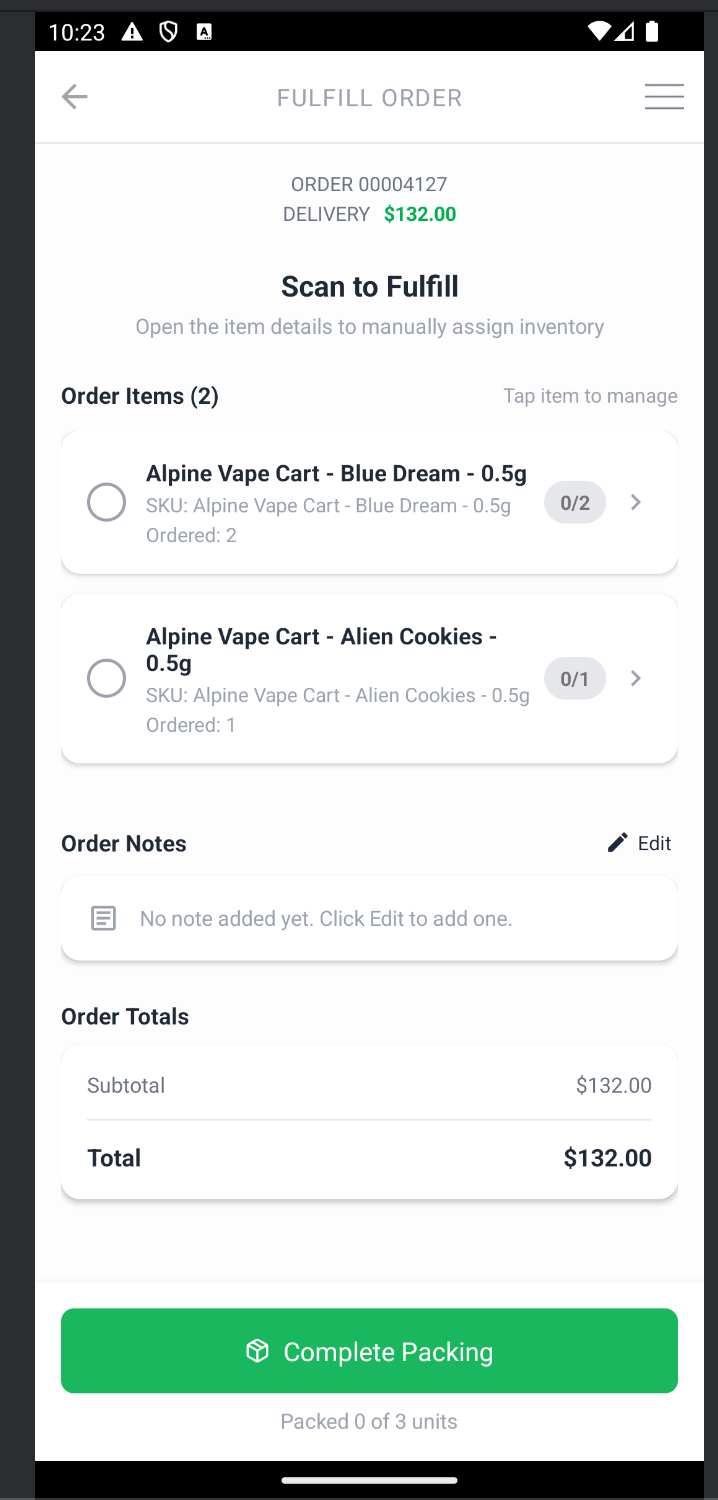
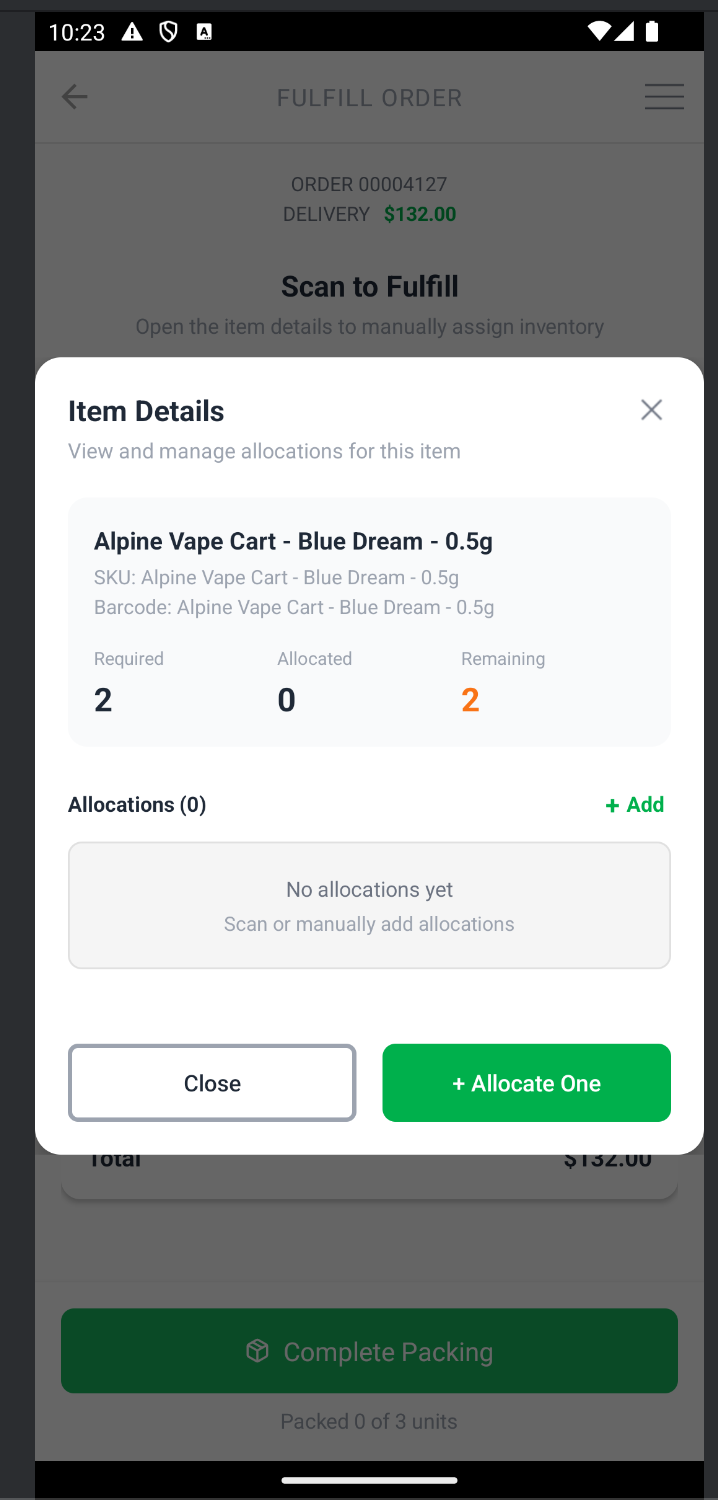
Manually allocate if the inventory will not scan.
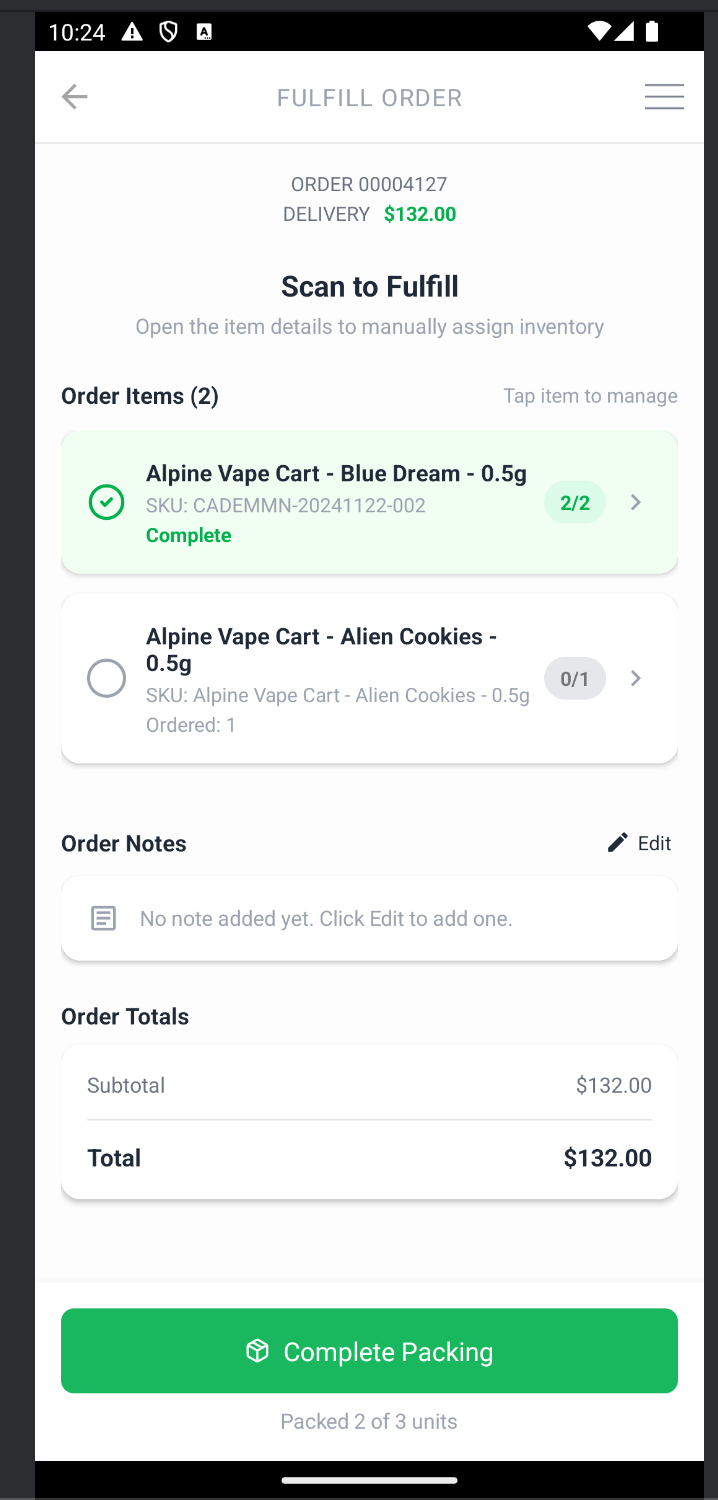
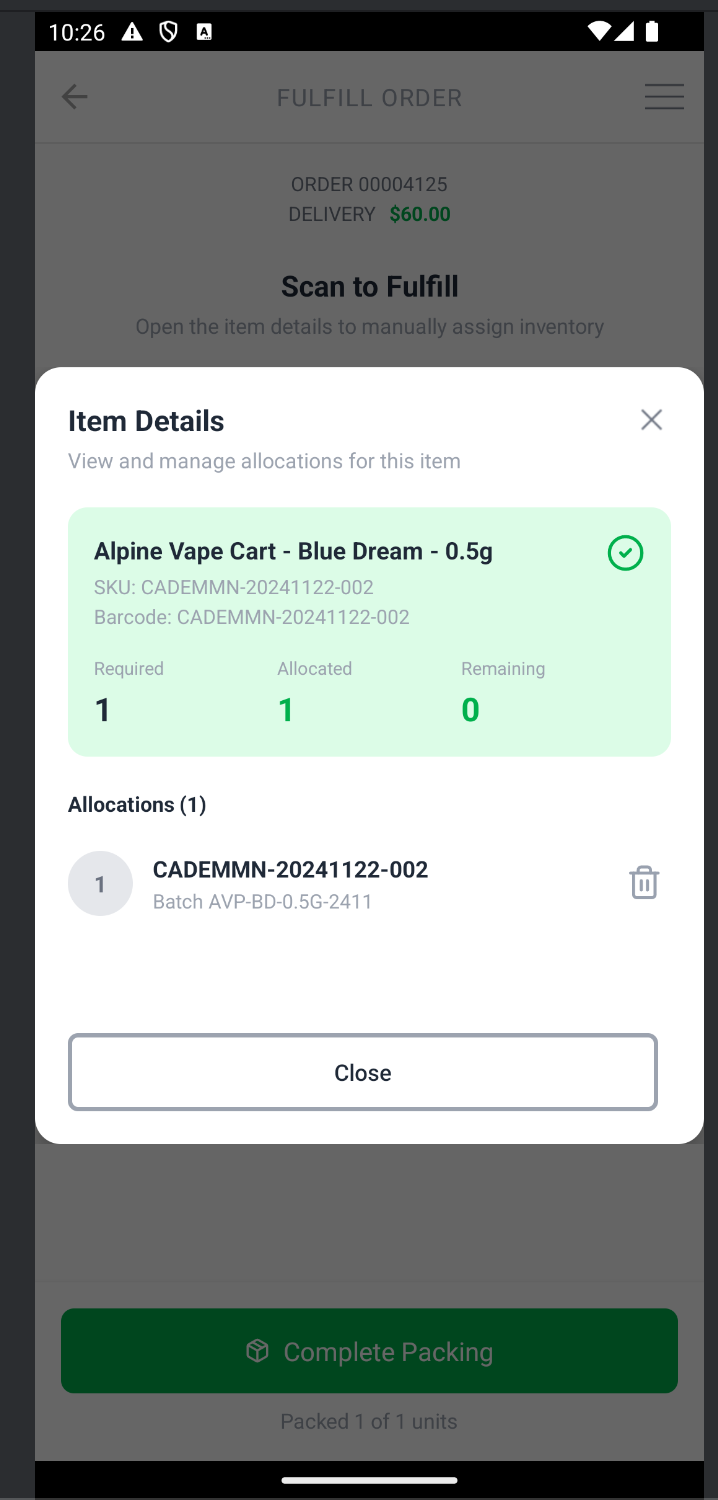
As you allocate inventory to the order, you'll see the line items turn green
Remove an allocation if needed by clicking on the order line and using the trash can icon to unassign inventory from the order line.
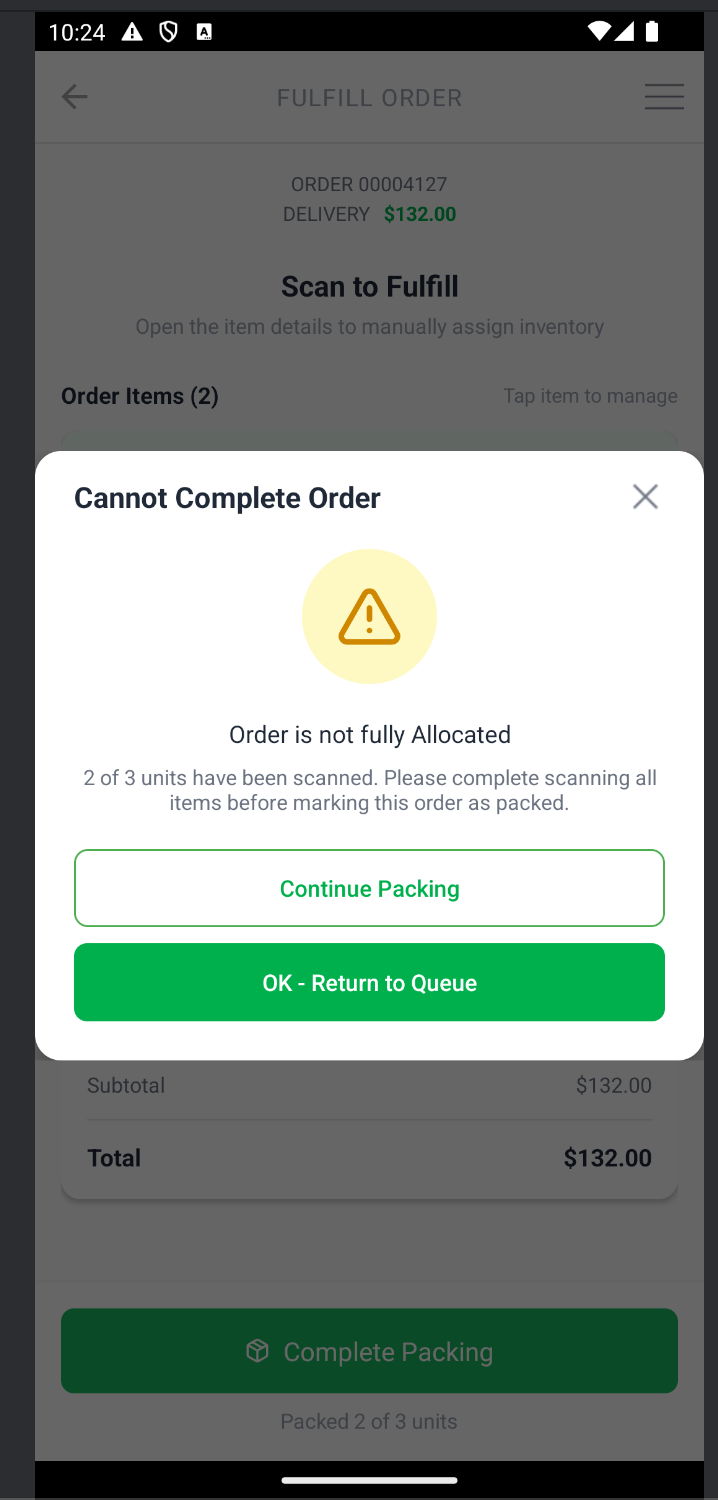
The system will alert you if the order isn't fully packed. This is OK. Either dismiss and finish packing or leave the order as partially allocated to deal with an exception and move on to packing other orders.
How did we do?
Retail Mobile Point of Sale on an Android Tablet or TC22
Mobile Application – Checking in and Managing Retail Customers
